AJA Control Room<sup class="trade">™</sup>

AJA Control Room™

Unified Ingest, Playback and Output Software

AJA Control Room™

Overview

AJA Control Room is a professional media software for macOS, Windows, and Linux, enabling 8K/4K/HD/SD and HDR/SDR workflows. AJA Control Room is designed to be used with AJA hardware devices, and it can also operate as a stand-alone media player with full-screen playback and host system audio monitoring, supporting high quality professional media file types and formats.

AJA Control Room is a unified cross-platform software for playback, ingest, monitoring, and output. Whether you’re using files on a network, capturing a live feed, switching feeds for streaming workflows, or working with tape based media, experience the same smooth interface regardless of chosen OS.

AJA Control Room allows for working with numerous professional media types in 8K/4K/HD/SD including uncompressed video, the entire Apple ProRes family, DVCProHD, H.265, H.264, and more, and also provides native 8K support when used with the AJA KONA 5.

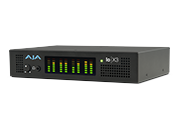
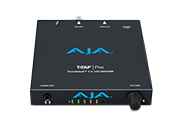
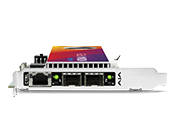
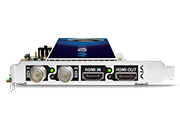
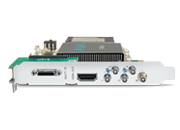
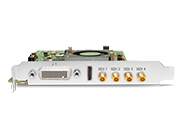
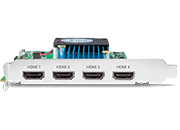
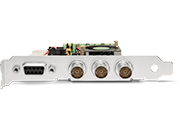
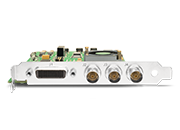
AJA Control Room comes bundled with the associated hardware drivers for KONA, Io®, and T-TAP Pro. Installing the Desktop Software package will automatically install AJA Control Room and these drivers and application plug-ins.

KONA, Io®, and T-TAP Pro. Installing the Desktop Software package will automatically install AJA Control Room and these drivers and application plug-ins.


Features

  • Use with compatible AJA hardware for ingest, monitoring, playback and advanced output for file/signal/tape-based SDI, HDMI and IP workflows
  • Stand-alone player for professional media formats on Windows, Linux, and macOS; including full support for Apple Metal, macOS Sonoma and Apple silicon
  • Supports a wide range of file types and codecs including Apple ProRes®, DVCProHD, H.265, H.264, uncompressed and DPX
  • Deep Buffer feature assists host-systems (particularly those attached to shared storage) in capturing / playing back high bandwidth video without dropped frames
  • Support for 8K/4K/UltraHD/HD/SD on compatible AJA hardware
  • Support for PQ, HDR10 and HLG on compatible AJA hardware
  • HDR signaling via SDI and/or HDMI outputs for KONA X, KONA 5, KONA 4, KONA 1, Io X3, Io 4K Plus and T-TAP Pro
  • HDR metadata capture support for KONA X, KONA 5, KONA 4, KONA 1, KONA HDMI, Io X3 and Io 4K Plus
  • HDR auto playback detection for KONA X, KONA 5, KONA 4, KONA 1, T-TAP Pro, Io X3 and Io 4K Plus
  • Host-based Video/Audio monitoring for KONA HDMI (capture only device)
  • Closed Captioning support up to 4K for KONA X, KONA 5 and KONA 4
  • Capture media for immediate use in Apple® Final Cut Pro, Adobe® Premiere Pro, Avid® Media Composer, and other leading NLEs and effects packages
  • Capture timecode using source video or time-of-day
  • Overlay “Burn-in” option for timecode and closed captioning on desktop and/or professional video output
  • Clip countdown to mark/out end of file – for accuracy during switching / live playout
  • Route audio tracks in QuickTime® files to desired output/monitor channels with KONA and Io products
  • RS-422 VTR control functionality

Apple ProRes Encode/Decode
on macOS, Windows, and Linux

AJA Control Room provides seamless bridging of your Apple ProRes workflows across macOS, Windows, and Linux.

With full cross-platform support for the entire Apple ProRes family of codecs, AJA Control Room provides comprehensive support for acquisition, production and delivery with the entire set of ProRes data rates and quality settings. ProRes read and write with AJA Control Room is supported across the entire range of AJA KONA, Io and T-TAP devices.

  • OS support: macOS, Windows, Linux Ubuntu, Linux Rocky
  • Codec support: All Apple ProRes Codecs up to 4444 XQ
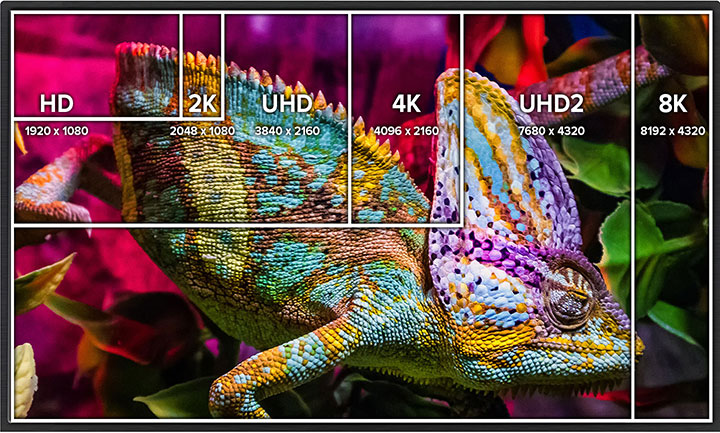
  • Video formats: 8K/UltraHD2/4K/UltraHD/2K/HD/SD

AJA Control Room Metadata Toolset

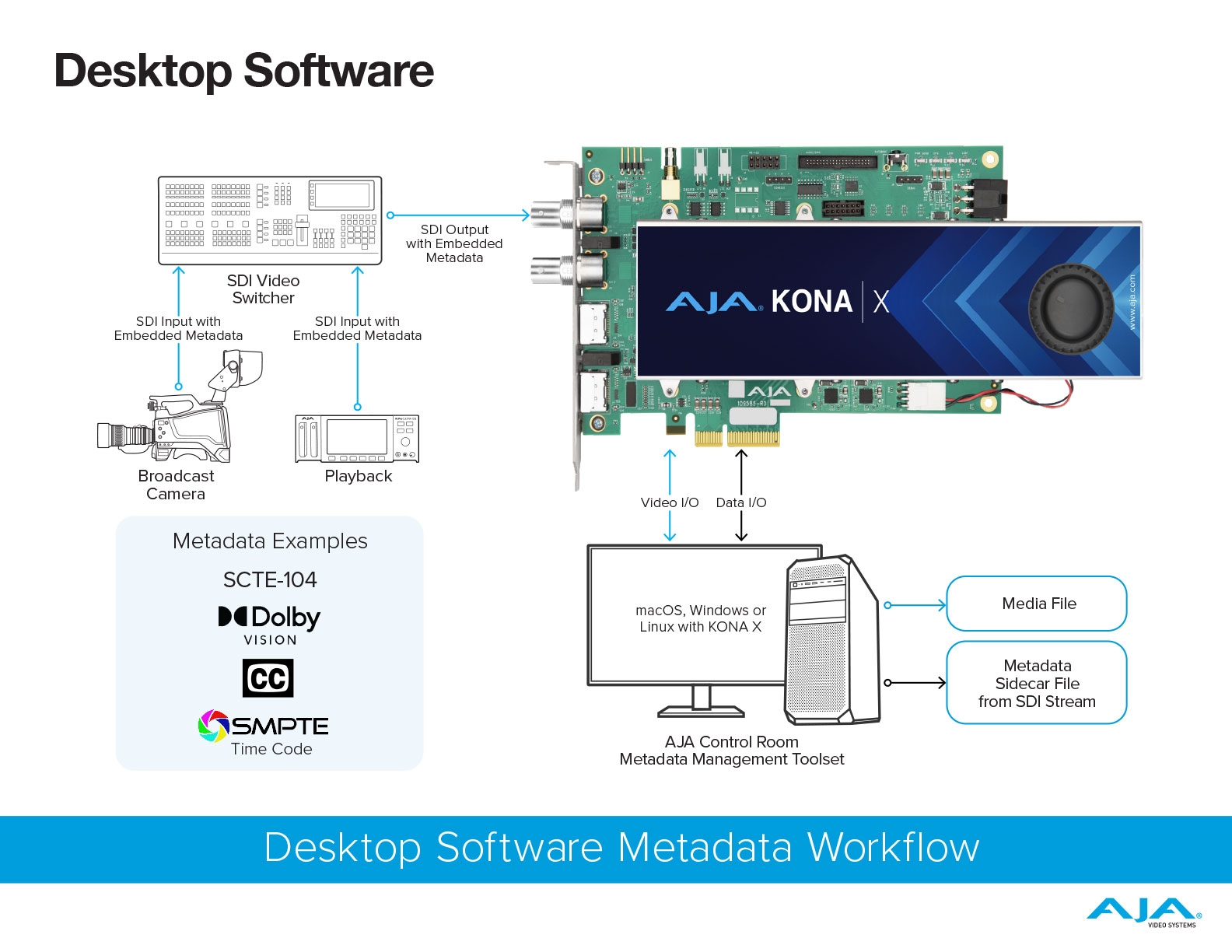
Metadata is the key for managing advanced workflows. The AJA Control Room Metadata Toolset works with most SDI signals that contain metadata like SCTE-104, Dolby Vision metadata, etc. Metadata can be captured and exported to a sidecar file. 

  • AJA Control Room can export the metadata synchronized with the media on a per-frame basis. 

*macOS and Windows only

Download Workflow

Elegant User Interface

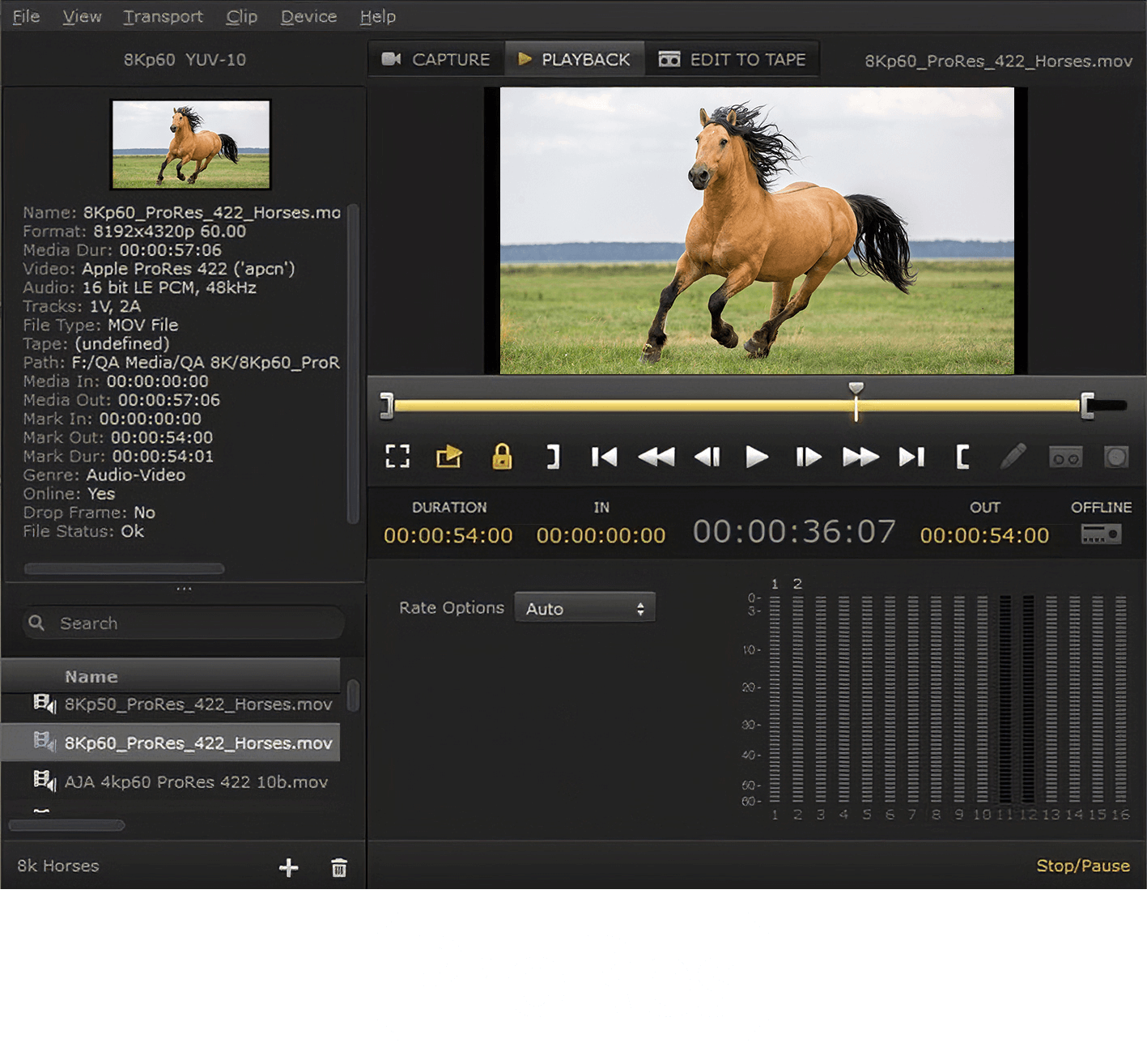
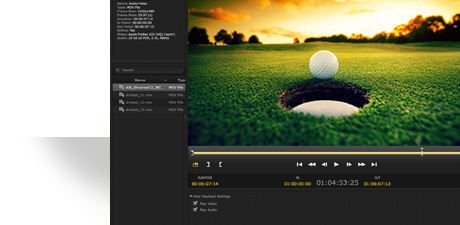
AJA Control Room’s interface focuses on the task at hand without adding unnecessary clutter. Intuitive controls are instantly recognizable, keyboard shortcuts and context sensitive menus streamline actions, layouts can be customized, and user presets saved, making it fast and easy to get your work done.

Create Bins, capture uncompressed video or choose from a range of compression options. Once captured, files can be simply played out through AJA hardware to professional SDI or HDMI devices/destinations, depending upon your choice of AJA I/O hardware.

Full Screen Playback and System Audio Support

AJA Control Room can be used as a free stand-alone professional media player, even on systems without any AJA hardware attached or installed.

When used without AJA hardware, video can be monitored full-screen using the host system GUI, and audio can be monitored with any internal or attached speakers.

Flexible Workflows

AJA Control Room feels, looks, and works the same whether your sources and deliverables are files, live feeds, or tape. With the same intuitive interface available on macOS, Windows, and Linux, teams can feel comfortable when they need to capture, monitor, or output media, with the same features, controls and layout are available on whatever system they are working on. AJA Control Panel, which is AJA Control Room’s companion application for configuring your AJA hardware, extends the flexibility and speed for even the most complex and challenging workflows.

Work with 8K, UltraHD2, 4K, UltraHD, 2K, HD, and SD resolutions plus a full range of uncompressed and compressed file formats at your disposal, including read/write support for H.264 and H.265, plus the entire Apple ProRes family including ProRes 4444 XQ, and many more.

AJA Control Room software supports 12-bit, 10-bit, 8-bit YCbCr and RGB workflows, plus the industry standard RS-422 interface allows capture and playout to VTRs with frame accurate control.

8K Capture and Playback with Control Room and KONA 5

Unlock the next generation power of 8K capture and playback via KONA 5 and use a more cost effective workstation. For example, capture 8K ProRes and use the file immediately in your NLE or other application of choice.

4K Closed Captioning Support

AJA Control Room software now supports ingest and playback of 4K content that carries Closed Captioning when using a KONA 5, KONA 4, Io 4K Plus, or T-TAP Pro.

HDR

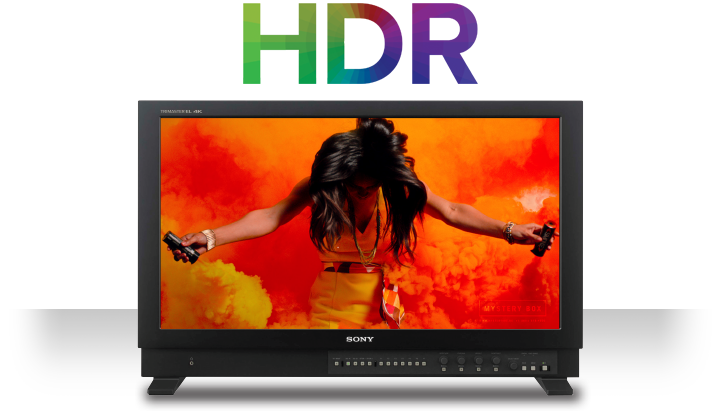
HDR or High Dynamic Range, provides the ability to display a wider and richer range of colors, much brighter whites, and much deeper, darker blacks than standard signals allow. This gives your imagery a more ‘dynamic’ look and allows for natural true to life colors to be communicated to your audience.

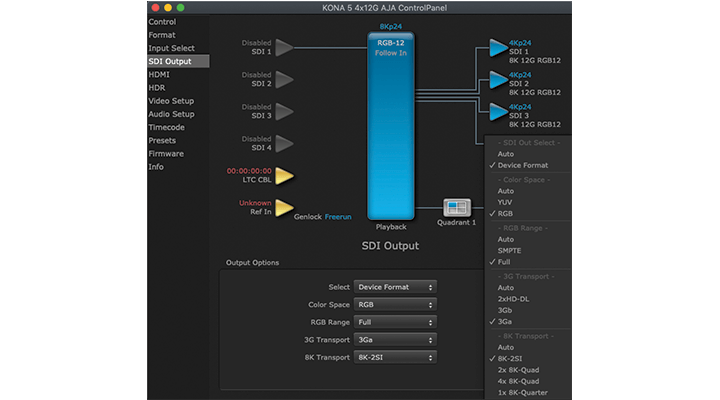
HDR workflows can also benefit from AJA's Control Room application and its companion, AJA Control Panel, which comes complete which has built-in HDR test patterns.

AJA Control Room also provides VPID signaling for SDR/HDR Transfer Characteristics, Colorimetry, and Luminance transfer characteristics over SDI, bringing flexible output options to your AJA device. 

AJA Control Room can also feed HDMI HDR displays, offering HLG and HDR10 support with HDR Infoframe metadata in accordance with HDMI 2.0a/CTA-861.G, for compatible KONA, Io, and T-TAP products. HDMI ports that were already HDR compatible will work simultaneously, for HDR output via both SDI and HDMI.

AJA Control Room software further offers HDR Auto Playback Detection. Embedded HDR metadata in a recorded .mov file, is read and used to automatically set the HDR format on the monitor(s) connected to the AJA HDMI and/or SDI outputs.

Support for file based .mov HDR outputs with metadata from Adobe Premiere Pro/Adobe Media Encoder HDR files is also available. Screening those rendered outputs is a simple and high quality experience with AJA Control Room. Every frame is presented in its full quality, at the timing intended, and with the proper HDR format set correctly and automatically.

Explore more of our HDR Solutions here:

HDR Solutions  

Cross-Platform Efficiency

Combine free AJA Control Room software with AJA’s capture and output hardware for an affordable ingest, playback, and output station on macOS®, Windows®, or Linux®. Keep your editing systems focused on editing and offload time consuming tasks to more cost effective workstations. 

Supports macOS, Windows, and Linux Ubuntu / Rocky. Please see Release Notes for details and version information which can be found in the Downloads, Software tab.

AJA Desktop Software Installer v18 for Windows:

This unified software, driver and firmware package contains everything you need in order to start using your AJA video I/O hardware and includes enhancements. Please read the Release Notes for complete detail. 

The following AJA applications are installed in v18

  • AJA Control Panel v18: 
    • For setup and control of your AJA KONA, Io or T-TAP product, including firmware updates.
    • For high quality capture, playback and output.
  • AJA System Test v18: 
    • For testing storage to determine if it will be possible to sustain frame rates for chosen format(s).
  • AJA Control Room v18:
    • For high quality capture, monitoring, playback and output.

Note: Corvid products are designed for Developers, so some Desktop Software features may not be available. Please contact AJA Technical Support for more information.


Mirrors

Download


AJA Desktop Software Installer v18 for macOS:

ATTENTION: macOS installation instructions have changed. Please read the installation guide or watch this short video >>before<< installing!

NOTE: v18 is not compatible with Intel-based macOS systems – You must use v17.6 software below in the Software Archive.

AJA Desktop Software v18 transitions from legacy Kernel Extensions (KEXT) to Apple’s modern Driver Extension (DEXT) framework, which requires a clean uninstall and an updated installation process. 
Important Installation Requirements:

  • Before installing, you must run the AJA v18 Uninstaller (included in this download) and reboot your system. This step removes the KEXT drivers. Failure to do so will cause the Desktop v18 installer to abort. Do not use uninstallers from previous versions (v17.x or earlier).
  • AJA Desktop Software v18 is supported on Apple silicon Macs only, running macOS 14 Sonoma or later. Intel-based systems are not supported—please use Desktop Software v17.6 instead.
This unified software, driver and firmware package contains everything you need in order to start using your AJA video I/O hardware and includes enhancements. Please read the Release Notes for complete details.

The following AJA applications are installed in v18
  • AJA Control Panel v18: 
    • For setup and control of your AJA KONA, Io or T-TAP product, including firmware updates.
    • For high quality capture, playback and output.
  • AJA System Test v18: 
    • For testing storage to determine if it will be possible to sustain frame rates for chosen format(s).
  • AJA Control Room v18:
    • For high quality capture, monitoring, playback and output.

Note: Corvid products are designed for Developers, so some Desktop Software features may not be available. Please contact AJA Technical Support for more information.
Mirrors

Download


AJA Desktop Software v18 installer for Rocky Linux up to versions 8.10 and 9.4:
This unified software, driver and firmware package contains everything you need in order to start using your AJA video I/O hardware and includes enhancements. Please read the Release Notes for complete details.
The following AJA applications are installed in v18
  • AJA Control Panel v18: 
    • For setup and control of your AJA KONA, Io or T-TAP product, including firmware updates.
    • For high quality capture, playback and output.
  • AJA System Test v18: 
    • For testing storage to determine if it will be possible to sustain frame rates for chosen format(s).
  • AJA Control Room v18: 
    • For high quality capture, monitoring, playback and output.

Note: Corvid products are designed for Developers, so some Desktop Software features may not be available. Please contact AJA Technical Support for more information.
Mirrors

Download


AJA Desktop Software v18 Installer Linux - Ubuntu 20.04 LTS and Ubuntu 22.04 LTS:
This unified software, driver, and firmware package contains everything you need to start using your AJA video I/O hardware and includes enhancements. Please read the Release Notes for complete details.

The following AJA applications are installed in v18:

  • AJA Control Panel v18: 
    • For setup and control of your AJA KONA, Io or T-TAP product, including firmware updates.
    • For high quality capture, playback and output.
  • AJA System Test v18: 
    • For testing storage to determine if it will be possible to sustain frame rates for chosen format(s).
  • AJA Control Room v18: 
    • For high quality capture, monitoring, playback and output.

Note: Corvid products are designed for Developers, so some Desktop Software features may not be available. Please contact AJA Technical Support for more information.
Mirrors

Download

AJA Desktop Software v17.6 Installer Linux - Ubuntu 20.04 LTS and Ubuntu 22.04 LTS:
This unified software, driver, and firmware package contains everything you need to start using your AJA video I/O hardware and includes enhancements. Please read the Release Notes for complete details.

Please contact Support if you need to install versions earlier than v17.6.

The following AJA applications are installed in v17.6:

  • AJA Control Panel v17.6: 
    • For setup and control of your AJA KONA, Io or T-TAP product, including firmware updates.
    • For high quality capture, playback and output.
  • AJA System Test v17.6: 
    • For testing storage to determine if it will be possible to sustain frame rates for chosen format(s).
  • AJA Control Room v17.6: 
    • For high quality capture, monitoring, playback and output.

Note: Corvid products are designed for Developers, so some Desktop Software features may not be available. Please contact AJA Technical Support for more information.
Mirrors

Download


AJA Desktop Software v17.6 installer for Rocky Linux up to versions 8.10 and 9.4:
This unified software, driver and firmware package contains everything you need in order to start using your AJA video I/O hardware and includes enhancements. Please read the Release Notes for complete details.
Please contact Support if you need to install versions earlier than v17.6.

The following AJA applications are installed in v17.6

  • AJA Control Panel v17.6: 
    • For setup and control of your AJA KONA, Io or T-TAP product, including firmware updates.
    • For high quality capture, playback and output.
  • AJA System Test v17.6: 
    • For testing storage to determine if it will be possible to sustain frame rates for chosen format(s).
  • AJA Control Room v17.6: 
    • For high quality capture, monitoring, playback and output.

Note: Corvid products are designed for Developers, so some Desktop Software features may not be available. Please contact AJA Technical Support for more information.

Mirrors

Download


AJA Desktop Software Installer v17.6 for Windows:

This unified software, driver and firmware package contains everything you need in order to start using your AJA video I/O hardware and includes enhancements. Please read the Release Notes for complete detail.

Please contact Support if you need to install versions earlier than v17.6.

The following AJA applications are installed in v17.6

  • AJA Control Panel v17.6: 
    • For setup and control of your AJA KONA, Io or T-TAP product, including firmware updates.
    • For high quality capture, playback and output.
  • AJA System Test v17.6: 
    • For testing storage to determine if it will be possible to sustain frame rates for chosen format(s).
  • AJA Control Room v17.6:
    • For high quality capture, monitoring, playback and output.

Note: Corvid products are designed for Developers, so some Desktop Software features may not be available. Please contact AJA Technical Support for more information.

Mirrors

Download


AJA Desktop Software Installer v17.6 for macOS:

This unified software, driver and firmware package contains everything you need in order to start using your AJA video I/O hardware and includes enhancements. Please read the Release Notes for complete details.

Please contact Support if you need to install versions earlier than v17.6.

Apple silicon macOS security instructions are found here.

The following AJA applications are installed in v17.6

  • AJA Control Panel v17.6: 
    • For setup and control of your AJA KONA, Io or T-TAP product, including firmware updates.
    • For high quality capture, playback and output.
  • AJA System Test v17.6: 
    • For testing storage to determine if it will be possible to sustain frame rates for chosen format(s).
  • AJA Control Room v17.6:
    • For high quality capture, monitoring, playback and output.

Note: Corvid products are designed for Developers, so some Desktop Software features may not be available. Please contact AJA Technical Support for more information.

Mirrors

Download

AJA Control Room Manual v18 for Desktop and Mobile I/O devices.

Note: Corvid products are designed for Developers, so some Desktop Software features may not be available. Please contact AJA Technical Support for more information.

Mirrors

Download


AJA Desktop Software v18 macOS Installation Guide for download. You can also watch this short video.

Note: Corvid products are designed for Developers, so some Desktop Software features may not be available. Please contact AJA Technical Support for more information.

Mirrors

Download

Python tutorial document and example python scripts to accompany the AJA Control Room™ tutorial.

NOTE:Our implementation is based upon Python v2.7 Version 3.4 will not work.

Mirrors

Download


Please download the PDF for information on AJA and QuickTime 7 for Windows as of May 2016.

Mirrors

Download


Sign-up with AJA!

Receive the latest news and product update information

Submit and Download

Continue to Download without Sign-up

Your details will be registered with the AJA Video Systems database to receive occasional news of important software updates, new products and services. Please view our privacy policy for more information.