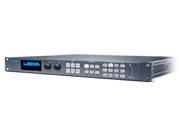
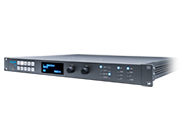
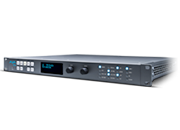
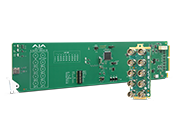
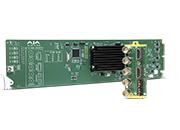
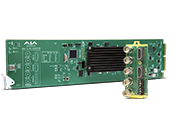
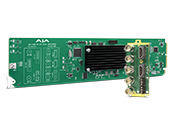
Ki Pro

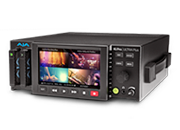
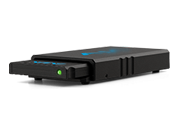
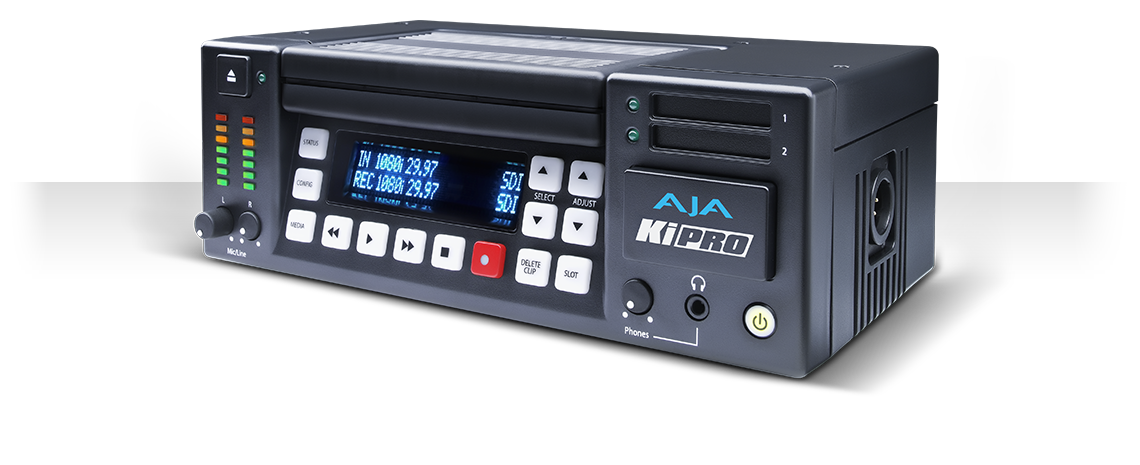
Portable file-based HD/SD recorder and player.

Ki Pro has been discontinued.
Please visit the Ki Pro family page for current alternatives.

This firmware version for the Ki Pro updates the web UI to be compatible with Safari 7.  Earlier versions of the Ki Pro firmware and web UI may not respond as expected when used with Safari 7.  If you are planning on using Safari 7, you should update to this firmware version. 

Important: To perform the update, you will need to use a web browser other than Safari, such as Firefox or Chrome.

The Ki Pro Installation and User Manual is available in the Manual section of the Ki Pro support area as well as within the .zip archive.

Note: AJA recommends a Factory Reset under the CONFIG menu prior to updating firmware.

Mirrors

Download


With current Windows OS versions, you may need to install the following driver so that the SATA connection in the KiStor Dock operates as expected in Windows.

Mirrors

Download


This version of the Ki Pro automation API includes all-new Python modules for automatically discovering, reading and writing all supported Ki Pro parameters. Inline documentation and examples have been included for accessing discovered parameters and valid values by name. Please Note: These materials are intended for users who have web programming or scripting skills. They are not intended for the general Ki Pro user.

Mirrors

Download

(Released 3/18/2011)

This version of the Ki Pro automation API includes enhanced documentation with a new script that will go to a clip by name and park on the first frame. Otherwise this API archive is identical to the Ki Pro Automation 2.0.0 archive listed below. Please Note: these materials are intended for users who have web programming or scripting skills. They are not intended for the general Ki Pro user.

A file could not be found. To report this, email support@aja.com


(Released 11/16/2010)

This version of the Ki Pro automation API includes two new example scripts, one to record a file with a specified name and a matching script to play a file with a specified name. Otherwise this API archive is identical to the Ki Pro Automation 2.0.0 archive listed below. Please Note: these materials are intended for users who have web programming or scripting skills. They are not intended for the general Ki Pro user.

A file could not be found. To report this, email support@aja.com


Ki Pro version 3.1 software adds camera metadata support for Arri Alexa, Panasonic AG-AF100 series and Sony PMW-F3 cameras as well as enabling timelapse recording capabilities. Several reported issues are resolved with this new version as well. The .zip archive contains new software, manual, andrelease notes. A PDF list of AJA-qualified ExpressCard/34 storage media is available for download. Note: AJA recommends a Factory Reset under the CONFIG menu prior to updating firmware.
Mirrors

Download


A major update to Ki Pro, version 3.0 software contains new features including: LANC support, increased RS422 support, ExpressCard/34 support (slot 1), Camera Data, FireWire 800 port support, FireWire 400 port support, data transfer via LAN, continue to record on loss of video, playlist creation, saving/recalling presets, super out (window burn) for SDI, and much more. The .zip archive contains new software, manual, and release notes. A PDF list of AJA-qualified ExpressCard/34 storage media is available for download.
Note: AJA recommends a Factory Reset under the CONFIG menu prior to updating firmware.

Mirrors

Download


The Ki Pro automation API allows remote systems to control Ki Pro with HTTP POST and GET requests using a Representational State Transfer (REST) interface. This API allows any scripting language or web 2.0 tool to control Ki Pro using properly formatted requests. Information provided in the Ki Pro Automation .zip archive includes example python scripts and a plain ASCII text file containing usage examples that can be copied, modified and pasted.

Please Note: these materials are intended for users who have web programming or scripting skills. They are not intended for the general Ki Pro user.

Mirrors

Download


A major update to Ki Pro, version 2.0 software contains new features including: 8-channel audio support, gang recording via multiple Ki Pros, custom clip naming, and RS422 support. The .zip archive contains new software, manual, and release notes.
Mirrors

Download


A maintenance update to Ki Pro version 1.1 containing improvements and fixes, including adding 1080p playback to Config parameter 1.3, better timestamping of clips plus other items (see release notes). Archive contains new software, manual, and release notes.

Mirrors

Download


Update to Ki Pro containing many improvements, including Apple ProRes 422 (LT) and Apple ProRes 422 (Proxy) format support, 720p VFR recording, 1080p support, audio and video signal generators, a Play All option, and other features and improvements (see release notes). Archive contains new software, manual, and release notes.

Mirrors

Download


This is the initial release of Ki Pro software.

Mirrors

Download

This document describes Installation and Operation of the Ki Pro portable disk recorder.

Mirrors

Download


This document provides a quick easy-to-read overview of using the Ki Pro portable disk recorder.

Mirrors

Download

Please download the PDF for information on AJA and QuickTime 7 for Windows as of May 2016.

Mirrors

Download


This document provides a list of AJA-qualified ExpressCard34 storage media for use with Ki Pro.

Mirrors

Download

AJA Training Ki Pro:

The AJA Ki Pro is a tapeless video recording device that records high-quality Apple ProRes 422 edit ready QuickTime files onto computer-friendly media. Because it features SD/HD-SDI, HDMI, and analog inputs, you can interface with virtually any type of camera you might own or rent. Further, you enjoy monitoring flexibility through Ki Pro's numerous simultaneous outputs, connecting to both professional and consumer monitors.

How do I record Apple ProRes with Ki Pro Classic?

Ki Pro Classic records Apple ProRes files directly to AJA Pak media or standard drives. To start recording, press the Record button on the front panel or in the web UI, and choose your desired ProRes flavor under Record Type in the Device menu.

Can I transfer clips directly from Ki Pro Classic to my NLE?

Yes. Ki Pro Classic saves recordings as standard QuickTime ProRes files that can be copied via USB, FireWire, or Ethernet and imported directly into most NLEs, including Apple Final Cut Pro, Adobe Premiere Pro, and Avid Media Composer.

In Part 1 of the Ki Pro training series, Jon Thorn, Ki Pro Product Manager explains your connectivity options and how to attach the Ki Pro to a camera. Jon will also guide you through the main User facing UI buttons so that you can familiarize yourself with the key controls.

https://youtu.be/sjUZcyJLzbY?si=aGh0sePISRTcB7Zm


In Part 2 of the Ki Pro training series, Jon Thorn, Ki Pro Product Manager, explains how to configure your Ki Pro and shares all the flexibility and power that Ki Pro's Up/Down/Cross-conversion has to offer.

https://youtu.be/gKVwVoY2K8Q?si=ng4y6tkR0eQfGq61

In Part 3 of the Ki Pro training series, Jon Thorn, Ki Pro Product Manager takes the viewer through the steps necessary to record to the Ki Pro and connect the resultant recorded files on the Ki Pro Storage module to an Apple computer with Final Cut Pro. The user can edit immediately using the edit ready Apple Pro Res files. As the video makes clear, the process is simple and seamless.

https://youtu.be/sbCR_zKE9DU?si=6Du18UcSaKdmDgoR


Sign-up with AJA!

Receive the latest news and product update information

Submit and Download

Continue to Download without Sign-up

Your details will be registered with the AJA Video Systems database to receive occasional news of important software updates, new products and services. Please view our privacy policy for more information.