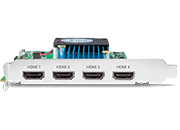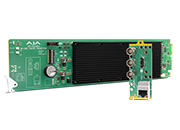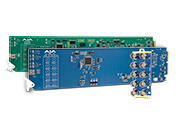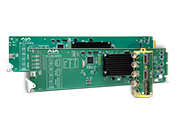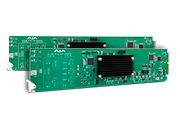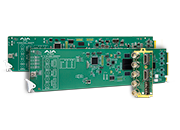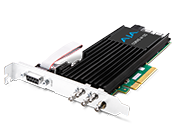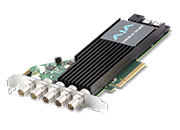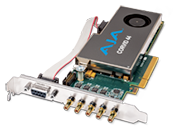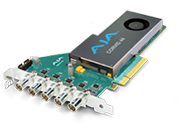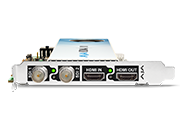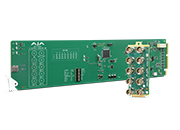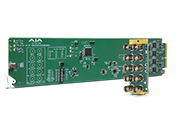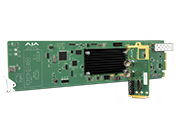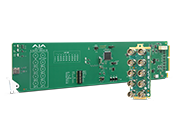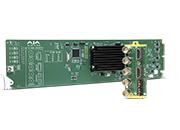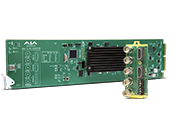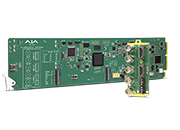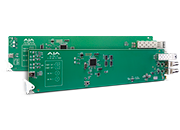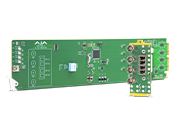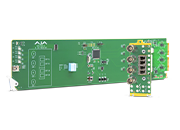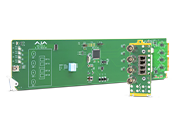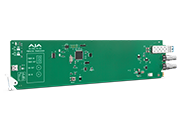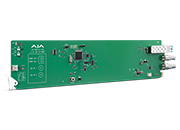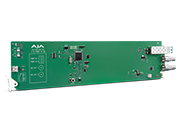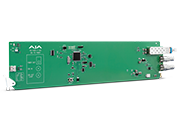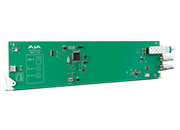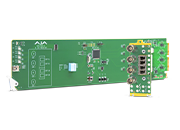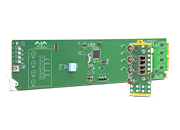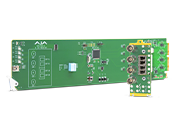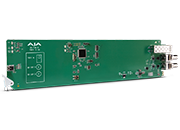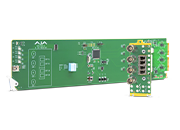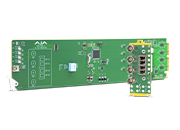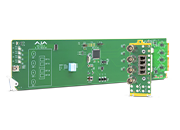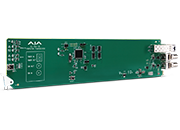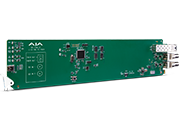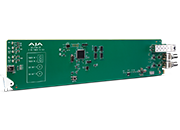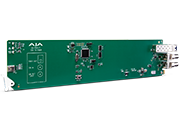
KONA HDMI

KONA HDMI

HDMI Capture for Multi-Channel 2K/HD or Dual Channel 4K/UltraHD

$1,853 US MSRP*

* Plus any applicable tariffs. Pricing is for US only. International pricing will vary.

Overview

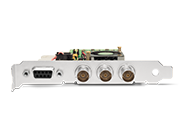
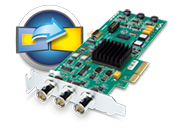
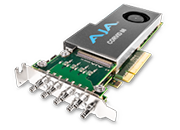
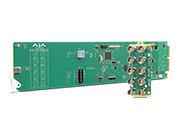
KONA HDMI is a powerful multi-channel HDMI capture card, with all of the quality and flexibility you have come to expect from AJA.

Designed for the demands of multiple workflows such as gaming, streaming, VJ-ing, live events switching, vlogging, VR, post and broadcast, this powerful card boasts support for dual channel capture up to 4K/UltraHD 60p or four channel capture up to 2K/HD 60p.

KONA HDMI is also supported by both the AJA SDK as well as Video for Linux®, making it a perfect choice for developers of multichannel HDMI ingest, switching, monitoring and communication solutions.


Features

  • 4K/UltraHD/2K/HD/SD up to 50/60p
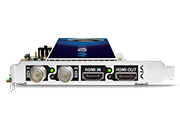
  • 4x full-size HDMI inputs each with 8-channel embedded audio
  • Simultaneous capture of 2x 4K/UltraHD or 4x 2K/HD
  • HDMI 2.0 (port 1 & 2) and HDMI 1.4b (ports 3 & 4)
  • RGB 4:4:4 12-bit, YCbCr 4:2:2 10-bit and HFR workflows supported 
  • Capture stunning HDR from cameras, game consoles, and more 
  • PQ, HLG, HDR10, and Dolby Vision Support
  • HDR Metadata Capture
  • Video4Linux (V4L2 Color) and DirectShow support
  • Compatible with apps from Adobe, Avid, OBS Project, and Telestream.
  • Includes support for Apple silicon

Apple silicon Support

AJA Desktop Software is optimized for the latest Apple silicon with native support for AJA macOS drivers, application plug-ins, AJA Control Room, AJA Control Panel, and AJA System Test.

Apple Mac Pro Compatible

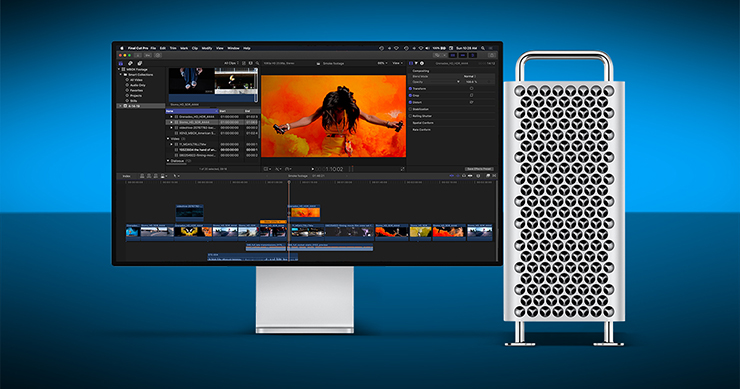
AJA offers full compatibility for the Apple Mac Pro, including support for AJA Control Room with Metal compatibility as well as extensive support for a range of applications. For productions handling dual 4K and multi-channel HD HDMI workflows, KONA HDMI is a perfect companion with the new desktop offering 8-lane PCIe 2.0 multi-channel HDMI capture.

Multi-Channel HD Capture and Streaming

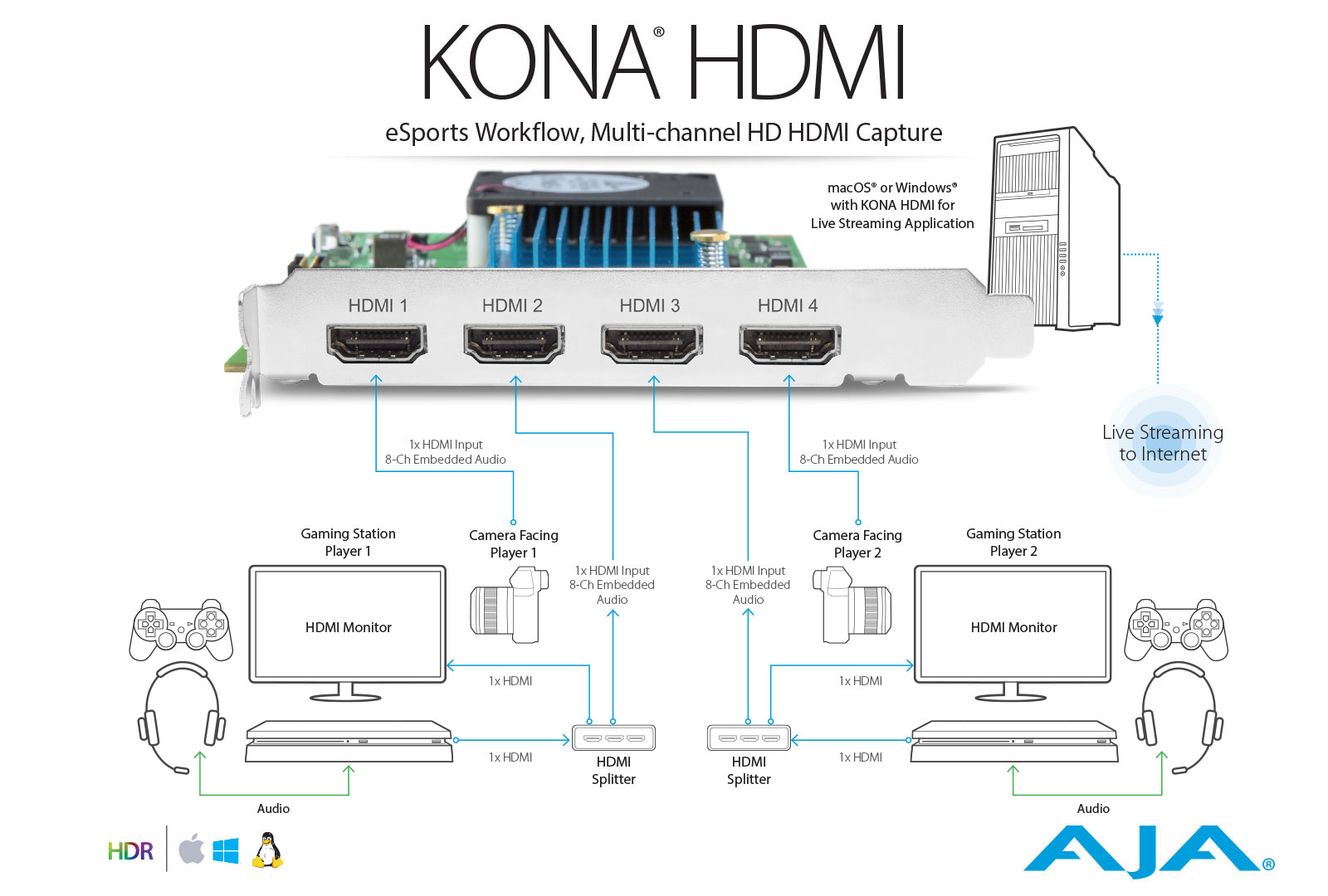
KONA HDMI is perfect for live streaming and switching with up to 4-channels of 1080p HDMI video capture, all on one card. 

The power of KONA HDMI can be utilized for live streaming and events production via Telestream Wirecast, vMix and other third party software.

Connect up to 4x HDMI outputs from a mix of cameras, game stations, presentation systems and more and switch between seamlessly.

KONA HDMI is also supported by both the AJA SDK as well as Video for Linux (V4L2), making it a perfect choice for developers of multichannel HDMI ingest, switching, monitoring and communication solutions.

View Workflow

4K/UltraHD Capture up to 60p

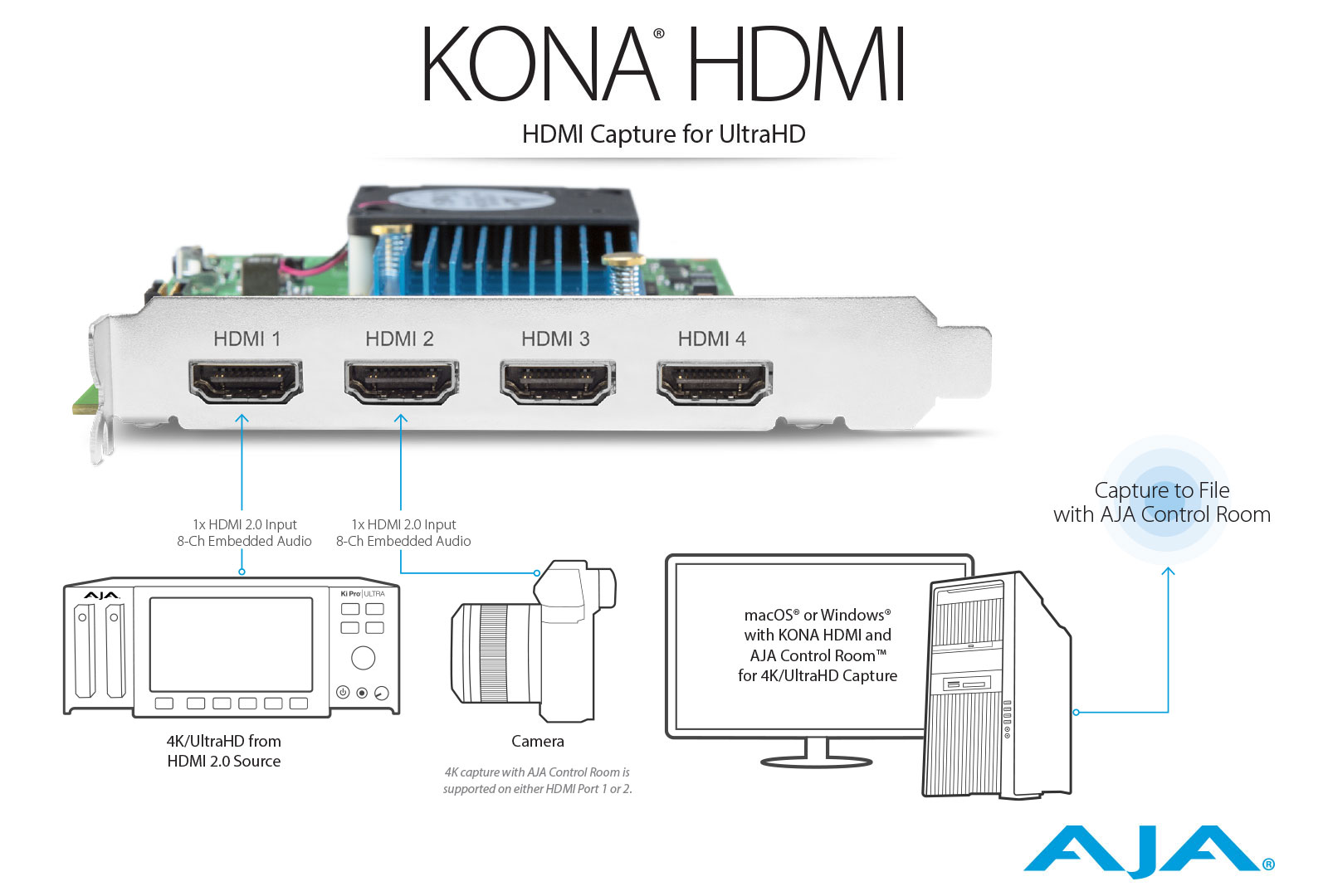
KONA HDMI offers unique and powerful dual channel 4K/UltraHD capture all the way up to 60p over HDMI 2.0.

For single channel capture, free AJA Control Room software provides the perfect way to capture and create digital media for use in your editing or effects package of choice.

For Mac users, simply place KONA HDMI in a Thunderbolt™ chassis for use with iMac® and MacBook Pro®.

View Workflow

HDR

HDR or High Dynamic Range, provides the ability to display a wider and richer range of colors, much brighter whites, and much deeper, darker blacks than standard signals allow. This gives your imagery a more ‘dynamic’ look and allows for natural true to life colors to be communicated to your audience.

KONA HDMI provides support for accepting HDR signals captured over HDMI from gaming stations like the PS4® Pro.

Using KONA HDMI and AJA Control Room software adds support for HDR metadata capture from an incoming HDMI signal. The captured .mov video file will have embedded HDR metadata, allowing the file to be played back at its intended dynamic range.

AR Support with Unreal Engine

Capture real time footage with KONA HDMI over HDMI from high quality cameras, meld your footage with your virtual environment created by the Unreal Engine and send it back out in real time to air - a growing need for broadcasters, augmented reality (AR) needs and more.

Digital film makers also benefit with these new workflows: On set, enhance your live action VFX work with the ability to see a full composite live during the course of the shoot. This results in fewer reshoots, the ability for actors to understand the virtual environment they are working within for stronger performances and ultimately leads to a range of efficiencies and cost savings with the added benefit of a smoother transition into post production.

Quick Start Guide on using KONA HDMI with Unreal Engine

AJA DataCalc

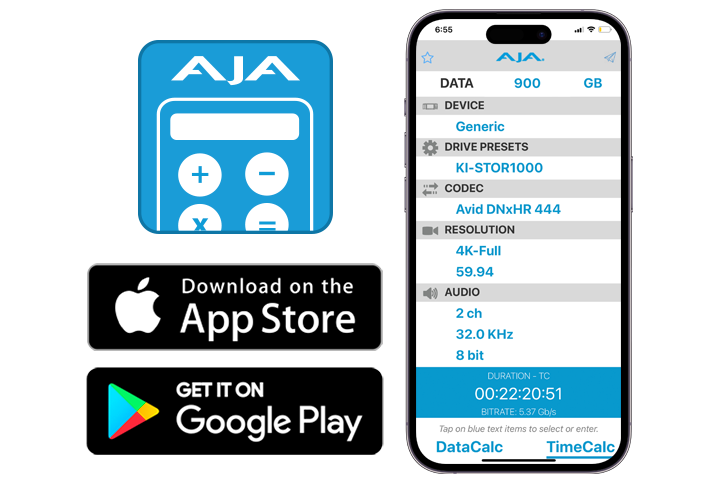
AJA DataCalc is a mobile OS application for iOS, iPadOS and Android, offering two modes for storage and time calculations based upon raster, frame rate and codec choices.

DataCalc - Calculate your storage needs before capture.

TimeCalc – Calculate the run time of materials you can capture by storage size.

Share results with your team straight from the application.

Download from the App Store

Download from Google Play

KONA HDMI Operating Systems Compatibilities

Supports macOS, Windows, and Linux Ubuntu / Rocky. Please see Release Notes for details and version information which can be found in the Downloads, Software tab.

Applications Compatibility

AJA Desktop products offer unparalleled workflow compatibility with a range of software applications that span production, post, and delivery, and more. Please click here for compatibility information.

Industry Leading Support

AJA’s technical support is recognized as among the best in the industry and is available to all AJA customers. If you need assistance with any aspect of your KONA installation, configuration, operation or encounter any technical issue, AJA Support will work with you to get up and running.

KONA products are covered by a generous three year warranty. Please see the individual Product’s Manual for additional specifics around warranty conditions for the product itself.


Tech Specs

Tech Specs are subject to change.


Video Formats

  • (4K) 4096 x 2160p 23.98, 24, 25, 29.97, 30, 50, 59.94, 60
  • (UltraHD) 3840 x 2160p 23.98, 24, 25, 29.97, 30, 50, 59.94, 60
  • (2K) 2048 x 1080p 23.98, 24, 25, 29.97, 30, 50, 59.94, 60
  • (2K) 2048 x 1080PsF 23.98, 24, 25
  • (HD) 1080i 50, 59.94, 60
  • (HD) 1080PsF 23.98, 24, 25, 29.97, 30
  • (HD) 1080p 23.98, 24, 25, 29.97, 30, 50, 59.94, 60
  • (HD) 720p 50, 59.94, 60
  • (SD) 625i 50
  • (SD) 525i 59.94

Video Input Digital

Port 1 and Port 2

  • Support up to 4K/UltraHD 60p, 4:2:2, 10-bit
    • 30/36-bits/pixel, RGB or YUV, 6 Gbps per color component

Port 3 and Port 4

  • Support up to 2K/HD 60p, 4:2:2, 10-bit
    • 30/36-bits/pixel, RGB or YUV, 2.25 Gbps per color component

Ports can be used individually or together simultaneously:

  • Dual or single* stream 4K/UltraHD
  • Quad, triple, dual, or single* stream 2K/HD/SD** 
  • Mixed stream supporting 1x 4K/UltraHD and 2x 2K/HD/SD with HFR support up to 60p, 4:2:2, 10-bit 


*Using AJA Control Room, industry standard NLEs.
Note: Some use cases above require appropriate third-party multi-channel capture/switching software.


HDR

  • HDMI: HDR10 Support - HDR Infoframe metadata, compatible with HDMI 2.0a/CTA-861.3 
  • HDMI: HLG Support - compatible with HDMI 2.0b/CTA-861-G 


Note: HDR support is application dependent. Check with your software manufacturer for compatibility.


Audio Input Digital

  • 8-channel, 16 and 24-bit HDMI embedded audio, 48 kHz sample rate, synchronous per HDMI Input
  • Single stream input supports up to 8-channels
  • Quad stream input supports up to 32-channels

Electrical Interface

  • 8-lane PCIe 2.0

Size (w x d x h)

  • 0.75" x 6.5" x 5.0" (19.05 x 165.1 x 127.0 mm)

Weight

  • 0.3 lb (0.2 kg)

Power

  • 22W typical, 25W maximum

Environment

  • Safe Operating Temperature: 0 to 40 C (32 to 104 F)
  • Safe Storage Temperature (Power OFF): -40 to 60 C (-40 to 140 F)
  • Operating Relative Humidity: 10-90% noncondensing
  • Operating Altitude: <3,000 meters (<10,000 feet)

AJA Desktop Software Installer v18 for Windows:

This unified software, driver and firmware package contains everything you need in order to start using your AJA video I/O hardware and includes enhancements. Please read the Release Notes for complete detail. 

The following AJA applications are installed in v18

  • AJA Control Panel v18: 
    • For setup and control of your AJA KONA, Io or T-TAP product, including firmware updates.
    • For high quality capture, playback and output.
  • AJA System Test v18: 
    • For testing storage to determine if it will be possible to sustain frame rates for chosen format(s).
  • AJA Control Room v18:
    • For high quality capture, monitoring, playback and output.


Mirrors

Download


AJA Desktop Software Installer v18 for macOS:

ATTENTION: macOS installation instructions have changed. Please read the installation guide or watch this short video >>before<< installing!

NOTE: v18 is not compatible with Intel-based macOS systems – You must use v17.6 software below in the Software Archive.

AJA Desktop Software v18 transitions from legacy Kernel Extensions (KEXT) to Apple’s modern Driver Extension (DEXT) framework, which requires a clean uninstall and an updated installation process. 
Important Installation Requirements:

  • Before installing, you must run the AJA v18 Uninstaller (included in this download) and reboot your system. This step removes the KEXT drivers. Failure to do so will cause the Desktop v18 installer to abort. Do not use uninstallers from previous versions (v17.x or earlier).
  • AJA Desktop Software v18 is supported on Apple silicon Macs only, running macOS 14 Sonoma or later. Intel-based systems are not supported—please use Desktop Software v17.6 instead.
This unified software, driver and firmware package contains everything you need in order to start using your AJA video I/O hardware and includes enhancements. Please read the Release Notes for complete details.

The following AJA applications are installed in v18
  • AJA Control Panel v18: 
    • For setup and control of your AJA KONA, Io or T-TAP product, including firmware updates.
    • For high quality capture, playback and output.
  • AJA System Test v18: 
    • For testing storage to determine if it will be possible to sustain frame rates for chosen format(s).
  • AJA Control Room v18:
    • For high quality capture, monitoring, playback and output.

Mirrors

Download


AJA Desktop Software v18 installer for Rocky Linux up to versions 8.10 and 9.4:
This unified software, driver and firmware package contains everything you need in order to start using your AJA video I/O hardware and includes enhancements. Please read the Release Notes for complete details.

The following AJA applications are installed in v18

  • AJA Control Panel v18: 
    • For setup and control of your AJA KONA, Io or T-TAP product, including firmware updates.
    • For high quality capture, playback and output.
  • AJA System Test v18: 
    • For testing storage to determine if it will be possible to sustain frame rates for chosen format(s).
  • AJA Control Room v18: 
    • For high quality capture, monitoring, playback and output.

Mirrors

Download


AJA Desktop Software v18 Installer Linux - Ubuntu 20.04 LTS and Ubuntu 22.04 LTS:
This unified software, driver, and firmware package contains everything you need to start using your AJA video I/O hardware and includes enhancements. Please read the Release Notes for complete details.
The following AJA applications are installed in v18:
  • AJA Control Panel v18: 
    • For setup and control of your AJA KONA, Io or T-TAP product, including firmware updates.
    • For high quality capture, playback and output.
  • AJA System Test v18: 
    • For testing storage to determine if it will be possible to sustain frame rates for chosen format(s).
  • AJA Control Room v18: 
    • For high quality capture, monitoring, playback and output.

Mirrors

Download


These filters are designed for DirectShow application developers, so that they may make their applications compatible with the majority of AJA's windows based hardware. These filters are meant to be used programmatically, and will not necessarily work with every DirectShow application without work being done to explicitly support them. Note: DirectShow is a trademark of Microsoft.


More Information: https://www.aja.com/support/directshow

Mirrors

Download

AJA Desktop Software v17.6 installer for Rocky Linux up to versions 8.10 and 9.4:
This unified software, driver and firmware package contains everything you need in order to start using your AJA video I/O hardware and includes enhancements. Please read the Release Notes for complete details.

The following AJA applications are installed in v17.6

  • AJA Control Panel v17.6: 
    • For setup and control of your AJA KONA, Io or T-TAP product, including firmware updates.
    • For high quality capture, playback and output.
  • AJA System Test v17.6: 
    • For testing storage to determine if it will be possible to sustain frame rates for chosen format(s).
  • AJA Control Room v17.6: 
    • For high quality capture, monitoring, playback and output.

Mirrors

Download


AJA Desktop Software Installer v17.6 for Windows:
This unified software, driver and firmware package contains everything you need in order to start using your AJA video I/O hardware and includes enhancements. Please read the Release Notes for complete detail. 

The following AJA applications are installed in v17.6

  • AJA Control Panel v17.6: 
    • For setup and control of your AJA KONA, Io or T-TAP product, including firmware updates.
    • For high quality capture, playback and output.
  • AJA System Test v17.6: 
    • For testing storage to determine if it will be possible to sustain frame rates for chosen format(s).
  • AJA Control Room v17.6:
    • For high quality capture, monitoring, playback and output.


Mirrors

Download


AJA Desktop Software Installer v17.6 for macOS:
This unified software, driver and firmware package contains everything you need in order to start using your AJA video I/O hardware and includes enhancements. Please read the Release Notes for complete details. 

Apple silicon macOS security instructions are found here.

The following AJA applications are installed in v17.6

  • AJA Control Panel v17.6: 
    • For setup and control of your AJA KONA, Io or T-TAP product, including firmware updates.
    • For high quality capture, playback and output.
  • AJA System Test v17.6: 
    • For testing storage to determine if it will be possible to sustain frame rates for chosen format(s).
  • AJA Control Room v17.6:
    • For high quality capture, monitoring, playback and output.


Mirrors

Download


AJA Desktop Software v17.6 Installer Linux - Ubuntu 20.04 LTS and Ubuntu 22.04 LTS:
This unified software, driver, and firmware package contains everything you need to start using your AJA video I/O hardware and includes enhancements. Please read the Release Notes for complete details.

The following AJA applications are installed in v17.6:

  • AJA Control Panel v17.6: 
    • For setup and control of your AJA KONA, Io or T-TAP product, including firmware updates.
    • For high quality capture, playback and output.
  • AJA System Test v17.6: 
    • For testing storage to determine if it will be possible to sustain frame rates for chosen format(s).
  • AJA Control Room v17.6: 
    • For high quality capture, monitoring, playback and output.

Mirrors

Download


AJA Desktop Software Installer v17.5 for macOS:
This unified software, driver and firmware package contains everything you need in order to start using your AJA video I/O hardware and includes enhancements. Please read the Release Notes for complete details. 
Apple silicon macOS security instructions are found here.
The following AJA applications are installed in v17.5
  • AJA Control Panel v17.5: 
    • For setup and control of your AJA KONA, Io or T-TAP product, including firmware updates.
    • For high quality capture, playback and output.
  • AJA System Test v17.5: 
    • For testing storage to determine if it will be possible to sustain frame rates for chosen format(s).
  • AJA Control Room v17.5:
    • For high quality capture, monitoring, playback and output.


Mirrors

Download


AJA Desktop Software Installer v17.5 for Windows:

This unified software, driver and firmware package contains everything you need in order to start using your AJA video I/O hardware and includes enhancements. Please read the Release Notes for complete detail. 

The following AJA applications are installed in v17.5

  • AJA Control Panel v17.5: 
    • For setup and control of your AJA KONA, Io or T-TAP product, including firmware updates.
    • For high quality capture, playback and output.
  • AJA System Test v17.5: 
    • For testing storage to determine if it will be possible to sustain frame rates for chosen format(s).
  • AJA Control Room v17.5:
    • For high quality capture, monitoring, playback and output.


Mirrors

Download


AJA Desktop Software v17.5 Installer Linux - Ubuntu 20.04 LTS and Ubuntu 22.04 LTS:

This unified software, driver, and firmware package contains everything you need to start using your AJA video I/O hardware and includes enhancements. Please read the Release Notes for complete details.

The following AJA applications are installed in v17.5:

  • AJA Control Panel v17.5: 
    • For setup and control of your AJA KONA, Io or T-TAP product, including firmware updates.
    • For high quality capture, playback and output.
  • AJA System Test v17.5: 
    • For testing storage to determine if it will be possible to sustain frame rates for chosen format(s).
  • AJA Control Room v17.5: 
    • For high quality capture, monitoring, playback and output.

Mirrors

Download


AJA Desktop Software v17.5 installer for Rocky Linux up to versions 8.10 and 9.4:

This unified software, driver and firmware package contains everything you need in order to start using your AJA video I/O hardware and includes enhancements. Please read the Release Notes for complete details.

The following AJA applications are installed in v17.5

  • AJA Control Panel v17.5: 
    • For setup and control of your AJA KONA, Io or T-TAP product, including firmware updates.
    • For high quality capture, playback and output.
  • AJA System Test v17.5: 
    • For testing storage to determine if it will be possible to sustain frame rates for chosen format(s).
  • AJA Control Room v17.5: 
    • For high quality capture, monitoring, playback and output.

Mirrors

Download


AJA Desktop Software Installer v17.1.3 for macOS:

This unified software, driver and firmware package contains everything you need in order to start using your AJA video I/O hardware and includes enhancements. Please read the Release Notes for complete details. 

Apple silicon macOS security instructions are found here.

The following AJA applications are installed in v17.1.3

  • AJA Control Panel v17.1.3: 
    • For setup and control of your AJA KONA, Io or T-TAP product, including firmware updates.
    • For high quality capture, playback and output.
  • AJA System Test v17.1.3: 
    • For testing storage to determine if it will be possible to sustain frame rates for chosen format(s).
  • AJA Control Room v17.1.3:
    • For high quality capture, monitoring, playback and output.
  • AJA NMOS v17.1.3: 
    • An optional component providing discovery, registration and control for KONA IP running in SMPTE ST 2110 environments.


Mirrors

Download


AJA Desktop Software v17.1.3 Installer Linux - Ubuntu 20.04 LTS and Ubuntu 22.04 LTS:

This unified software, driver, and firmware package contains everything you need to start using your AJA video I/O hardware and includes enhancements. Please read the Release Notes for complete details.

The following AJA applications are installed in v17.1.3:

  • AJA Control Panel v17.1.3: 
    • For setup and control of your AJA KONA, Io or T-TAP product, including firmware updates.
    • For high quality capture, playback and output.
  • AJA System Test v17.1.3: 
    • For testing storage to determine if it will be possible to sustain frame rates for chosen format(s).
  • AJA Control Room v17.1.3: 
    • For high quality capture, monitoring, playback and output.
  • AJA NMOS v17.1.3: 
    • An optional component providing discovery, registration and control for KONA IP running in SMPTE ST 2110 environments.

Mirrors

Download


AJA Desktop Software Installer v17.1.3 for Windows:

This unified software, driver and firmware package contains everything you need in order to start using your AJA video I/O hardware and includes enhancements. Please read the Release Notes for complete detail. 

The following AJA applications are installed in v17.1.3

  • AJA Control Panel v17.1.3: 
    • For setup and control of your AJA KONA, Io or T-TAP product, including firmware updates.
    • For high quality capture, playback and output.
  • AJA System Test v17.1.3: 
    • For testing storage to determine if it will be possible to sustain frame rates for chosen format(s).
  • AJA Control Room v17.1.3:
    • For high quality capture, monitoring, playback and output.
  • AJA NMOS v17.1.3: 
    • An optional component providing discovery, registration and control for KONA IP running in SMPTE ST 2110 environments.


Mirrors

Download


AJA Desktop Software v17.1.3 installer for Rocky Linux up to versions 8.10 and 9.4:

This unified software, driver and firmware package contains everything you need in order to start using your AJA video I/O hardware and includes enhancements. Please read the Release Notes for complete details.

The following AJA applications are installed in v17.1.3

  • AJA Control Panel v17.1.3: 
    • For setup and control of your AJA KONA, Io or T-TAP product, including firmware updates.
    • For high quality capture, playback and output.
  • AJA System Test v17.1.3: 
    • For testing storage to determine if it will be possible to sustain frame rates for chosen format(s).
  • AJA Control Room v17.1.3: 
    • For high quality capture, monitoring, playback and output.
  • AJA NMOS v17.1.3: 
    • An optional component providing discovery, registration and control for KONA IP running in SMPTE ST 2110 environments.

Mirrors

Download


AJA Desktop Software v17.1 installer for Linux - Ubuntu 20.04 LTS and Ubuntu 22.04 LTS:

This unified software, driver, and firmware package contains everything you need to start using your AJA video I/O hardware and includes enhancements. Please read the Release Notes for complete details.

The following AJA applications are installed in v17.1:

  • AJA Control Panel v17.1: 
    • For setup and control of your AJA KONA, Io or T-TAP product, including firmware updates.
    • For high quality capture, playback and output.
  • AJA System Test v17.1: 
    • For testing storage to determine if it will be possible to sustain frame rates for chosen format(s).
  • AJA Control Room v17.1: 
    • For high quality capture, monitoring, playback and output.
  • AJA NMOS v17.1: 
    • An optional component providing discovery, registration and control for KONA IP running in SMPTE ST 2110 environments.

Mirrors

Download


AJA Desktop Software v17.1 installer for Rocky Linux versions 8.10 and 9.4:

This unified software, driver and firmware package contains everything you need in order to start using your AJA video I/O hardware and includes enhancements. Please read the Release Notes for complete details.

The following AJA applications are installed in v17.1

  • AJA Control Panel v17.1: 
    • For setup and control of your AJA KONA, Io or T-TAP product, including firmware updates.
    • For high quality capture, playback and output.
  • AJA System Test v17.1: 
    • For testing storage to determine if it will be possible to sustain frame rates for chosen format(s).
  • AJA Control Room v17.1: 
    • For high quality capture, monitoring, playback and output.
  • AJA NMOS v17.1: 
    • An optional component providing discovery, registration and control for KONA IP running in SMPTE ST 2110 environments.

Mirrors

Download


AJA Desktop Software Installer v17.1 for Windows:

This unified software, driver and firmware package contains everything you need in order to start using your AJA video I/O hardware and includes enhancements. Please read the Release Notes for complete detail. 

The following AJA applications are installed in v17.1

  • AJA Control Panel v17.1: 
    • For setup and control of your AJA KONA, Io or T-TAP product, including firmware updates.
    • For high quality capture, playback and output.
  • AJA System Test v17.1: 
    • For testing storage to determine if it will be possible to sustain frame rates for chosen format(s).
  • AJA Control Room v17.1:
    • For high quality capture, monitoring, playback and output.
  • AJA NMOS v17.1: 
    • An optional component providing discovery, registration and control for KONA IP running in SMPTE ST 2110 environments.


Mirrors

Download


AJA Desktop Software Installer v17.1 for macOS:

This unified software, driver and firmware package contains everything you need in order to start using your AJA video I/O hardware and includes enhancements. Please read the Release Notes for complete detail. 

The following AJA applications are installed in v17.1

  • AJA Control Panel v17.1: 
    • For setup and control of your AJA KONA, Io or T-TAP product, including firmware updates.
    • For high quality capture, playback and output.
  • AJA System Test v17.1: 
    • For testing storage to determine if it will be possible to sustain frame rates for chosen format(s).
  • AJA Control Room v17.1:
    • For high quality capture, monitoring, playback and output.
  • AJA NMOS v17.1: 
    • An optional component providing discovery, registration and control for KONA IP running in SMPTE ST 2110 environments.


Mirrors

Download


AJA Desktop Software Installer v17.0.1 for macOS:

This unified software, driver and firmware package contains everything you need in order to start using your AJA video I/O hardware and includes enhancements. Please read the Release Notes for complete detail. 

The following AJA applications are installed in v17.0.1

  • AJA Control Panel v17.0.1: 
    • For setup and control of your AJA KONA, Io or T-TAP product, including firmware updates.
    • For high quality capture, playback and output.
  • AJA System Test v17.0.1: 
    • For testing storage to determine if it will be possible to sustain frame rates for chosen format(s).
  • AJA Control Room v17.0.1:
    • For high quality capture, monitoring, playback and output.
  • AJA NMOS v17.0.1: 
    • An optional component providing discovery, registration and control for KONA IP running in SMPTE ST 2110 environments.


Mirrors

Download


AJA Desktop Software v17.0.1 installer for Linux - Ubuntu 20.04 LTS and Ubuntu 22.04 LTS:

This unified software, driver, and firmware package contains everything you need to start using your AJA video I/O hardware and includes enhancements. Please read the Release Notes for complete details.

The following AJA applications are installed in v17.0.1:

  • AJA Control Panel v17.0.1: 
    • For setup and control of your AJA KONA, Io or T-TAP product, including firmware updates.
    • For high quality capture, playback and output.
  • AJA System Test v17.0.1: 
    • For testing storage to determine if it will be possible to sustain frame rates for chosen format(s).
  • AJA Control Room v17.0.1: 
    • For high quality capture, monitoring, playback and output.
  • AJA NMOS v17.0.1: 
    • An optional component providing discovery, registration and control for KONA IP running in SMPTE ST 2110 environments.

Mirrors

Download


AJA Desktop Software Installer v17.0.1 for Windows:

This unified software, driver and firmware package contains everything you need in order to start using your AJA video I/O hardware and includes new features as well as maintenance updates. Please read the Release Notes for complete detail. 

The following AJA applications are installed in v17.0.1

  • AJA Control Panel v17.0.1: 
    • For setup and control of your AJA KONA, Io or T-TAP product, including firmware updates.
    • For high quality capture, playback and output.
  • AJA System Test v17.0.1: 
    • For testing storage to determine if it will be possible to sustain frame rates for chosen format(s).
  • AJA Control Room v17.0.1:
    • For high quality capture, monitoring, playback and output.
  • AJA NMOS v17.0.1: 
    • An optional component providing discovery, registration and control for KONA IP running in SMPTE ST 2110 environments.

Mirrors

Download


AJA Desktop Software v17.0.1 installer for Rocky Linux versions 8.5 to 8.9 and 9.0 to 9.3/CentOS:

This unified software, driver and firmware package contains everything you need in order to start using your AJA video I/O hardware and includes enhancements. Please read the Release Notes for complete details.

The following AJA applications are installed in v17.0.1

  • AJA Control Panel v17.0.1: 
    • For setup and control of your AJA KONA, Io or T-TAP product, including firmware updates.
    • For high quality capture, playback and output.
  • AJA System Test v17.0.1: 
    • For testing storage to determine if it will be possible to sustain frame rates for chosen format(s).
  • AJA Control Room v17.0.1: 
    • For high quality capture, monitoring, playback and output.
  • AJA NMOS v17.0.1: 
    • An optional component providing discovery, registration and control for KONA IP running in SMPTE ST 2110 environments.

Mirrors

Download


AJA Desktop Software Installer v17 for macOS:

This unified software, driver and firmware package contains everything you need in order to start using your AJA video I/O hardware and includes enhancements. Please read the Release Notes for complete detail. 

The following AJA applications are installed in v17

  • AJA Control Panel v17: 
    • For setup and control of your AJA KONA, Io or T-TAP product, including firmware updates.
    • For high quality capture, playback and output.
  • AJA System Test v17: 
    • For testing storage to determine if it will be possible to sustain frame rates for chosen format(s).
  • AJA Control Room v17:
    • For high quality capture, monitoring, playback and output.
  • AJA NMOS v17: 
    • An optional component providing discovery, registration and control for KONA IP running in SMPTE ST 2110 environments.

Mirrors

Download


AJA Desktop Software Installer v17 for Windows:

This unified software, driver and firmware package contains everything you need in order to start using your AJA video I/O hardware and includes new features as well as maintenance updates. Please read the Release Notes for complete detail. 

The following AJA applications are installed in v17

  • AJA Control Panel v17: 
    • For setup and control of your AJA KONA, Io or T-TAP product, including firmware updates.
    • For high quality capture, playback and output.
  • AJA System Test v17: 
    • For testing storage to determine if it will be possible to sustain frame rates for chosen format(s).
  • AJA Control Room v17:
    • For high quality capture, monitoring, playback and output.
  • AJA NMOS v17: 
    • An optional component providing discovery, registration and control for KONA IP running in SMPTE ST 2110 environments.

Mirrors

Download


AJA Desktop Software v17 installer for Rocky Linux versions 8.5 and 9.3/CentOS:

This unified software, driver and firmware package contains everything you need in order to start using your AJA video I/O hardware and includes enhancements. Please read the Release Notes for complete details.

The following AJA applications are installed in v17

  • AJA Control Panel v17: 
    • For setup and control of your AJA KONA, Io or T-TAP product, including firmware updates.
    • For high quality capture, playback and output.
  • AJA System Test v17: 
    • For testing storage to determine if it will be possible to sustain frame rates for chosen format(s).
  • AJA Control Room v17: 
    • For high quality capture, monitoring, playback and output.
  • AJA NMOS v17: 
    • An optional component providing discovery, registration and control for KONA IP running in SMPTE ST 2110 environments.

Mirrors

Download


AJA Desktop Software v17 installer for Linux - Ubuntu 20.04 LTS and Ubuntu 22.04 LTS:

This unified software, driver and firmware package contains everything you need in order to start using your AJA video I/O hardware and includes enhancements. Please read the Release Notes for complete details.

The following AJA applications are installed in v17:

  • AJA Control Panel v17: 
    • For setup and control of your AJA KONA, Io or T-TAP product, including firmware updates.
    • For high quality capture, playback and output.
  • AJA System Test v17: 
    • For testing storage to determine if it will be possible to sustain frame rates for chosen format(s).
  • AJA Control Room v17: 
    • For high quality capture, monitoring, playback and output.
  • AJA NMOS v17: 
    • An optional component providing discovery, registration and control for KONA IP running in SMPTE ST 2110 environments.

Mirrors

Download


AJA Software Installer v16.2.6 for macOS:

This unified software, driver and firmware package contains everything you need in order to start using your AJA video I/O hardware and includes enhancements. Please read the Release Notes for complete detail. 

The following AJA applications are installed in v16.2.6

  • AJA Control Panel v16.2.6: 
    • For setup and control of your AJA KONA, Io or T-TAP product, including firmware updates.
    • For high quality capture, playback and output.
  • AJA System Test v16.2.6: 
    • For testing storage to determine if it will be possible to sustain frame rates for chosen format(s).
  • AJA Control Room v16.2.6:
    • For high quality capture, monitoring, playback and output.
  • AJA NMOS v16.2.6: 
    • An optional component providing discovery, registration and control for KONA IP running in SMPTE ST 2110 environments.


Mirrors

Download


AJA Software Installer v16.2.6 for Windows:

This unified software, driver and firmware package contains everything you need in order to start using your AJA video I/O hardware and includes new features as well as maintenance updates. Please read the Release Notes for complete detail. 

The following AJA applications are installed in v16.2.6

  • AJA Control Panel v16.2.6: 
    • For setup and control of your AJA KONA, Io or T-TAP product, including firmware updates.
    • For high quality capture, playback and output.
  • AJA System Test v16.2.6: 
    • For testing storage to determine if it will be possible to sustain frame rates for chosen format(s).
  • AJA Control Room v16.2.6:
    • For high quality capture, monitoring, playback and output.
  • AJA NMOS v16.2.6: 
    • An optional component providing discovery, registration and control for KONA IP running in SMPTE ST 2110 environments.

Mirrors

Download


v16.2.6 of the AJA Desktop Software installer for Redhat/CentOS 7:

This unified software, driver and firmware package contains everything you need in order to start using your AJA video I/O hardware and includes enhancements. Please read the Release Notes for complete details.

The following AJA applications are installed in v16.2.6

  • AJA Control Panel v16.2.6: 
    • For setup and control of your AJA KONA, Io or T-TAP product, including firmware updates.
    • For high quality capture, playback and output.
  • AJA System Test v16.2.6: 
    • For testing storage to determine if it will be possible to sustain frame rates for chosen format(s).
  • AJA Control Room v16.2.6: 
    • For high quality capture, monitoring, playback and output.
  • AJA NMOS v16.2.6: 
    • An optional component providing discovery, registration and control for KONA IP running in SMPTE ST 2110 environments.

Mirrors

Download


v16.2.6 of the AJA Desktop Software installer for Linux - Ubuntu 18.04 LTS and Ubuntu 20.04 LTS:

This unified software, driver and firmware package contains everything you need in order to start using your AJA video I/O hardware and includes enhancements. Please read the Release Notes for complete details.

The following AJA applications are installed in v16.2.6

  • AJA Control Panel v16.2.6: 
    • For setup and control of your AJA KONA, Io or T-TAP product, including firmware updates.
    • For high quality capture, playback and output.
  • AJA System Test v16.2.6: 
    • For testing storage to determine if it will be possible to sustain frame rates for chosen format(s).
  • AJA Control Room v16.2.6: 
    • For high quality capture, monitoring, playback and output.
  • AJA NMOS v16.2.6: 
    • An optional component providing discovery, registration and control for KONA IP running in SMPTE ST 2110 environments.

Mirrors

Download


AJA Software Installer v16.2.5 for macOS:

This unified software, driver and firmware package contains everything you need in order to start using your AJA video I/O hardware and includes enhancements. Please read the Release Notes for complete detail. 

The following AJA applications are installed in v16.2.5

  • AJA Control Panel v16.2.5: 
    • For setup and control of your AJA KONA, Io or T-TAP product, including firmware updates.
    • For high quality capture, playback and output.
  • AJA System Test v16.2.5: 
    • For testing storage to determine if it will be possible to sustain frame rates for chosen format(s).
  • AJA Control Room v16.2.5:
    • For high quality capture, monitoring, playback and output.
  • AJA NMOS v16.2.5: 
    • An optional component providing discovery, registration and control for KONA IP running in SMPTE ST 2110 environments.


Mirrors

Download


v16.2.5 of the AJA Desktop Software installer for Linux - Ubuntu 18.04 LTS and Ubuntu 20.04 LTS:

This unified software, driver and firmware package contains everything you need in order to start using your AJA video I/O hardware and includes enhancements. Please read the Release Notes for complete details.

The following AJA applications are installed in v16.2.5

  • AJA Control Panel v16.2.5: 
    • For setup and control of your AJA KONA, Io or T-TAP product, including firmware updates.
    • For high quality capture, playback and output.
  • AJA System Test v16.2.5: 
    • For testing storage to determine if it will be possible to sustain frame rates for chosen format(s).
  • AJA Control Room v16.2.5: 
    • For high quality capture, monitoring, playback and output.
  • AJA NMOS v16.2.5: 
    • An optional component providing discovery, registration and control for KONA IP running in SMPTE ST 2110 environments.

Mirrors

Download


AJA Software Installer v16.2.5 for Windows:

This unified software, driver and firmware package contains everything you need in order to start using your AJA video I/O hardware and includes new features as well as maintenance updates. Please read the Release Notes for complete detail. 

The following AJA applications are installed in v16.2.5

  • AJA Control Panel v16.2.5: 
    • For setup and control of your AJA KONA, Io or T-TAP product, including firmware updates.
    • For high quality capture, playback and output.
  • AJA System Test v16.2.5: 
    • For testing storage to determine if it will be possible to sustain frame rates for chosen format(s).
  • AJA Control Room v16.2.5:
    • For high quality capture, monitoring, playback and output.
  • AJA NMOS v16.2.5: 
    • An optional component providing discovery, registration and control for KONA IP running in SMPTE ST 2110 environments.

Mirrors

Download


v16.2.5 of the AJA Desktop Software installer for Redhat/CentOS 7:

This unified software, driver and firmware package contains everything you need in order to start using your AJA video I/O hardware and includes enhancements. Please read the Release Notes for complete details.

The following AJA applications are installed in v16.2.5

  • AJA Control Panel v16.2.5: 
    • For setup and control of your AJA KONA, Io or T-TAP product, including firmware updates.
    • For high quality capture, playback and output.
  • AJA System Test v16.2.5: 
    • For testing storage to determine if it will be possible to sustain frame rates for chosen format(s).
  • AJA Control Room v16.2.5: 
    • For high quality capture, monitoring, playback and output.
  • AJA NMOS v16.2.5: 
    • An optional component providing discovery, registration and control for KONA IP running in SMPTE ST 2110 environments.

Mirrors

Download


AJA Software Installer v16.2.4 for macOS:

This unified software, driver and firmware package contains everything you need in order to start using your AJA video I/O hardware and includes enhancements. Please read the Release Notes for complete detail. 

The following AJA applications are installed in v16.2.4

  • AJA Control Panel v16.2.4: 
    • For setup and control of your AJA KONA, Io or T-TAP product, including firmware updates.
    • For high quality capture, playback and output.
  • AJA System Test v16.2.4: 
    • For testing storage to determine if it will be possible to sustain frame rates for chosen format(s).
  • AJA Control Room v16.2.4:
    • For high quality capture, monitoring, playback and output.
  • AJA NMOS v16.2.4: 
    • An optional component providing discovery, registration and control for KONA IP running in SMPTE ST 2110 environments.


Mirrors

Download


AJA Software Installer v16.2.4 for Windows:

This unified software, driver and firmware package contains everything you need in order to start using your AJA video I/O hardware and includes new features as well as maintenance updates. Please read the Release Notes for complete detail. 

The following AJA applications are installed in v16.2.4

  • AJA Control Panel v16.2.4: 
    • For setup and control of your AJA KONA, Io or T-TAP product, including firmware updates.
    • For high quality capture, playback and output.
  • AJA System Test v16.2.4: 
    • For testing storage to determine if it will be possible to sustain frame rates for chosen format(s).
  • AJA Control Room v16.2.4:
    • For high quality capture, monitoring, playback and output.
  • AJA NMOS v16.2.4: 
    • An optional component providing discovery, registration and control for KONA IP running in SMPTE ST 2110 environments.

Mirrors

Download


v16.2.4 of the AJA Desktop Software installer for Linux - Ubuntu 18.04 LTS and Ubuntu 20.04 LTS:

This unified software, driver and firmware package contains everything you need in order to start using your AJA video I/O hardware and includes enhancements. Please read the Release Notes for complete details.

The following AJA applications are installed in v16.2.4

  • AJA Control Panel v16.2.4: 
    • For setup and control of your AJA KONA, Io or T-TAP product, including firmware updates.
    • For high quality capture, playback and output.
  • AJA System Test v16.2.4: 
    • For testing storage to determine if it will be possible to sustain frame rates for chosen format(s).
  • AJA Control Room v16.2.4: 
    • For high quality capture, monitoring, playback and output.
  • AJA NMOS v16.2.4: 
    • An optional component providing discovery, registration and control for KONA IP running in SMPTE ST 2110 environments.

Mirrors

Download


v16.2.4 of the AJA Desktop Software installer for Redhat/CentOS 7:

This unified software, driver and firmware package contains everything you need in order to start using your AJA video I/O hardware and includes enhancements. Please read the Release Notes for complete details.

The following AJA applications are installed in v16.2.4

  • AJA Control Panel v16.2.4: 
    • For setup and control of your AJA KONA, Io or T-TAP product, including firmware updates.
    • For high quality capture, playback and output.
  • AJA System Test v16.2.4: 
    • For testing storage to determine if it will be possible to sustain frame rates for chosen format(s).
  • AJA Control Room v16.2.4: 
    • For high quality capture, monitoring, playback and output.
  • AJA NMOS v16.2.4: 
    • An optional component providing discovery, registration and control for KONA IP running in SMPTE ST 2110 environments.

Mirrors

Download


v16.2.3 of the AJA Desktop Software installer for Linux - Ubuntu 18.04 LTS and Ubuntu 20.04 LTS:

This unified software, driver and firmware package contains everything you need in order to start using your AJA video I/O hardware and includes enhancements. Please read the Release Notes for complete details.

The following AJA applications are installed in v16.2.3

  • AJA Control Panel v16.2.3: 
    • For setup and control of your AJA KONA, Io or T-TAP product, including firmware updates.
    • For high quality capture, playback and output.
  • AJA System Test v16.2.3: 
    • For testing storage to determine if it will be possible to sustain frame rates for chosen format(s).
  • AJA Control Room v16.2.3: 
    • For high quality capture, monitoring, playback and output.
  • AJA NMOS v16.2.3: 
    • An optional component providing discovery, registration and control for KONA IP running in SMPTE ST 2110 environments.

Mirrors

Download


AJA Software Installer v16.2.3 for macOS:

This unified software, driver and firmware package contains everything you need in order to start using your AJA video I/O hardware and includes enhancements. Please read the Release Notes for complete detail. 

The following AJA applications are installed in v16.2.3

  • AJA Control Panel v16.2.3: 
    • For setup and control of your AJA KONA, Io or T-TAP product, including firmware updates.
    • For high quality capture, playback and output.
  • AJA System Test v16.2.3: 
    • For testing storage to determine if it will be possible to sustain frame rates for chosen format(s).
  • AJA Control Room v16.2.3:
    • For high quality capture, monitoring, playback and output.
  • AJA NMOS v16.2.3: 
    • An optional component providing discovery, registration and control for KONA IP running in SMPTE ST 2110 environments.


Mirrors

Download


v16.2.3 of the AJA Desktop Software installer for Redhat/CentOS 7:

This unified software, driver and firmware package contains everything you need in order to start using your AJA video I/O hardware and includes enhancements. Please read the Release Notes for complete details.

The following AJA applications are installed in v16.2.3

  • AJA Control Panel v16.2.3: 
    • For setup and control of your AJA KONA, Io or T-TAP product, including firmware updates.
    • For high quality capture, playback and output.
  • AJA System Test v16.2.3: 
    • For testing storage to determine if it will be possible to sustain frame rates for chosen format(s).
  • AJA Control Room v16.2.3: 
    • For high quality capture, monitoring, playback and output.
  • AJA NMOS v16.2.3: 
    • An optional component providing discovery, registration and control for KONA IP running in SMPTE ST 2110 environments.

Mirrors

Download


AJA Software Installer v16.2.3 for Windows:

This unified software, driver and firmware package contains everything you need in order to start using your AJA video I/O hardware and includes new features as well as maintenance updates. Please read the Release Notes for complete detail. 

The following AJA applications are installed in v16.2.3

  • AJA Control Panel v16.2.3: 
    • For setup and control of your AJA KONA, Io or T-TAP product, including firmware updates.
    • For high quality capture, playback and output.
  • AJA System Test v16.2.3: 
    • For testing storage to determine if it will be possible to sustain frame rates for chosen format(s).
  • AJA Control Room v16.2.3:
    • For high quality capture, monitoring, playback and output.
  • AJA NMOS v16.2.3: 
    • An optional component providing discovery, registration and control for KONA IP running in SMPTE ST 2110 environments.

Mirrors

Download


v16.2.2 of the AJA Desktop Software installer for Linux - Ubuntu 18.04 LTS and Ubuntu 20.04 LTS:

This unified software, driver and firmware package contains everything you need in order to start using your AJA video I/O hardware and includes enhancements. Please read the Release Notes for complete details.

The following AJA applications are installed in v16.2.2

  • AJA Control Panel v16.2.2: 
    • For setup and control of your AJA KONA, Io or T-TAP product, including firmware updates.
    • For high quality capture, playback and output.
  • AJA System Test v16.2.2: 
    • For testing storage to determine if it will be possible to sustain frame rates for chosen format(s).
  • AJA Control Room v16.2.2: 
    • For high quality capture, monitoring, playback and output.
  • AJA NMOS v16.2.2: 
    • An optional component providing discovery, registration and control for KONA IP running in SMPTE ST 2110 environments.

Mirrors

Download


AJA Software Installer v16.2.2 for Windows:

This unified software, driver and firmware package contains everything you need in order to start using your AJA video I/O hardware and includes new features including as well as maintenance updates. Please read the Release Notes for complete detail. 

The following AJA applications are installed in v16.2.2

  • AJA Control Panel v16.2.2: 
    • For setup and control of your AJA KONA, Io or T-TAP product, including firmware updates.
    • For high quality capture, playback and output.
  • AJA System Test v16.2.2: 
    • For testing storage to determine if it will be possible to sustain frame rates for chosen format(s).
  • AJA Control Room v16.2.2:
    • For high quality capture, monitoring, playback and output.
  • AJA NMOS v16.2.2: 
    • An optional component providing discovery, registration and control for KONA IP running in SMPTE ST 2110 environments.

Mirrors

Download


v16.2.2 of the AJA Desktop Software installer for Redhat/CentOS 7 and Redhat/CentOS 8:

This unified software, driver and firmware package contains everything you need in orr to start using your AJA video I/O hardware and includes enhancements. Please read the Release Notes for complete details.

The following AJA applications are installed in v16.2.2

  • AJA Control Panel v16.2.2: 
    • For setup and control of your AJA KONA, Io or T-TAP product, including firmware updates.
    • For high quality capture, playback and output.
  • AJA System Test v16.2.2: 
    • For testing storage to determine if it will be possible to sustain frame rates for chosen format(s).
  • AJA Control Room v16.2.2: 
    • For high quality capture, monitoring, playback and output.
  • AJA NMOS v16.2.2: 
    • An optional component providing discovery, registration and control for KONA IP running in SMPTE ST 2110 environments.

Mirrors

Download


AJA Software Installer v16.2.2 for macOS:

This unified software, driver and firmware package contains everything you need in order to start using your AJA video I/O hardware and includes enhancements. Please read the Release Notes for complete detail. 

The following AJA applications are installed in v16.2.2

  • AJA Control Panel v16.2.2: 
    • For setup and control of your AJA KONA, Io or T-TAP product, including firmware updates.
    • For high quality capture, playback and output.
  • AJA System Test v16.2.2: 
    • For testing storage to determine if it will be possible to sustain frame rates for chosen format(s).
  • AJA Control Room v16.2.2:
    • For high quality capture, monitoring, playback and output.
  • AJA NMOS v16.2.2: 
    • An optional component providing discovery, registration and control for KONA IP running in SMPTE ST 2110 environments.


Mirrors

Download


AJA Software Installer v16.2 for macOS:

This unified software, driver and firmware package contains everything you need in order to start using your AJA video I/O hardware and includes enhancements. Please read the Release Notes for complete detail. 

The following AJA applications are installed in v16.2

  • AJA Control Panel v16.2: 
    • For setup and control of your AJA KONA, Io or T-TAP product, including firmware updates.
    • For high quality capture, playback and output.
  • AJA System Test v16.2: 
    • For testing storage to determine if it will be possible to sustain frame rates for chosen format(s).
  • AJA Control Room v16.2:
    • For high quality capture, monitoring, playback and output.
  • AJA NMOS v16.2: 
    • An optional component providing discovery, registration and control for KONA IP running in SMPTE ST 2110 environments.


Mirrors

Download


v16.2 of the AJA Desktop Software installer for Redhat/CentOS 7 and Redhat/CentOS 8:

This unified software, driver and firmware package contains everything you need in orr to start using your AJA video I/O hardware and includes enhancements. Please read the Release Notes for complete details.

The following AJA applications are installed in v16.2

  • AJA Control Panel v16.2: 
    • For setup and control of your AJA KONA, Io or T-TAP product, including firmware updates.
    • For high quality capture, playback and output.
  • AJA System Test v16.2: 
    • For testing storage to determine if it will be possible to sustain frame rates for chosen format(s).
  • AJA Control Room v16.2: 
    • For high quality capture, monitoring, playback and output.
  • AJA NMOS v16.2: 
    • An optional component providing discovery, registration and control for KONA IP running in SMPTE ST 2110 environments.

Mirrors

Download


AJA Software Installer v16.2 for Windows:

This unified software, driver and firmware package contains everything you need in order to start using your AJA video I/O hardware and includes new features including as well as maintenance updates. Please read the Release Notes for complete detail. 

The following AJA applications are installed in v16.2

  • AJA Control Panel v16.2: 
    • For setup and control of your AJA KONA, Io or T-TAP product, including firmware updates.
    • For high quality capture, playback and output.
  • AJA System Test v16.2: 
    • For testing storage to determine if it will be possible to sustain frame rates for chosen format(s).
  • AJA Control Room v16.2:
    • For high quality capture, monitoring, playback and output.
  • AJA NMOS v16.2: 
    • An optional component providing discovery, registration and control for KONA IP running in SMPTE ST 2110 environments.

Mirrors

Download


v16.2 of the AJA Desktop Software installer for Linux - Ubuntu 18.04 LTS and Ubuntu 20.04 LTS:

This unified software, driver and firmware package contains everything you need in order to start using your AJA video I/O hardware and includes enhancements. Please read the Release Notes for complete details.

The following AJA applications are installed in v16.2

  • AJA Control Panel v16.2: 
    • For setup and control of your AJA KONA, Io or T-TAP product, including firmware updates.
    • For high quality capture, playback and output.
  • AJA System Test v16.2: 
    • For testing storage to determine if it will be possible to sustain frame rates for chosen format(s).
  • AJA Control Room v16.2: 
    • For high quality capture, monitoring, playback and output.
  • AJA NMOS v16.2: 
    • An optional component providing discovery, registration and control for KONA IP running in SMPTE ST 2110 environments.

Mirrors

Download


AJA Software Installer v16.1 for macOS:

This unified software, driver and firmware package contains everything you need in order to start using your AJA video I/O hardware and includes enhancements. Please read the Release Notes for complete detail. 

The following AJA applications are installed in v16.1

  • AJA Control Panel v16.1: 
    • For setup and control of your AJA KONA, Io or T-TAP product, including firmware updates.
    • For high quality capture, playback and output.
  • AJA System Test v16.1: 
    • For testing storage to determine if it will be possible to sustain frame rates for chosen format(s).
  • AJA Control Room v16.1:
    • For high quality capture, monitoring, playback and output.
  • AJA NMOS v16.1: 
    • An optional component providing discovery, registration and control for KONA IP running in SMPTE ST 2110 environments.


Mirrors

Download


AJA Software Installer v16.1 for Windows:

This unified software, driver and firmware package contains everything you need in order to start using your AJA video I/O hardware and includes new features including as well as maintenance updates. Please read the Release Notes for complete detail. 

The following AJA applications are installed in v16.1

  • AJA Control Panel v16.1: 
    • For setup and control of your AJA KONA, Io or T-TAP product, including firmware updates.
    • For high quality capture, playback and output.
  • AJA System Test v16.1: 
    • For testing storage to determine if it will be possible to sustain frame rates for chosen format(s).
  • AJA Control Room v16.1:
    • For high quality capture, monitoring, playback and output.
  • AJA NMOS v16.1: 
    • An optional component providing discovery, registration and control for KONA IP running in SMPTE ST 2110 environments.

Mirrors

Download


v16.1 of the AJA Desktop Software installer for Linux - Ubuntu 16.04 LTS, Ubuntu 18.04 LTS and Ubuntu 20.04 LTS:

This unified software, driver and firmware package contains everything you need in order to start using your AJA video I/O hardware and includes enhancements. Please read the Release Notes for complete details.

The following AJA applications are installed in v16.1

  • AJA Control Panel v16.1: 
    • For setup and control of your AJA KONA, Io or T-TAP product, including firmware updates.
    • For high quality capture, playback and output.
  • AJA System Test v16.1: 
    • For testing storage to determine if it will be possible to sustain frame rates for chosen format(s).
  • AJA Control Room v16.1: 
    • For high quality capture, monitoring, playback and output.
  • AJA NMOS v16.1: 
    • An optional component providing discovery, registration and control for KONA IP running in SMPTE ST 2110 environments.

Mirrors

Download


v16.1 of the AJA Desktop Software installer for Redhat/CentOS 7 and Redhat/CentOS 8:

This unified software, driver and firmware package contains everything you need in orr to start using your AJA video I/O hardware and includes enhancements. Please read the Release Notes for complete details.

The following AJA applications are installed in v16.1

  • AJA Control Panel v16.1: 
    • For setup and control of your AJA KONA, Io or T-TAP product, including firmware updates.
    • For high quality capture, playback and output.
  • AJA System Test v16.1: 
    • For testing storage to determine if it will be possible to sustain frame rates for chosen format(s).
  • AJA Control Room v16.1: 
    • For high quality capture, monitoring, playback and output.
  • AJA NMOS v16.1: 
    • An optional component providing discovery, registration and control for KONA IP running in SMPTE ST 2110 environments.

Mirrors

Download


AJA Software Installer v16.0.3 for macOS:

This unified software, driver and firmware package contains everything you need in order to start using your AJA video I/O hardware and includes enhancements. Please read the Release Notes for complete detail. 

The following AJA applications are installed in v16.0.3

  • AJA Control Panel v16.0.3: 
    • For setup and control of your AJA KONA, Io or T-TAP product, including firmware updates.
    • For high quality capture, playback and output.
  • AJA System Test v16.0.3: 
    • For testing storage to determine if it will be possible to sustain frame rates for chosen format(s).
  • AJA Control Room v16.0.3:
    • For high quality capture, monitoring, playback and output.
  • AJA NMOS v16.0.3: 
    • An optional component providing discovery, registration and control for KONA IP running in SMPTE ST 2110 environments.


Mirrors

Download


AJA Software Installer v16.0.3 for Windows:

This unified software, driver and firmware package contains everything you need in order to start using your AJA video I/O hardware and includes new features including as well as maintenance updates. Please read the Release Notes for complete detail. 

The following AJA applications are installed in v16.0.3

  • AJA Control Panel v16.0.3: 
    • For setup and control of your AJA KONA, Io or T-TAP product, including firmware updates.
    • For high quality capture, playback and output.
  • AJA System Test v16.0.3: 
    • For testing storage to determine if it will be possible to sustain frame rates for chosen format(s).
  • AJA Control Room v16.0.3:
    • For high quality capture, monitoring, playback and output.
  • AJA NMOS v16.0.3: 
    • An optional component providing discovery, registration and control for KONA IP running in SMPTE ST 2110 environments.

Mirrors

Download


AJA Software Installer v16.0.2 for Windows:

This unified software, driver and firmware package contains everything you need in order to start using your AJA video I/O hardware and includes new features including as well as maintenance updates. Please read the Release Notes for complete detail. 

The following AJA applications are installed in v16.0.2

  • AJA Control Panel v16.0.2: 
    • For setup and control of your AJA KONA, Io or T-TAP product, including firmware updates.
    • For high quality capture, playback and output.
  • AJA System Test v16.0.2: 
    • For testing storage to determine if it will be possible to sustain frame rates for chosen format(s).
  • AJA Control Room v16.0.2:
    • For high quality capture, monitoring, playback and output.
  • AJA NMOS v16.0.2: 
    • An optional component providing discovery, registration and control for KONA IP running in SMPTE ST 2110 environments.

Mirrors

Download


v16.0.2 of the AJA Desktop Software installer for Redhat/CentOS 7 and Redhat/CentOS 8:

This unified software, driver and firmware package contains everything you need in orr to start using your AJA video I/O hardware and includes enhancements. Please read the Release Notes for complete details.

The following AJA applications are installed in v16.0.2

  • AJA Control Panel v16.0.2: 
    • For setup and control of your AJA KONA, Io or T-TAP product, including firmware updates.
    • For high quality capture, playback and output.
  • AJA System Test v16.0.2: 
    • For testing storage to determine if it will be possible to sustain frame rates for chosen format(s).
  • AJA Control Room v16.0.2: 
    • For high quality capture, monitoring, playback and output.
  • AJA NMOS v16.0.2: 
    • An optional component providing discovery, registration and control for KONA IP running in SMPTE ST 2110 environments.

Mirrors

Download


v16.0.2 of the AJA Desktop Software installer for Linux - Ubuntu 16.04 LTS, Ubuntu 18.04 LTS and Ubuntu 20.04 LTS:

This unified software, driver and firmware package contains everything you need in order to start using your AJA video I/O hardware and includes enhancements. Please read the Release Notes for complete details.

The following AJA applications are installed in v16.0.2

  • AJA Control Panel v16.0.2: 
    • For setup and control of your AJA KONA, Io or T-TAP product, including firmware updates.
    • For high quality capture, playback and output.
  • AJA System Test v16.0.2: 
    • For testing storage to determine if it will be possible to sustain frame rates for chosen format(s).
  • AJA Control Room v16.0.2: 
    • For high quality capture, monitoring, playback and output.
  • AJA NMOS v16.0.2: 
    • An optional component providing discovery, registration and control for KONA IP running in SMPTE ST 2110 environments.

Mirrors

Download


AJA Software Installer v16.0.2 for macOS:

This unified software, driver and firmware package contains everything you need in order to start using your AJA video I/O hardware and includes enhancements. Please read the Release Notes for complete detail. 

The following AJA applications are installed in v16.0.2

  • AJA Control Panel v16.0.2: 
    • For setup and control of your AJA KONA, Io or T-TAP product, including firmware updates.
    • For high quality capture, playback and output.
  • AJA System Test v16.0.2: 
    • For testing storage to determine if it will be possible to sustain frame rates for chosen format(s).
  • AJA Control Room v16.0.2:
    • For high quality capture, monitoring, playback and output.
  • AJA NMOS v16.0.2: 
    • An optional component providing discovery, registration and control for KONA IP running in SMPTE ST 2110 environments.


Mirrors

Download


v16 of the AJA Desktop Software installer for Linux - Ubuntu 16-18:

This unified software, driver and firmware package contains everything you need in order to start using your AJA video I/O hardware and includes enhancements. New features for a range of I/O products include HDR over SDI, HDR Auto Playback Detection, 4K Closed Caption Support, NMO3 v1.3 Support, LLDP Support, 8K NLE/VFX Software Support, 8K Capture and Playback and Dynamic FPGA Firmware Reconfiguration. Please read the Release Notes for complete details.

The following AJA applications are installed in v16

  • AJA Control Panel v16: 
    • For setup and control of your AJA KONA, Io or T-TAP product, including firmware updates.
    • For high quality capture, playback and output.
  • AJA System Test v16: 
    • For testing storage to determine if it will be possible to sustain frame rates for chosen format(s).
  • AJA Control Room v16: 
    • For high quality capture, monitoring, playback and output.
  • AJA NMOS v16: 
    • An optional component providing discovery, registration and control for KONA IP running in SMPTE ST 2110 environments.

Mirrors

Download


v16 of the AJA Desktop Software installer for  Redhat/CentOS7:

This unified software, driver and firmware package contains everything you need in orr to start using your AJA video I/O hardware and includes enhancements. New features for a range of I/O products include HDR over SDI, HDR Auto Playback Detection, 4K Closed Caption Support, NMO3 v1.3 Support, LLDP Support, 8K NLE/VFX Software Support, 8K Capture and Playback and Dynamic FPGA Firmware Reconfiguration. Please read the Release Notes for complete details.

The following AJA applications are installed in v16

  • AJA Control Panel v16: 
    • For setup and control of your AJA KONA, Io or T-TAP product, including firmware updates.
    • For high quality capture, playback and output.
  • AJA System Test v16: 
    • For testing storage to determine if it will be possible to sustain frame rates for chosen format(s).
  • AJA Control Room v16: 
    • For high quality capture, monitoring, playback and output.
  • AJA NMOS v16: 
    • An optional component providing discovery, registration and control for KONA IP running in SMPTE ST 2110 environments.

Mirrors

Download


AJA Software Installer v16 for macOS:

This unified software, driver and firmware package contains everything you need in order to start using your AJA video I/O hardware and includes enhancements. New features for a range of I/O products include HDR over SDI, HDR Auto Playback Detection, 4K Closed Caption Support, NMO3 v1.3 Support, LLDP Support, 8K NLE/VFX Software Support, 8K Capture and Playback and Dynamic FPGA Firmware Reconfiguration. Please read the Release Notes for complete detail. 

The following AJA applications are installed in v16

  • AJA Control Panel v16: 
    • For setup and control of your AJA KONA, Io or T-TAP product, including firmware updates.
    • For high quality capture, playback and output.
  • AJA System Test v16: 
    • For testing storage to determine if it will be possible to sustain frame rates for chosen format(s).
  • AJA Control Room v16:
    • For high quality capture, monitoring, playback and output.
  • AJA NMOS v16: 
    • An optional component providing discovery, registration and control for KONA IP running in SMPTE ST 2110 environments.


Mirrors

Download


AJA Software Installer v16 for Windows:

This unified software, driver and firmware package contains everything you need in order to start using your AJA video I/O hardware and includes new features as well as maintenance updates. New features for a range of I/O products include HDR over SDI, HDR Auto Playback Detection, 4K Closed Caption Support, NMO3 v1.3 Support, LLDP Support, 8K NLE/VFX Software Support, 8K Capture and Playback and Dynamic FPGA Firmware Reconfiguration. Please read the Release Notes for complete detail. 

The following AJA applications are installed in v16

  • AJA Control Panel v16: 
    • For setup and control of your AJA KONA, Io or T-TAP product, including firmware updates.
    • For high quality capture, playback and output.
  • AJA System Test v16: 
    • For testing storage to determine if it will be possible to sustain frame rates for chosen format(s).
  • AJA Control Room v16:
    • For high quality capture, monitoring, playback and output.
  • AJA NMOS v16: 
    • An optional component providing discovery, registration and control for KONA IP running in SMPTE ST 2110 environments.

Mirrors

Download


AJA Software Installer v15.5.3 for Windows:

This unified software, driver and firmware package contains everything you need in order to start using your AJA video I/O hardware and includes maintenance updates. Please read the Release Notes for complete detail. 

The following AJA applications are installed in v15.5.3

  • AJA Control Panel v15.5.3: 
    • For setup and control of your AJA KONA, Io or T-TAP product, including firmware updates.
    • For high quality capture, playback and output.
  • AJA System Test v15.5.3: 
    • For testing storage to determine if it will be possible to sustain frame rates for chosen format(s).
  • AJA Control Room v15.5.3:
    • For high quality capture, monitoring, playback and output.
  • AJA NMOS v15.5.3: 
    • An optional component providing discovery, registration and control for KONA IP running in SMPTE ST 2110 environments.

Mirrors

Download


AJA Software Installer v15.5.3 for macOS:

This unified software, driver and firmware package contains everything you need in order to start using your AJA video I/O hardware and includes enhancements. Please read the Release Notes for complete detail. 

Important note for macOS users:

AJA has been excitedly working in preparation for compatibility between our latest Desktop Software and macOS Big Sur.

As per Release Notes, AJA’s current v15.5.3 Desktop Software package officially supports up to macOS Catalina.

We would therefore encourage our customers to stay on macOS Catalina or earlier and await the arrival of the next version of AJA’s Desktop Software package. Otherwise, if upgrading to Big Sur is immediately necessary, we strongly encourage carefully testing a limited number of systems before upgrading all to ensure full compatibility.

With the introduction of macOS High Sierra (v10.13), Apple now requires that third party application developers be identified during kernel extension installations. Failure to do so will make AJA devices fail to operate (Unsupported AJA Device). Depending on your macOS version and AJA Desktop Software installation history, different installation outcomes are possible. Please see the release notes for detailed information and troubleshooting options.

The following AJA applications are installed in v15.5.3

  • AJA Control Panel v15.5.3: 
    • For setup and control of your AJA KONA, Io or T-TAP product, including firmware updates.
    • For high quality capture, playback and output.
  • AJA System Test v15.5.3: 
    • For testing storage to determine if it will be possible to sustain frame rates for chosen format(s).
  • AJA Control Room v15.5.3:
    • For high quality capture, monitoring, playback and output.
  • AJA NMOS v15.5.3: 
    • An optional component providing discovery, registration and control for KONA IP running in SMPTE ST 2110 environments.


Mirrors

Download


v15.5.3 of the AJA Desktop Software installer for Linux - Ubuntu 16-18:

This unified software, driver and firmware package contains everything you need in order to start using your AJA video I/O hardware and includes enhancements. Please read the Release Notes for complete details.

The following AJA applications are installed in v15.5.3

  • AJA Control Panel v15.5.3: 
    • For setup and control of your AJA KONA, Io or T-TAP product, including firmware updates.
    • For high quality capture, playback and output.
  • AJA System Test v15.5.3: 
    • For testing storage to determine if it will be possible to sustain frame rates for chosen format(s).
  • AJA Control Room v15.5.3: 
    • For high quality capture, monitoring, playback and output.
  • AJA NMOS v15.5.3: 
    • An optional component providing discovery, registration and control for KONA IP running in SMPTE ST 2110 environments.

Mirrors

Download


v15.5.3 of the AJA Desktop Software installer for  Redhat/CentOS7:

This unified software, driver and firmware package contains everything you need in orr to start using your AJA video I/O hardware and includes enhancements.. Please read the Release Notes for complete details.

The following AJA applications are installed in v15.5.3

  • AJA Control Panel v15.5.3: 
    • For setup and control of your AJA KONA, Io or T-TAP product, including firmware updates.
    • For high quality capture, playback and output.
  • AJA System Test v15.5.3: 
    • For testing storage to determine if it will be possible to sustain frame rates for chosen format(s).
  • AJA Control Room v15.5.3: 
    • For high quality capture, monitoring, playback and output.
  • AJA NMOSv15.5.3: 
    • An optional component providing discovery, registration and control for KONA IP running in SMPTE ST 2110 environments.

Mirrors

Download


AJA Software Installer v15.5.1 for Windows:

This unified software, driver and firmware package contains everything you need in order to start using your AJA video I/O hardware and includes maintenance updates. Please read the Release Notes for complete detail. 

The following AJA applications are installed in v15.5.1

  • AJA Control Panel v15.5.1: 
    • For setup and control of your AJA KONA, Io or T-TAP product, including firmware updates.
    • For high quality capture, playback and output.
  • AJA System Test v15.5.1: 
    • For testing storage to determine if it will be possible to sustain frame rates for chosen format(s).
  • AJA Control Room v15.5.1:
    • For high quality capture, monitoring, playback and output.
  • AJA NMOS v15.5.1: 
    • An optional component providing discovery, registration and control for KONA IP running in SMPTE ST 2110 environments.

Mirrors

Download


AJA Software Installer v15.5.1 for macOS:

This unified software, driver and firmware package contains everything you need in order to start using your AJA video I/O hardware and includes enhancements. Please read the Release Notes for complete detail. 

Important note for macOS users:

With the introduction of macOS High Sierra (v10.13), Apple now requires that third party application developers be identified during kernel extension installations. Failure to do so will make AJA devices fail to operate (Unsupported AJA Device). Depending on your macOS version and AJA Desktop Software installation history, different installation outcomes are possible. Please see the release notes for detailed information and troubleshooting options.

The following AJA applications are installed in v15.5.1

  • AJA Control Panel v15.5.1: 
    • For setup and control of your AJA KONA, Io or T-TAP product, including firmware updates.
    • For high quality capture, playback and output.
  • AJA System Test v15.5.1: 
    • For testing storage to determine if it will be possible to sustain frame rates for chosen format(s).
  • AJA Control Room v15.5.1:
    • For high quality capture, monitoring, playback and output.
  • AJA NMOS v15.5.1: 
    • An optional component providing discovery, registration and control for KONA IP running in SMPTE ST 2110 environments.


Mirrors

Download


v15.5.1 of the AJA Desktop Software installer for Linux - Ubuntu 16-18:

This unified software, driver and firmware package contains everything you need in order to start using your AJA video I/O hardware and includes enhancements. Please read the Release Notes for complete details.

The following AJA applications are installed in v15.5.1

  • AJA Control Panel v15.5.1: 
    • For setup and control of your AJA KONA, Io or T-TAP product, including firmware updates.
    • For high quality capture, playback and output.
  • AJA System Test v15.5.1: 
    • For testing storage to determine if it will be possible to sustain frame rates for chosen format(s).
  • AJA Control Room v15.5.1: 
    • For high quality capture, monitoring, playback and output.
  • AJA NMOS v15.5.1: 
    • An optional component providing discovery, registration and control for KONA IP running in SMPTE ST 2110 environments.

Mirrors

Download


v15.5.1 of the AJA Desktop Software installer for  Redhat/CentOS7:

This unified software, driver and firmware package contains everything you need in orr to start using your AJA video I/O hardware and includes enhancements.. Please read the Release Notes for complete details.

The following AJA applications are installed in v15.5.1

  • AJA Control Panel v15.5.1: 
    • For setup and control of your AJA KONA, Io or T-TAP product, including firmware updates.
    • For high quality capture, playback and output.
  • AJA System Test v15.5.1: 
    • For testing storage to determine if it will be possible to sustain frame rates for chosen format(s).
  • AJA Control Room v15.5.1: 
    • For high quality capture, monitoring, playback and output.
  • AJA NMOSv15.5.1: 
    • An optional component providing discovery, registration and control for KONA IP running in SMPTE ST 2110 environments.

Mirrors

Download


AJA Software Installer v15.5 for Windows:

This unified software, driver and firmware package contains everything you need in order to start using your AJA video I/O hardware and includes maintenance updates. Please read the Release Notes for complete detail. 

The following AJA applications are installed in v15.5

  • AJA Control Panel v15.5: 
    • For setup and control of your AJA KONA, Io or T-TAP product, including firmware updates.
    • For high quality capture, playback and output.
  • AJA System Test v15.5: 
    • For testing storage to determine if it will be possible to sustain frame rates for chosen format(s).
  • AJA Control Room v15.5:
    • For high quality capture, monitoring, playback and output.
  • AJA NMOS v15.5: 
    • An optional component providing discovery, registration and control for KONA IP running in SMPTE ST 2110 environments.

Mirrors

Download


v15.5 of the AJA Desktop Software installer for Linux - Ubuntu 16-18:

This unified software, driver and firmware package contains everything you need in order to start using your AJA video I/O hardware and includes enhancements. Please read the Release Notes for complete details.

The following AJA applications are installed in v15.5

  • AJA Control Panel v15.5: 
    • For setup and control of your AJA KONA, Io or T-TAP product, including firmware updates.
    • For high quality capture, playback and output.
  • AJA System Test v15.5: 
    • For testing storage to determine if it will be possible to sustain frame rates for chosen format(s).
  • AJA Control Room v15.5: 
    • For high quality capture, monitoring, playback and output.
  • AJA NMOS v15.5: 
    • An optional component providing discovery, registration and control for KONA IP running in SMPTE ST 2110 environments.

Mirrors

Download


v15.5 of the AJA Desktop Software installer for  Redhat/CentOS7:

This unified software, driver and firmware package contains everything you need in orr to start using your AJA video I/O hardware and includes enhancements.. Please read the Release Notes for complete details.

The following AJA applications are installed in v15.5

  • AJA Control Panel v15.5: 
    • For setup and control of your AJA KONA, Io or T-TAP product, including firmware updates.
    • For high quality capture, playback and output.
  • AJA System Test v15.5: 
    • For testing storage to determine if it will be possible to sustain frame rates for chosen format(s).
  • AJA Control Room v15.5: 
    • For high quality capture, monitoring, playback and output.
  • AJA NMOSv15.5: 
    • An optional component providing discovery, registration and control for KONA IP running in SMPTE ST 2110 environments.

Mirrors

Download


AJA Software Installer v15.5 for macOS:

This unified software, driver and firmware package contains everything you need in order to start using your AJA video I/O hardware and includes enhancements. Please read the Release Notes for complete detail. 

Important note for macOS users:

With the introduction of macOS High Sierra (v10.13), Apple now requires that third party application developers be identified during kernel extension installations. Failure to do so will make AJA devices fail to operate (Unsupported AJA Device). Depending on your macOS version and AJA Desktop Software installation history, different installation outcomes are possible. Please see the release notes for detailed information and troubleshooting options.

The following AJA applications are installed in v15.5

  • AJA Control Panel v15.5: 
    • For setup and control of your AJA KONA, Io or T-TAP product, including firmware updates.
    • For high quality capture, playback and output.
  • AJA System Test v15.5: 
    • For testing storage to determine if it will be possible to sustain frame rates for chosen format(s).
  • AJA Control Room v15.5:
    • For high quality capture, monitoring, playback and output.
  • AJA NMOS v15.5: 
    • An optional component providing discovery, registration and control for KONA IP running in SMPTE ST 2110 environments.


Mirrors

Download


These filters are designed for DirectShow application developers, so that they may make their applications compatible with the majority of AJA's windows based hardware. These filters are meant to be used programmatically, and will not necessarily work with every DirectShow application without work being done to explicitly support them. Note: DirectShow is a trademark of Microsoft.


More Information: https://www.aja.com/support/directshow


v15.2.2 of the AJA Desktop Software installer for  Redhat/CentOS7:

This unified software, driver and firmware package contains everything you need in orr to start using your AJA video I/O hardware and includes enhancements.. Please read the Release Notes for complete details.

The following AJA applications are installed in v15.2.2

  • AJA Control Panel v15.2.2: 
    • For setup and control of your AJA KONA, Io or T-TAP product, including firmware updates.
    • For high quality capture, playback and output.
  • AJA System Test v15.2.2: 
    • For testing storage to determine if it will be possible to sustain frame rates for chosen format(s).
  • AJA Control Room v15.2.2: 
    • For high quality capture, monitoring, playback and output.
  • AJA NMOSv15.2.2: 
    • An optional component providing discovery, registration and control for KONA IP running in SMPTE ST 2110 environments.

Mirrors

Download


v15.2.3 of the AJA Desktop Software installer for Linux - Ubuntu 16-18:

This unified software, driver and firmware package contains everything you need in order to start using your AJA video I/O hardware and includes enhancements. Please read the Release Notes for complete details.

The following AJA applications are installed in v15.2.3

  • AJA Control Panel v15.2.3: 
    • For setup and control of your AJA KONA, Io or T-TAP product, including firmware updates.
    • For high quality capture, playback and output.
  • AJA System Test v15.2.3: 
    • For testing storage to determine if it will be possible to sustain frame rates for chosen format(s).
  • AJA Control Room v15.2.3: 
    • For high quality capture, monitoring, playback and output.
  • AJA NMOS v15.2.3: 
    • An optional component providing discovery, registration and control for KONA IP running in SMPTE ST 2110 environments.

Mirrors

Download


AJA Software Installer v15.2.3 for macOS:

This unified software, driver and firmware package contains everything you need in order to start using your AJA video I/O hardware and includes enhancements. Please read the Release Notes for complete detail. 

Important note for macOS users:

With the introduction of macOS High Sierra (v10.13), Apple now requires that third party application developers be identified during kernel extension installations. Failure to do so will make AJA devices fail to operate (Unsupported AJA Device). Depending on your macOS version and AJA Desktop Software installation history, different installation outcomes are possible. Please see the release notes for detailed information and troubleshooting options.

The following AJA applications are installed in v15.2.3

  • AJA Control Panel v15.2.3: 
    • For setup and control of your AJA KONA, Io or T-TAP product, including firmware updates.
    • For high quality capture, playback and output.
  • AJA System Test v15.2.3: 
    • For testing storage to determine if it will be possible to sustain frame rates for chosen format(s).
  • AJA Control Room v15.2.3:
    • For high quality capture, monitoring, playback and output.
  • AJA NMOS v15.2.3: 
    • An optional component providing discovery, registration and control for KONA IP running in SMPTE ST 2110 environments.

Mirrors

Download


AJA Software Installer v15.2.3 for Windows:

This unified software, driver and firmware package contains everything you need in order to start using your AJA video I/O hardware and includes maintenance updates. Please read the Release Notes for complete detail. 

The following AJA applications are installed in v15.2.3

  • AJA Control Panel v15.2.3: 
    • For setup and control of your AJA KONA, Io or T-TAP product, including firmware updates.
    • For high quality capture, playback and output.
  • AJA System Test v15.2.3: 
    • For testing storage to determine if it will be possible to sustain frame rates for chosen format(s).
  • AJA Control Room v15.2.3:
    • For high quality capture, monitoring, playback and output.
  • AJA NMOS v15.2.3: 
    • An optional component providing discovery, registration and control for KONA IP running in SMPTE ST 2110 environments.

Mirrors

Download


v15.2.3 of the AJA Desktop Software installer for  Redhat/CentOS7:

This unified software, driver and firmware package contains everything you need in orr to start using your AJA video I/O hardware and includes enhancements.. Please read the Release Notes for complete details.

The following AJA applications are installed in v15.2.3

  • AJA Control Panel v15.2.3: 
    • For setup and control of your AJA KONA, Io or T-TAP product, including firmware updates.
    • For high quality capture, playback and output.
  • AJA System Test v15.2.3: 
    • For testing storage to determine if it will be possible to sustain frame rates for chosen format(s).
  • AJA Control Room v15.2.3: 
    • For high quality capture, monitoring, playback and output.
  • AJA NMOSv15.2.3: 
    • An optional component providing discovery, registration and control for KONA IP running in SMPTE ST 2110 environments.

Mirrors

Download


v15.2.2 of the AJA Desktop Software installer for Linux - Ubuntu 16-18:

This unified software, driver and firmware package contains everything you need in order to start using your AJA video I/O hardware and includes enhancements. Please read the Release Notes for complete details.

The following AJA applications are installed in v15.2.2

  • AJA Control Panel v15.2.2: 
    • For setup and control of your AJA KONA, Io or T-TAP product, including firmware updates.
    • For high quality capture, playback and output.
  • AJA System Test v15.2.2: 
    • For testing storage to determine if it will be possible to sustain frame rates for chosen format(s).
  • AJA Control Room
    • For high quality capture, monitoring, playback and output.
  • AJA NMOSv15.2.2: 
    • An optional component providing discovery, registration and control for KONA IP running in SMPTE ST 2110 environments.

Mirrors

Download


AJA Software Installer v15.2.2 for macOS:

This unified software, driver and firmware package contains everything you need in order to start using your AJA video I/O hardware and includes enhancements. Please read the Release Notes for complete detail. 

Important note for macOS users:

With the introduction of macOS High Sierra (v10.13), Apple now requires that third party application developers be identified during kernel extension installations. Failure to do so will make AJA devices fail to operate (Unsupported AJA Device). Depending on your macOS version and AJA Desktop Software installation history, different installation outcomes are possible. Please see the release notes for detailed information and troubleshooting options.

The following AJA applications are installed in v15.2.2

  • AJA Control Panel v15.2.2: 
    • For setup and control of your AJA KONA, Io or T-TAP product, including firmware updates.
    • For high quality capture, playback and output.
  • AJA System Test v15.2.2: 
    • For testing storage to determine if it will be possible to sustain frame rates for chosen format(s).
  • AJA Control Room v15.2.2:
    • For high quality capture, monitoring, playback and output.
  • AJA NMOS v15.2.2: 
    • An optional component providing discovery, registration and control for KONA IP running in SMPTE ST 2110 environments.

Mirrors

Download


AJA Software Installer v15.2.2 for Windows:

This unified software, driver and firmware package contains everything you need in order to start using your AJA video I/O hardware and includes maintenance updates. Please read the Release Notes for complete detail. 

The following AJA applications are installed in v15.2.2

  • AJA Control Panel v15.2.2: 
    • For setup and control of your AJA KONA, Io or T-TAP product, including firmware updates.
    • For high quality capture, playback and output.
  • AJA System Test v15.2.2: 
    • For testing storage to determine if it will be possible to sustain frame rates for chosen format(s).
  • AJA Control Room v15.2.2:
    • For high quality capture, monitoring, playback and output.
  • AJA NMOS v15.2.2: 
    • An optional component providing discovery, registration and control for KONA IP running in SMPTE ST 2110 environments.

Mirrors

Download


AJA Software Installer v15.2 for Windows:

This unified software, driver and firmware package contains everything you need in order to start using your AJA video I/O hardware and includes a large range of new features and enhancements. Please read the Release Notes for complete detail. 

The following AJA applications are installed in v15.2

  • AJA Control Panel v15.2: 
    • For setup and control of your AJA KONA, Io or T-TAP product, including firmware updates.
    • For high quality capture, playback and output.
  • AJA System Test v15.2: 
    • For testing storage to determine if it will be possible to sustain frame rates for chosen format(s).
  • AJA NMOS v15.2: 
    • An optional component providing discovery, registration and control for KONA IP running in SMPTE ST 2110 environments.


Mirrors

Download


AJA Software Installer v15.2 for macOS:

This unified software, driver and firmware package contains everything you need in order to start using your AJA video I/O hardware and includes a large range of new features and enhancements. Please read the Release Notes for complete detail. 

Important note for macOS users:

With the introduction of macOS High Sierra (v10.13), Apple now requires that third party application developers be identified during kernel extension installations. Failure to do so will make AJA devices fail to operate (Unsupported AJA Device). Depending on your macOS version and AJA Desktop Software installation history, different installation outcomes are possible. Please see the release notes for detailed information and troubleshooting options.

The following AJA applications are installed in v15.2:

  • AJA Control Panel v15.2: 
    • For setup and control of your AJA KONA, Io or T-TAP product, including firmware updates.
    • For high quality capture, playback and output.
  • AJA System Test v15.2: 
    • For testing storage to determine if it will be possible to sustain frame rates for chosen format(s).
  • AJA NMOS v15.2: 
    • An optional component providing discovery, registration and control for KONA IP running in SMPTE ST 2110 environments.

Mirrors

Download


v15.2 of the AJA Desktop Software installer for Linux - Ubuntu 16-18:

This unified software, driver and firmware package contains everything you need in order to start using your AJA video I/O hardware and includes a large range of new features and enhancements. Please read the Release Notes for complete details.

The following AJA applications are installed in v15.2

  • AJA Control Panel v15.2: 
    • For setup and control of your AJA KONA, Io or T-TAP product, including firmware updates.
    • For high quality capture, playback and output.
  • AJA System Test v15.2: 
    • For testing storage to determine if it will be possible to sustain frame rates for chosen format(s).
  • AJA NMOSv15.2: 
    • An optional component providing discovery, registration and control for KONA IP running in SMPTE ST 2110 environments.

Mirrors

Download


v15.2 of the AJA Desktop Software installer for  Redhat/CentOS7:

This unified software, driver and firmware package contains everything you need in orr to start using your AJA video I/O hardware and includes a large range of new features and enhancements.. Please read the Release Notes for complete details.

The following AJA applications are installed in v15.2

  • AJA Control Panel v15.2: 
    • For setup and control of your AJA KONA, Io or T-TAP product, including firmware updates.
    • For high quality capture, playback and output.
  • AJA System Test v15.2: 
    • For testing storage to determine if it will be possible to sustain frame rates for chosen format(s).
  • AJA NMOSv15.2: 
    • An optional component providing discovery, registration and control for KONA IP running in SMPTE ST 2110 environments.

Mirrors

Download


v15.1 of the AJA Desktop Software installer for  Redhat/CentOS7 16-18:

This unified software, driver and firmware package contains everything you need in order to start using your AJA video I/O hardware and includes a large range of new features and enhancements.. Please read the Release Notes for complete details.

The following AJA applications are installed in v15.1:

  • AJA Control Panel v15.1: For setup and control of your AJA KONA, Io or T-TAP product, including firmware updates.

  • AJA Control Room v15.1: For high quality capture, playback and output.

  • AJA System Test v15.1: For testing storage to determine if it will be possible to sustain frame rates for chosen format(s).

Mirrors

Download


v15.1 of the AJA Desktop Software installer for Linux - Ubuntu 16-18:

This unified software, driver and firmware package contains everything you need in order to start using your AJA video I/O hardware and includes a large range of new features and enhancements. Please read the Release Notes for complete details.

The following AJA applications are installed in v15.1:

  • AJA Control Panel v15.1: For setup and control of your AJA KONA, Io or T-TAP product, including firmware updates.

  • AJA Control Room v15.1: For high quality capture, playback and output.

  • AJA System Test v15.1: For testing storage to determine if it will be possible to sustain frame rates for chosen format(s).

Mirrors

Download


AJA Software Installer v15.1 for macOS:

This unified software, driver and firmware package contains everything you need in order to start using your AJA video I/O hardware and includes a large range of new features and enhancements. Please read the Release Notes for complete detail. 

Important note for macOS users:

With the introduction of macOS High Sierra (v10.13), Apple now requires that third party application developers be identified during kernel extension installations. Failure to do so will make AJA devices fail to operate (Unsupported AJA Device). Depending on your macOS version and AJA Desktop Software installation history, different installation outcomes are possible. Please see the release notes for detailed information and troubleshooting options.

The following AJA applications are installed in v15.1:

  • AJA Control Panel v15.1: For setup and control of your AJA KONA, Io or T-TAP product, including firmware updates.

  • AJA Control Room v15.1: For high quality capture, playback and output.

  • AJA System Test v15.1: For testing storage to determine if it will be possible to sustain frame rates for chosen format(s).

Mirrors

Download


AJA Software Installer v15.1 for Windows:

This unified software, driver and firmware package contains everything you need in order to start using your AJA video I/O hardware and includes a large range of new features and enhancements. Please read the Release Notes for complete detail. 

The following AJA applications are installed in v15.1:

  • AJA Control Panel v15.1: For setup and control of your AJA KONA, Io or T-TAP product, including firmware updates.

  • AJA Control Room v15.1: For high quality capture, playback and output.

  • AJA System Test v15.1: For testing storage to determine if it will be possible to sustain frame rates for chosen format(s).


Mirrors

Download


v15.0.1 of the AJA Desktop Software installer includes all AJA hardware drivers, AJA Control Panel, AJA Control Room and plug-ins for Apple, Adobe CC, Avid and Telestream Wirecast in a single, unified package for KONA, Io and T-TAP products.

This update includes important new support for KONA 5. Please read the Release Notes for complete details.

Mirrors

Download


v15.0.1 of the AJA Desktop Software installer includes all AJA hardware drivers, AJA Control Panel, AJA Control Room and plug-ins for Apple, Adobe CC, Avid and Telestream Wirecast in a single, unified package for KONA, Io and T-TAP products.

This update includes important new support for KONA 5. Please read the Release Notes for complete details.

Important note: With the introduction of macOS High Sierra (v10.13), Apple now requires that third party application developers be identified during kernel extension installations. Failure to do so will make AJA devices fail to operate (Unsupported AJA Device). Depending on your macOS version and AJA Desktop Software installation history, different installation outcomes are possible. Please see the release notes for detailed information and troubleshooting options.

Mirrors

Download


v15.0.1 of the AJA Desktop Software installer for Linux - Ubuntu 16-18 includes all AJA hardware drivers for KONA products, AJA Control Panel, AJA Control Room and associated software.

This major update offers new support for KONA 5 and other enhancements. Please read the Release Notes for complete details.

Mirrors

Download


v15.0.1 of the AJA Desktop Software installer for Linux - Redhat/CentOS7 includes all AJA hardware drivers for KONA Products, AJA Control Panel, AJA Control Room and associated software.

This major update offers new support for KONA 5 for KONA IP and other enhancements. Please read the Release Notes for complete details.

Mirrors

Download


v15.0 of the AJA Desktop Software installer for Linux - Redhat/CentOS7 includes all AJA hardware drivers for KONA Products, AJA Control Panel, AJA Control Room and associated software.

This major update offers new support for KONA 5 for KONA IP and other enhancements. Please read the Release Notes for complete details.

IMPORTANT NOTE: 

If you plan on utilizing AJA Desktop Software v15 with third party software, please ensure that you have contacted your 3rdparty vendor and have confirmed that their latest software has been updated to support AJA Desktop Software v15 retail software and drivers. If not or unsure, please do not utilize AJA Desktop v15 and remain on or revert to earlier v14.x AJA Desktop Software until you have confirmed that your 3rdParty Software is indeed compatible with AJA’s latest drivers and software.

If you are a third party software vendor and have any questions regarding v15.0 support, please log in to https://sdksupport.aja.com  for further information or apply for AJA SDK support at https://www.aja.com/developer/request

Mirrors

Download


v15.0 of the AJA Desktop Software installer for Linux - Ubuntu 16-18 includes all AJA hardware drivers for KONA products, AJA Control Panel, AJA Control Room and associated software.

This major update offers new support for KONA 5 and other enhancements. Please read the Release Notes for complete details.

IMPORTANT NOTE: 

If you plan on utilizing AJA Desktop Software v15 with third party software, please ensure that you have contacted your 3rdparty vendor and have confirmed that their latest software has been updated to support AJA Desktop Software v15 retail software and drivers. If not or unsure, please do not utilize AJA Desktop v15 and remain on or revert to earlier v14.x AJA Desktop Software until you have confirmed that your 3rdParty Software is indeed compatible with AJA’s latest drivers and software.

If you are a third party software vendor and have any questions regarding v15.0 support, please log in to https://sdksupport.aja.com  for further information or apply for AJA SDK support at https://www.aja.com/developer/request

Mirrors

Download


v15.0 of the AJA Desktop Software installer includes all AJA hardware drivers, AJA Control Panel, AJA Control Room and plug-ins for Apple, Adobe CC, Avid and Telestream Wirecast in a single, unified package for KONA, Io and T-TAP products.

This update includes important new support for KONA 5. Please read the Release Notes for complete details.

mportant note: With the introduction of macOSHigh Sierra (v10.13), Apple now requires that third party application developers be identified during kernel extension installations. Failure to do so will make AJA devices fail to operate (Unsupported AJA Device). Depending on your macOSversion and AJA Desktop Software installation history, different installation outcomes are possible. Please see the release notes for detailed information and troubleshooting options.

IMPORTANT NOTE: 

If you plan on utilizing AJA Desktop Software v15 with third party software outside of the above mentioned in-built support for AJA Control Panel, AJA Control Room and plug-ins for Apple, Adobe CC, Avid and Telestream Wirecast included in this release, please ensure that you have contacted your 3rdparty vendor and have confirmed that their latest software has been updated to support AJA Desktop Software v15 retail software and drivers. If not or unsure, please do not utilize AJA Desktop v15 and remain on or revert to earlier v14.x AJA Desktop Software until you have confirmed that your 3rdParty Software is indeed compatible with AJA’s latest drivers and software.

If you are a third party software vendor and have any questions regarding v15.0 support, please log in to https://sdksupport.aja.com  for further information or apply for AJA SDK support at https://www.aja.com/developer/request


Mirrors

Download


v15.0 of the AJA Desktop Software installer includes all AJA hardware drivers, AJA Control Panel, AJA Control Room and plug-ins for Apple, Adobe CC, Avid and Telestream Wirecast in a single, unified package for KONA, Io and T-TAP products.

This update includes important new support for KONA 5. Please read the Release Notes for complete details.

IMPORTANT NOTE: 

If you plan on utilizing AJA Desktop Software v15 with third party software outside of the above mentioned in-built support for AJA Control Panel, AJA Control Room and plug-ins for Apple, Adobe CC, Avid and Telestream Wirecast included in this release, please ensure that you have contacted your 3rd party vendor and have confirmed that their latest software has been updated to support AJA Desktop Software v15 retail software and drivers. If not or unsure, please do not utilize AJA Desktop v15 and remain on or revert to earlier v14.x AJA Desktop Software until you have confirmed that your 3rd Party Software is indeed compatible with AJA’s latest drivers and software.

If you are a third party software vendor and have any questions regarding v15.0 support, please log in to https://sdksupport.aja.com  for further information or apply for AJA SDK support at https://www.aja.com/developer/request

Mirrors

Download


This installer v14.3 includes all AJA hardware drivers, AJA Control Room and plug-ins for Adobe, Avid and Wirecast in a single, unified package for KONA, Io and T-TAP products.

This update offers a range of enhancements including SMPTE ST 2110 support for KONA IP. Please read the Release Notes for complete details.

Mirrors

Download


This installer v14.3 includes all AJA hardware drivers, AJA Control Room and plug-ins for Adobe, Avid and Wirecast in a single, unified package for KONA, Io and T-TAP products.

This update offers a range of enhancements including SMPTEST 2110 support for KONA IP. Please read the Release Notes for complete details.

Important note: With the introduction of macOS High Sierra (v10.13), Apple now requires that third party application developers be identified during kernel extension installations. Failure to do so will make AJA devices fail to operate (Unsupported AJA Device). Depending on your macOS version and AJA Desktop Software installation history, different installation outcomes are possible. Please see the release notes for detailed information and troubleshooting options.

Mirrors

Download


AJA Software Installer v14.3 for Linux - Ubuntu 16-18 includes all AJA hardware drivers for KONA products, AJA Control Room and associated software.

This major update offers support for SMPTE ST 2110 for KONA IP and other enhancements. Please read the Release Notes for complete details.

Mirrors

Download


v15.0 of the AJA Desktop Software installer for Linux - Redhat/CentOS7 includes all AJA hardware drivers for KONA Products, AJA Control Panel, AJA Control Room and associated software.

This major update offers support for SMPTE ST 2110 for KONA 5 and other enhancements. Please read the Release Notes for complete details.

Mirrors

Download


AJA Software Installer v14.2.1 for Linux - Redhat/CentOS7 includes all AJA hardware drivers for KONA Products, AJA Control Room and associated software.

This major update offers numerous new features and optimizations for installation. Please read the Release Notes for complete details.

Mirrors

Download


AJA Software Installer v14.2 for Linux - Ubuntu 14-16 includes all AJA hardware drivers for KONA products, AJA Control Room and associated software.

This major update offers numerous new features and optimizations for installation. Please read the Release Notes for complete details.

Mirrors

Download


This installer v14.2.1 includes all AJA hardware drivers, AJA Control Room and plug-ins for Adobe, Avid and Wirecast in a single, unified package for KONA, Io and T-TAP products.

This update offers a range of enhancements. Please read the Release Notes for complete details.

Mirrors

Download


This installer v14.2.1 includes all AJA hardware drivers, AJA Control Room and plug-ins for Adobe, Avid and Wirecast in a single, unified package for KONA, Io and T-TAP products. 

This update offers a range of enhancements. Please read the Release Notes for complete details.

Important note: With the introduction of macOS High Sierra (v10.13), Apple now requires that third party application developers be identified during kernel extension installations. Failure to do so will make AJA devices fail to operate (Unsupported AJA Device). Depending on your macOS version and AJA Desktop Software installation history, different installation outcomes are possible. Please see the release notes for detailed information and troubleshooting options.

Mirrors

Download


AJA Software Installer v14.2 for Linux - Redhat/CentOS7 includes all AJA hardware drivers for KONA Products, AJA Control Room and associated software.

This major update offers numerous new features and optimizations for installation. Please read the Release Notes for complete details.

Mirrors

Download


AJA Software Installer v14.2 for Linux - Ubuntu 14-16 includes all AJA hardware drivers for KONA products, AJA Control Room and associated software.

This major update offers numerous new features and optimizations for installation. Please read the Release Notes for complete details.

Mirrors

Download


This installer v14.2 includes all AJA hardware drivers, AJA Control Room and plug-ins for Adobe, Avid and Wirecast in a single, unified package for KONA, Io and T-TAP products.

This update offers a range of enhancements. Please read the Release Notes for complete details.

important note: With the introduction of macOS High Sierra (v10.13), Apple now requires that third party application developers be identified during kernel extension installations. Failure to do so will make AJA devices fail to operate (Unsupported AJA Device). Depending on your macOS version and AJA Desktop Software installation history, different installation outcomes are possible. Please see the release notes for detailed information and troubleshooting options.

Mirrors

Download


This installer v14.2 includes all AJA hardware drivers, AJA Control Room and plug-ins for Adobe, Avid and Wirecast in a single, unified package for KONA, Io and T-TAP products.

This update offers a range of enhancements. Please read the Release Notes for complete details.

Mirrors

Download

AJA KONA HDMI Manual v18

Mirrors

Download


AJA Control Room Manual v18

Mirrors

Download


AJA Desktop Software v18 macOS Installation Guide for download. You can also watch this short video.

Mirrors

Download

AJA KONA Quick Start Guide for Desktop 18 Software

Mirrors

Download


AJA OBS Quick Start Guide v17.1

Mirrors

Download


AJA Adobe Apps Quick Start Guide v17r1

Mirrors

Download


AJA KONA Quick Start Guide for Desktop 17 Software

Mirrors

Download


AJA Telestream Apps Quick Start Guide v16.2:

The AJA Wirecast plug-in supports Wirecast 12x, 11.x, 10.x, 9.x, 8.x, 7.x, 6.x from Telestream.

Telestream Wirecast is supported through the AJA Desktop Software for the following AJA devices:

  • KONA 5, KONA 4, KONA HDMI, KONA IP, KONA 1, KONA 3G, KONA LHi, KONA LHe Plus

  • CORVID HB-R

  • Io 4K Plus, Io 4K, Io IP, Io XT, Io Express

  • T-TAP Pro

  • T-TAP

  • Telestream Wirecast is also supported through the AJA Desktop Software for the following Avid devices:

  • Avid Artist | DNxIV

  • Avid Artist | DNxIP

Mirrors

Download


AJA vMix Quick Start Guide v16.1:

AJA I/O devices support a broad range of creative software, including vMix, a complete 4K/UltraHD or multi-channel live video production application. This document gives you some general procedures for setting up AJA I/O devices with vMix, including selecting live video inputs, adding audio sources, and sending your produced video out from vMix.

Mirrors

Download

Important macOS Mojave installation information

• With the introduction of macOS Mojave (v10.14), Apple now requests that third party kernel extensions be “notarized” by Apple. AJA’s device driver kernel extension has been notarized starting with AJA Software version 15.2. Apple has indicated that for security purposes, future macOS versions may prevent the loading of unnotarized device drivers, in which case, AJA software prior to v15.2 will result in AJA devices failing to operate (Unsupported AJA Device)

Important macOS High Sierra installation information

• With the introduction of macOS High Sierra (v10.13), Apple now requires that third party application developers be identified during kernel extension installations. Failure to do so will make AJA devices fail to operate (Unsupported AJA Device).

• Depending on your macOS version and AJA Desktop Software installation history, the following installation outcomes are possible:

◦ macOS Sierra and Earlier Supported Versions

- No problems exist for AJA software installation or updates with these earlier versions of macOS.

◦ Earlier macOS to High Sierra Update

- No problems should occur if the AJA Desktop Software package is already installed on macOS Sierra (or earlier) and then update your Mac to High Sierra. The identification of AJA as a trusted developer is “grandfathered in” to High Sierra.

◦ macOS High Sierra First AJA Desktop Software Install

- No problems should occur if your Mac is running High Sierra macOS, you install AJA Desktop Software for the first time, and you follow the instructions shown during installation (Figure 1).

- Do NOT click OK (Figure 1). 

Figure 1 — First-time installation on macOS High Sierra

cid:756A2C97-2C45-4272-A7E0-CC0373C5228F@aja.com

Instead, click Open Security Preferences (or go to System Preferences>Security and Privacy) and then click Allow for AJA Video Systems (Figure 2).

cid:6F4A4C89-D13F-4971-ADBB-E9B8EA82E322@aja.com

Figure 2 — click Allow for AJA Video Systems 

NOTE: If after successful installation, you remove AJA applications from your computer using the AJA Uninstaller developer identification is retained by macOS High Sierra. Reinstallation should proceed without any problems.

• Recovery from Installation Approval Failure:

◦ If you clicked OK during installation and skipped the developer approval step, the AJA Desktop Software installation will complete, but macOS’ GateKeeper security will prevent AJA’s device driver from loading, and AJA devices will not operate (Unsupported AJA Device).

◦ Apple has allowed a time window, within which you can belatedly approve a developer after installation. If you go to System Preferences>Security and Privacy, within 30 minutes of installation, the developer message and Allow button will be available for use. After 30 minutes, however, the message and button are removed from the window. Recovery from this involves uninstalling all AJA files (some manually), reinstalling the AJA Desktop Software package, and clicking on Allow for AJA Video Systems developer. 

• Recovery from Installation Approval Failure (2nd Level if necessary)

1. Run the AJA Uninstaller, located in the AJA Utilities folder in the Mac Applications folder.

2. Access the Users Library, which is hidden. To access the library:

3. Go to the Finder.

- In the Finder Menu Bar and click on Go.

- Hold down the Option key. The Library folder appears as long as the Option key is held down.

- Go to Library>Preferences and delete all com.aja.*.* files. There may be one file or several files.

4. Remove AJA Control Panel from the Dock, if applicable.

5. Restart the Mac.

6. Install the AJA Desktop Software package.

7. During installation, click on Open Security Preferences (or go to System Preferences,>Security and Privacy).

8. Under the General tab, click on the Allow button for AJA Video Systems. The button is only available for 30 minutes.


Sign-up with AJA!

Receive the latest news and product update information

Submit and Download

Continue to Download without Sign-up

Your details will be registered with the AJA Video Systems database to receive occasional news of important software updates, new products and services. Please view our privacy policy for more information.