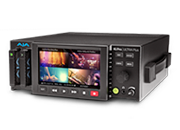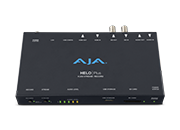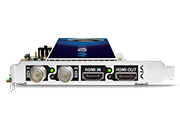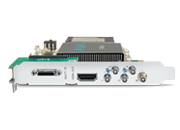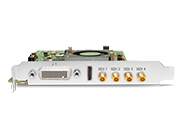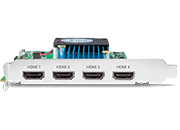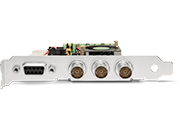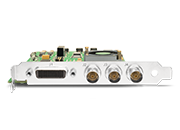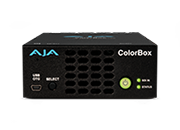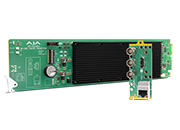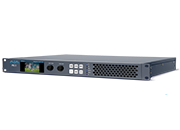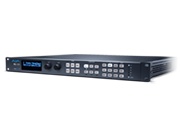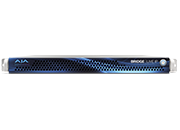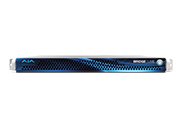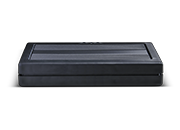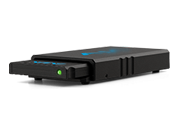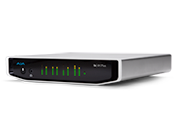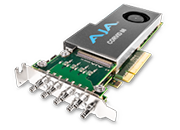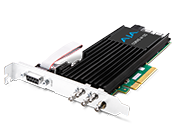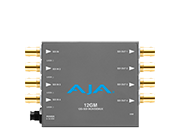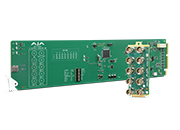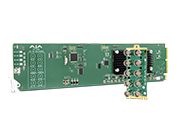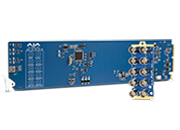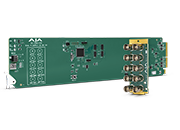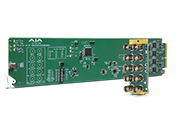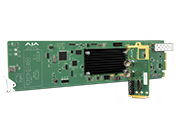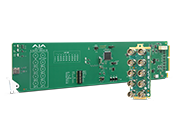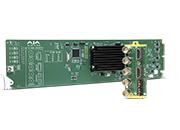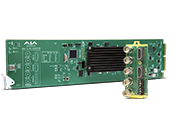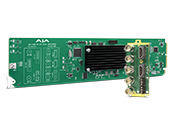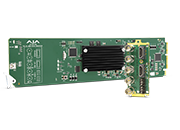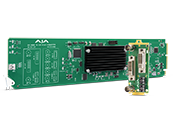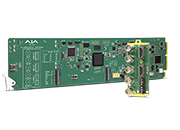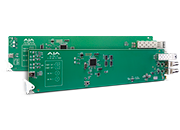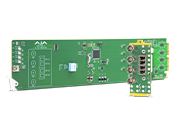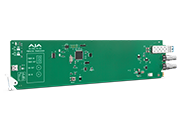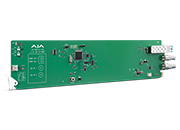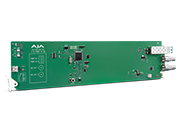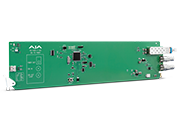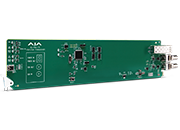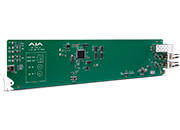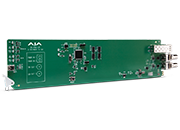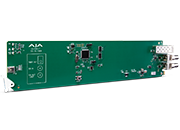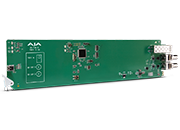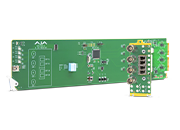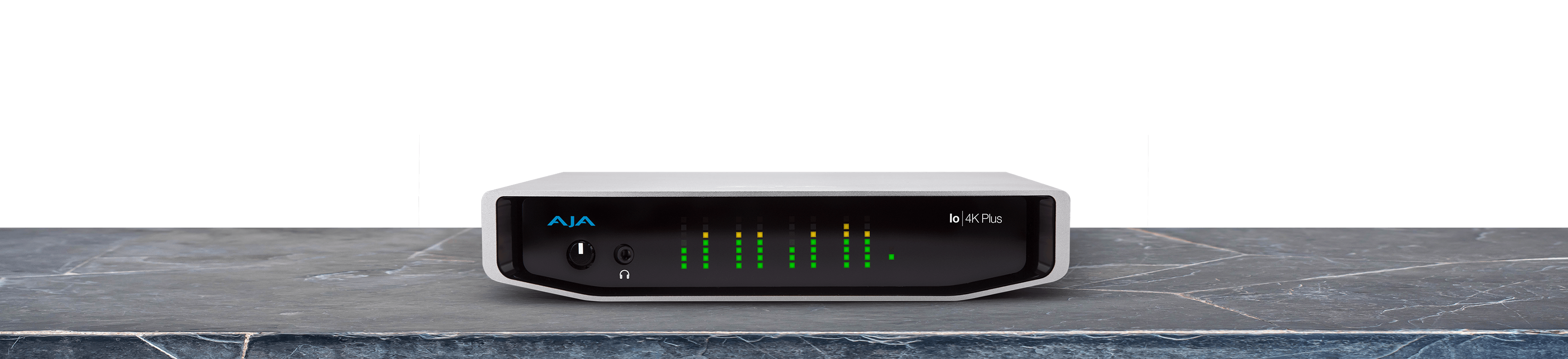
Io 4K Plus

Io 4K Plus

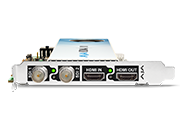
Professional Video and Audio I/O over Thunderbolt™ with 12G-SDI and HDMI 2.0

$3,710 US MSRP*

* Plus any applicable tariffs. Pricing is for US only. International pricing will vary.

Io 4K Plus

Tech Specs

Tech Specs are subject to change.


Video Formats

  • (4K) 4096 x 2160p 23.98, 24, 25, 29.97, 30, 47.95, 48, 50, 59.94, 60
  • (UltraHD) 3840 x 2160p 23.98, 24, 25, 29.97, 30, 50, 59.94, 60
  • (2K) 2048 x 1080p 23.98, 24, 25, 29.97, 30, 47.95, 48, 50, 59.94, 60
  • (2K) 2048 x 1080PsF 23.98, 24, 25
  • (HD) 1080p 23.98, 24, 25, 29.97, 30, 50, 59.94, 60
  • (HD) 1080PsF 23.98, 24, 25, 29.97, 30
  • (HD) 1080i 50, 59.94, 60
  • (HD) 720p 50, 59.94, 60
  • (SD) 625i 50
  • (SD) 525i 59.94


Note: High Frame Rate capabilities are dependent on host system attributes. Not all systems and configurations will support all frame rates.


Video Input Digital

  • 12G-SDI*, SMPTE-2082, 12-bit*, 10-bit
  • 6G-SDI*, SMPTE-2081, 10-bit
  • 3G-SDI, SMPTE 425 
    • RGB 4:4:4 12-bit*, YCbCr 4:2:2 10-bit 
  • 1.5G-SDI, SMPTE 292M 
    • Single Link HD-SDI YCbCr 4:2:2 10-bit 
    • Dual Link RGB 4:4:4 12-bit*, Dual Link YCbCr 4:2:2 10-bit 
  • 270 Mbps SDI, SMPTE 259M-C 
    • YCbCr 4:2:2 10-bit, 8-bit 
  • HDMI v2.0
    • 30/36-bits/pixel, RGB or YUV, 6 Gbps per color component
    • 4K, UltraHD, 2K, HD, and SD with HFR support up to 60p (4:2:2), 10-bit
  • 4x SDI BNC ports and configuration options: 
    • Four HD/SD 3G/1.5G bidirectional
    • One 4K/UltraHD single-link 12G/6G input (SDI 1) and one 4K/UltraHD single-link 12G/6G output (SDI 3)
    • Two 4K/UltraHD dual-link 3G/1.5G (one input channel & one output channel, two input channels, or two output channels)
    • One 4K/UltraHD four-link 3G/1.5G input or output, Quadrant or 2SI
       

*Bit depth support is application dependent. Check with your software manufacturer for compatibility.


Video Output Digital

  • 12G-SDI*, SMPTE-2082, 12-bit*, 10-bit
  • 6G-SDI*, SMPTE-2081, 10-bit
  • 3G-SDI, SMPTE 425 
    • RGB 4:4:4 12-bit*, YCbCr 4:2:2 10-bit 
  • 1.5G-SDI, SMPTE 292M 
    • Single Link HD-SDI YCbCr 4:2:2 10-bit 
    • Dual Link RGB 4:4:4 12-bit*, Dual Link YCbCr 4:2:2 10-bit 
  • 270 Mbps SDI, SMPTE 259M-C 
    • YCbCr 4:2:2 10-bit, 8-bit 
  • HDMI v2.0
    • 30/36-bits/pixel, RGB or YUV, 6 Gbps per color component
    • 4K, UltraHD, 2K, HD, and SD with HFR support up to 60p (4:2:2), 10-bit
  • 4x SDI BNC ports and configuration options: 
    • Four HD/SD 3G/1.5G bidirectional
    • One 4K/UltraHD single-link 12G/6G output (SDI 3)
    • Two 4K/UltraHD dual-link 3G/1.5G (one input channel & one output channel, two input channels, or two output channels)
    • One 4K/UltraHD four-link 3G/1.5G input or output, Quadrant or 2SI


*Bit depth support is application dependent. Check with your software manufacturer for compatibility.


HDR

  • SDI: VPID signaling for SDR/HDR Transfer Characteristics, Colorimetry and Luminance 
  • HDMI: HDR10 Support - HDR Infoframe metadata, compatible with HDMI 2.0a/CTA-861.3
  • HDMI: HLG Support - compatible with HDMI 2.0b/CTA-861-G 


Note: HDR support is application dependent. Check with your software manufacturer for compatibility.


Audio Inputs Digital

  • 16-channel, 24 and 16-bit SDI embedded audio, 48 kHz sample rate, synchronous
  • 8-channel, 24 and 16-bit HDMI embedded audio, 48 kHz sample rate, synchronous

Audio Inputs Analog

  • 8-channel, 24 and 16-bit D/A analog audio, 48 kHz sample rate, balanced, using industry standard 8x XLR on DB-25 breakout cable (cable not included)
  • +24 dBu full scale digital (0 dBFS)
  • +/- 0.2 dB 20 to 20 kHz frequency response
  • Input supported across Ch 1-8, Ch 1-4, or Ch 5-8 depending on configuration chosen

Audio Outputs Digital

  • 16-channel, 24-bit SDI embedded audio, 48 kHz sample rate, synchronous
  • 8-channel, 24-bit HDMI embedded audio, 48 kHz sample rate, synchronous

Audio Outputs Analog

  • 8-channel, 24-bit D/A analog audio, 48 kHz sample rate, balanced, using industry standard 8x XLR on DB-25 breakout cable (cable not included)
  • +24 dBu full scale digital (0 dBFS)
  • +/- 0.2 dB 20 to 20 kHz frequency response
  • Output supported across Ch 1-8, Ch 1-4, or Ch 5-8 depending on configuration chosen

Downstream Keyer

  • Supports graphics up to 2K/HD with alpha channel over video, matte or framebuffer, or framebuffer content over incoming video or matte

Down-Conversion 4K/UltraHD

  • Real time, dedicated 4K down-conversion output (1x BNC)
  • 4K to 2K down-conversion
  • UltraHD to HD down-conversion

Reference and LTC I/O

  • 1x BNC LTC output
  • 1x BNC assignable to Reference video or LTC input

Reference

  • Analog Color Black (1V) or Composite Sync (2 or 4V) or HD Tri-Level Sync (1V)
  • Reference input is terminated into 75 ohms when Genlock is set to Ref In

Electrical Interface

  • 2x Thunderbolt™ 3 connector (compatible with later versions)

Machine Control

  • RS-422, Sony 9-pin protocol
  • 9-pin D-connector pinout is as follows:

Shell

GND

1

GND

2

RX-

3

TX+

4

GND

5

No Connection

6

GND

7

RX+

8

TX-

9

GND


Size (w x d x h)

  • 8.74” x 8.11” x 1.65” (222.0 x 206.0 x 41.9 mm)

Weight

  • 3.4 lbs (1.6 kg)

Power (device only)

  • 10-20V, 30W typical, 36W max, 70W max with USB-C power delivery to external devices

Environment

  • Safe Operating Temperature Range: 0 to 40 C (32 to 104 F)
  • Safe Storage Temperature (Power OFF): -40 to 60 C (-40 to 140 F)
  • Operating Relative Humidity: 10-90% noncondensing
  • Operating Altitude: <3,000 meters (<10,000 feet)

AJA Desktop Software Installer v18 for Windows:

This unified software, driver and firmware package contains everything you need in order to start using your AJA video I/O hardware and includes enhancements. Please read the Release Notes for complete detail. 

The following AJA applications are installed in v18

  • AJA Control Panel v18: 
    • For setup and control of your AJA KONA, Io or T-TAP product, including firmware updates.
    • For high quality capture, playback and output.
  • AJA System Test v18: 
    • For testing storage to determine if it will be possible to sustain frame rates for chosen format(s).
  • AJA Control Room v18:
    • For high quality capture, monitoring, playback and output.

Note: Corvid products are designed for Developers, so some Desktop Software features may not be available. Please contact AJA Technical Support for more information.


Download


AJA Desktop Software Installer v18 for macOS:

ATTENTION: macOS installation instructions have changed. Please read the installation guide or watch this short video >>before<< installing!

NOTE: v18 is not compatible with Intel-based macOS systems – You must use v17.6 software below in the Software Archive.

AJA Desktop Software v18 transitions from legacy Kernel Extensions (KEXT) to Apple’s modern Driver Extension (DEXT) framework, which requires a clean uninstall and an updated installation process. 
Important Installation Requirements:

  • Before installing, you must run the AJA v18 Uninstaller (included in this download) and reboot your system. This step removes the KEXT drivers. Failure to do so will cause the Desktop v18 installer to abort. Do not use uninstallers from previous versions (v17.x or earlier).
  • AJA Desktop Software v18 is supported on Apple silicon Macs only, running macOS 14 Sonoma or later. Intel-based systems are not supported—please use Desktop Software v17.6 instead.
This unified software, driver and firmware package contains everything you need in order to start using your AJA video I/O hardware and includes enhancements. Please read the Release Notes for complete details.

The following AJA applications are installed in v18
  • AJA Control Panel v18: 
    • For setup and control of your AJA KONA, Io or T-TAP product, including firmware updates.
    • For high quality capture, playback and output.
  • AJA System Test v18: 
    • For testing storage to determine if it will be possible to sustain frame rates for chosen format(s).
  • AJA Control Room v18:
    • For high quality capture, monitoring, playback and output.

Note: Corvid products are designed for Developers, so some Desktop Software features may not be available. Please contact AJA Technical Support for more information.
Download


AJA Desktop Software v18 installer for Rocky Linux up to versions 8.10 and 9.4:
This unified software, driver and firmware package contains everything you need in order to start using your AJA video I/O hardware and includes enhancements. Please read the Release Notes for complete details.
The following AJA applications are installed in v18
  • AJA Control Panel v18: 
    • For setup and control of your AJA KONA, Io or T-TAP product, including firmware updates.
    • For high quality capture, playback and output.
  • AJA System Test v18: 
    • For testing storage to determine if it will be possible to sustain frame rates for chosen format(s).
  • AJA Control Room v18: 
    • For high quality capture, monitoring, playback and output.

Note: Corvid products are designed for Developers, so some Desktop Software features may not be available. Please contact AJA Technical Support for more information.
Download


AJA Desktop Software v18 Installer Linux - Ubuntu 20.04 LTS and Ubuntu 22.04 LTS:
This unified software, driver, and firmware package contains everything you need to start using your AJA video I/O hardware and includes enhancements. Please read the Release Notes for complete details.

The following AJA applications are installed in v18:

  • AJA Control Panel v18: 
    • For setup and control of your AJA KONA, Io or T-TAP product, including firmware updates.
    • For high quality capture, playback and output.
  • AJA System Test v18: 
    • For testing storage to determine if it will be possible to sustain frame rates for chosen format(s).
  • AJA Control Room v18: 
    • For high quality capture, monitoring, playback and output.

Note: Corvid products are designed for Developers, so some Desktop Software features may not be available. Please contact AJA Technical Support for more information.
Download


These filters are designed for DirectShow application developers, so that they may make their applications compatible with the majority of AJA's windows based hardware. These filters are meant to be used programmatically, and will not necessarily work with every DirectShow application without work being done to explicitly support them. Note: DirectShow is a trademark of Microsoft.


More Information: https://www.aja.com/support/directshow

Download

AJA Desktop Software v17.6 Installer Linux - Ubuntu 20.04 LTS and Ubuntu 22.04 LTS:
This unified software, driver, and firmware package contains everything you need to start using your AJA video I/O hardware and includes enhancements. Please read the Release Notes for complete details.

Please contact Support if you need to install versions earlier than v17.6.

The following AJA applications are installed in v17.6:

  • AJA Control Panel v17.6: 
    • For setup and control of your AJA KONA, Io or T-TAP product, including firmware updates.
    • For high quality capture, playback and output.
  • AJA System Test v17.6: 
    • For testing storage to determine if it will be possible to sustain frame rates for chosen format(s).
  • AJA Control Room v17.6: 
    • For high quality capture, monitoring, playback and output.

Note: Corvid products are designed for Developers, so some Desktop Software features may not be available. Please contact AJA Technical Support for more information.
Download


AJA Desktop Software Installer v17.6 for Windows:
This unified software, driver and firmware package contains everything you need in order to start using your AJA video I/O hardware and includes enhancements. Please read the Release Notes for complete detail.
Please contact Support if you need to install versions earlier than v17.6.

The following AJA applications are installed in v17.6

  • AJA Control Panel v17.6: 
    • For setup and control of your AJA KONA, Io or T-TAP product, including firmware updates.
    • For high quality capture, playback and output.
  • AJA System Test v17.6: 
    • For testing storage to determine if it will be possible to sustain frame rates for chosen format(s).
  • AJA Control Room v17.6:
    • For high quality capture, monitoring, playback and output.

Note: Corvid products are designed for Developers, so some Desktop Software features may not be available. Please contact AJA Technical Support for more information.

Download


AJA Desktop Software Installer v17.6 for macOS:

This unified software, driver and firmware package contains everything you need in order to start using your AJA video I/O hardware and includes enhancements. Please read the Release Notes for complete details.

Please contact Support if you need to install versions earlier than v17.6.

Apple silicon macOS security instructions are found here.

The following AJA applications are installed in v17.6

  • AJA Control Panel v17.6: 
    • For setup and control of your AJA KONA, Io or T-TAP product, including firmware updates.
    • For high quality capture, playback and output.
  • AJA System Test v17.6: 
    • For testing storage to determine if it will be possible to sustain frame rates for chosen format(s).
  • AJA Control Room v17.6:
    • For high quality capture, monitoring, playback and output.

Note: Corvid products are designed for Developers, so some Desktop Software features may not be available. Please contact AJA Technical Support for more information.

Download


These filters are designed for DirectShow application developers, so that they may make their applications compatible with the majority of AJA's windows based hardware. These filters are meant to be used programmatically, and will not necessarily work with every DirectShow application without work being done to explicitly support them. Note: DirectShow is a trademark of Microsoft.


More Information: https://www.aja.com/support/directshow

AJA Io 4K Plus Manual v18

Download


AJA Control Room Manual v18 for Desktop and Mobile I/O devices.

Note: Corvid products are designed for Developers, so some Desktop Software features may not be available. Please contact AJA Technical Support for more information.

Download


AJA Desktop Software v18 macOS Installation Guide for download. You can also watch this short video.

Note: Corvid products are designed for Developers, so some Desktop Software features may not be available. Please contact AJA Technical Support for more information.

Download

AJA OBS Quick Start Guide v17.1

Download


AJA Thunderbolt Devices Quick Start Guide v17.1 (PN_109376-00 RevC)

Download


AJA Adobe Apps Quick Start Guide v17r1

Download


AJA Telestream Apps Quick Start Guide v16.2:

The AJA Wirecast plug-in supports Wirecast 12x, 11.x, 10.x, 9.x, 8.x, 7.x, 6.x from Telestream.

Telestream Wirecast is supported through the AJA Desktop Software for the following AJA devices:

  • KONA 5, KONA 4, KONA HDMI, KONA IP, KONA 1, KONA 3G, KONA LHi, KONA LHe Plus

  • CORVID HB-R

  • Io 4K Plus, Io 4K, Io IP, Io XT, Io Express

  • T-TAP Pro

  • T-TAP

  • Telestream Wirecast is also supported through the AJA Desktop Software for the following Avid devices:

  • Avid Artist | DNxIV

  • Avid Artist | DNxIP

Download

Important macOS Mojave installation information

• With the introduction of macOS Mojave (v10.14), Apple now requests that third party kernel extensions be “notarized” by Apple. AJA’s device driver kernel extension has been notarized starting with AJA Software version 15.2. Apple has indicated that for security purposes, future macOS versions may prevent the loading of unnotarized device drivers, in which case, AJA software prior to v15.2 will result in AJA devices failing to operate (Unsupported AJA Device)

Important macOS High Sierra installation information

• With the introduction of macOS High Sierra (v10.13), Apple now requires that third party application developers be identified during kernel extension installations. Failure to do so will make AJA devices fail to operate (Unsupported AJA Device).

• Depending on your macOS version and AJA Desktop Software installation history, the following installation outcomes are possible:

◦ macOS Sierra and Earlier Supported Versions

- No problems exist for AJA software installation or updates with these earlier versions of macOS.

◦ Earlier macOS to High Sierra Update

- No problems should occur if the AJA Desktop Software package is already installed on macOS Sierra (or earlier) and then update your Mac to High Sierra. The identification of AJA as a trusted developer is “grandfathered in” to High Sierra.

◦ macOS High Sierra First AJA Desktop Software Install

- No problems should occur if your Mac is running High Sierra macOS, you install AJA Desktop Software for the first time, and you follow the instructions shown during installation (Figure 1).

- Do NOT click OK (Figure 1). 

Figure 1 — First-time installation on macOS High Sierra

cid:756A2C97-2C45-4272-A7E0-CC0373C5228F@aja.com

Instead, click Open Security Preferences (or go to System Preferences>Security and Privacy) and then click Allow for AJA Video Systems (Figure 2).

cid:6F4A4C89-D13F-4971-ADBB-E9B8EA82E322@aja.com

Figure 2 — click Allow for AJA Video Systems 

NOTE: If after successful installation, you remove AJA applications from your computer using the AJA Uninstaller developer identification is retained by macOS High Sierra. Re-installation should proceed without any problems.

• Recovery from Installation Approval Failure:

◦ If you clicked OK during installation and skipped the developer approval step, the AJA Desktop Software installation will complete, but macOS’ GateKeeper security will prevent AJA’s device driver from loading, and AJA devices will not not operate (Unsupported AJA Device).

◦ Apple has allowed a time window, within which you can belatedly approve a developer after installation. If you go to System Preferences>Security and Privacy, within 30 minutes of installation, the developer message and Allow button will be available for use. After 30 minutes, however, the message and button are removed from the window. Recovery from this involves uninstalling all AJA files (some manually), reinstalling the AJA Desktop Software package, and clicking on Allow for AJA Video Systems developer. 

• Recovery from Installation Approval Failure (2nd Level if necessary)

1. Run the AJA Uninstaller, located in the AJA Utilities folder in the Mac Applications folder.

2. Access the Users Library, which is hidden. To access the library:

3. Go to the Finder.

- In the Finder Menu Bar and click on Go.

- Hold down the Option key. The Library folder appears as long as the Option key is held down.

- Go to Library>Preferences and delete all com.aja.*.* files. There may be one file or several files.

4. Remove AJA Control Panel from the Dock, if applicable.

5. Restart the Mac.

6. Install the AJA Desktop Software package.

7. During installation click on Open Security Preferences (or go to System Preferences,>Security and Privacy).

8. Under the General tab click on the Allow button for AJA Video Systems. The button is only available for 30 minutes


Sign-up with AJA!

Receive the latest news and product update information

Submit and Download

Continue to Download without Sign-up

Your details will be registered with the AJA Video Systems database to receive occasional news of important software updates, new products and services. Please view our privacy policy for more information.