AJA Desktop Software v18 Installer for Windows
(Release Date 4/30/2026, zip archive)
Direct Link
AJA Desktop Software Installer v18 for Windows:
This unified software, driver and firmware package contains everything you need in order to start using your AJA video I/O hardware and includes enhancements. Please read the Release Notes for complete detail.
The following AJA applications are installed in v18
- AJA Control Panel v18:
- For setup and control of your AJA KONA, Io or T-TAP product, including firmware updates.
- For high quality capture, playback and output.
- AJA System Test v18:
- For testing storage to determine if it will be possible to sustain frame rates for chosen format(s).
- AJA Control Room v18:
- For high quality capture, monitoring, playback and output.
Note: Corvid products are designed for Developers, so some Desktop Software features may not be available. Please contact AJA Technical Support for more information.
Related Products: AJA Control Room™, AJA Desktop Software, Corvid 44, Corvid 44 12G, Corvid 44 12G BNC, Corvid 44 BNC, Corvid 88, Io 4K Plus, Io X3, KONA 1, KONA 4, KONA 5, KONA HDMI, KONA IP25, KONA LHe Plus, KONA LHi, KONA X, T-TAP® Pro
Mirrors
Download
AJA Desktop Software v18 Installer for macOS
(Release Date 4/30/2026, zip archive)
Direct Link
AJA Desktop Software Installer v18 for macOS:
ATTENTION: macOS installation instructions have changed. Please read the installation guide or watch this short video >>before<< installing!
NOTE: v18 is not compatible with Intel-based macOS systems – You must use v17.6 software below in the Software Archive.
AJA Desktop Software v18 transitions from legacy Kernel Extensions (KEXT) to Apple’s modern Driver Extension (DEXT) framework, which requires a clean uninstall and an updated installation process.
Important Installation Requirements:
- Before installing, you must run the AJA v18 Uninstaller (included in this download) and reboot your system. This step removes the KEXT drivers. Failure to do so will cause the Desktop v18 installer to abort. Do not use uninstallers from previous versions (v17.x or earlier).
- AJA Desktop Software v18 is supported on Apple silicon Macs only, running macOS 14 Sonoma or later. Intel-based systems are not supported—please use Desktop Software v17.6 instead.
This unified software, driver and firmware package contains everything you need in order to start using your AJA video I/O hardware and includes enhancements. Please read the Release Notes for complete details.
The following AJA applications are installed in v18
- AJA Control Panel v18:
- For setup and control of your AJA KONA, Io or T-TAP product, including firmware updates.
- For high quality capture, playback and output.
- AJA System Test v18:
- For testing storage to determine if it will be possible to sustain frame rates for chosen format(s).
- AJA Control Room v18:
- For high quality capture, monitoring, playback and output.
Note: Corvid products are designed for Developers, so some Desktop Software features may not be available. Please contact AJA Technical Support for more information.
Related Products: AJA Control Room™, AJA Desktop Software, Corvid 44, Corvid 44 12G, Corvid 44 12G BNC, Corvid 44 BNC, Corvid 88, Io 4K Plus, Io X3, KONA 1, KONA 4, KONA 5, KONA HDMI, KONA IP25, KONA X, T-TAP® Pro
Mirrors
Download
AJA Desktop Software Installer v18 for Linux - Rocky Linux versions up to 8.10 and 9.4
(Release Date 4/30/2026, zip archive)
Direct Link
AJA Desktop Software v18 installer for Rocky Linux up to versions 8.10 and 9.4:
This unified software, driver and firmware package contains everything you need in order to start using your AJA video I/O hardware and includes enhancements. Please read the Release Notes for complete details.
The following AJA applications are installed in v18
- AJA Control Panel v18:
- For setup and control of your AJA KONA, Io or T-TAP product, including firmware updates.
- For high quality capture, playback and output.
- AJA System Test v18:
- For testing storage to determine if it will be possible to sustain frame rates for chosen format(s).
- AJA Control Room v18:
- For high quality capture, monitoring, playback and output.
Note: Corvid products are designed for Developers, so some Desktop Software features may not be available. Please contact AJA Technical Support for more information.
Related Products: AJA Control Room™, AJA Desktop Software, Corvid 44, Corvid 44 12G, Corvid 44 12G BNC, Corvid 44 BNC, Corvid 88, Io 4K Plus, Io X3, KONA 1, KONA 4, KONA 5, KONA HDMI, KONA IP25, KONA LHe Plus, KONA LHi, KONA X, T-TAP® Pro
Mirrors
Download
AJA Desktop Software Installer v18 for Linux - Ubuntu 20.04 LTS and Ubuntu 22.04 LTS
(Release Date 4/30/2026, zip archive)
Direct Link
AJA Desktop Software v18 Installer Linux - Ubuntu 20.04 LTS and Ubuntu 22.04 LTS:
This unified software, driver, and firmware package contains everything you need to start using your AJA video I/O hardware and includes enhancements. Please read the Release Notes for complete details.
The following AJA applications are installed in v18:
- AJA Control Panel v18:
- For setup and control of your AJA KONA, Io or T-TAP product, including firmware updates.
- For high quality capture, playback and output.
- AJA System Test v18:
- For testing storage to determine if it will be possible to sustain frame rates for chosen format(s).
- AJA Control Room v18:
- For high quality capture, monitoring, playback and output.
Note: Corvid products are designed for Developers, so some Desktop Software features may not be available. Please contact AJA Technical Support for more information.
Related Products: AJA Control Room™, AJA Desktop Software, Corvid 44, Corvid 44 12G, Corvid 44 12G BNC, Corvid 44 BNC, Corvid 88, Io 4K Plus, Io X3, KONA 1, KONA 4, KONA 5, KONA HDMI, KONA IP25, KONA LHe Plus, KONA LHi, KONA X, T-TAP® Pro
Mirrors
Download
DirectShow Filters v15.5.2
(Release Date 4/23/2020, zip archive)
Direct Link
These filters are designed for DirectShow application developers, so that they may make their applications compatible with the majority of AJA's windows based hardware. These filters are meant to be used programmatically, and will not necessarily work with every DirectShow application without work being done to explicitly support them. Note: DirectShow is a trademark of Microsoft.
More Information:
https://www.aja.com/support/directshow
Related Products: Corvid 44, Corvid 88, Io 4K, Io 4K Plus, Io Express, Io X3, Io XT, KONA 1, KONA 3G, KONA 4, KONA 5, KONA HDMI, KONA IP, KONA LHe Plus, KONA LHi, T-TAP® Pro
Mirrors
Download
AJA Desktop Software v17.6 Installer for Windows
(Release Date 2/26/2026, zip archive)
Direct Link
AJA Desktop Software Installer v17.6 for Windows:
This unified software, driver and firmware package contains everything you need in order to start using your AJA video I/O hardware and includes enhancements. Please read the Release Notes for complete detail.
The following AJA applications are installed in v17.6
- AJA Control Panel v17.6:
- For setup and control of your AJA KONA, Io or T-TAP product, including firmware updates.
- For high quality capture, playback and output.
- AJA System Test v17.6:
- For testing storage to determine if it will be possible to sustain frame rates for chosen format(s).
- AJA Control Room v17.6:
- For high quality capture, monitoring, playback and output.
Note: Corvid products are designed for Developers, so some Desktop Software features may not be available. Please contact AJA Technical Support for more information.
Related Products: AJA Control Room™, AJA Desktop Software, Corvid 44, Corvid 44 12G, Corvid 44 12G BNC, Corvid 44 BNC, Corvid 88, Io 4K Plus, Io X3, KONA 1, KONA 4, KONA 5, KONA HDMI, KONA IP25, KONA LHe Plus, KONA LHi, KONA X, T-TAP® Pro
Mirrors
Download
AJA Desktop Software v17.6 Installer for macOS
(Release Date 2/26/2026, zip archive)
Direct Link
AJA Desktop Software Installer v17.6 for macOS:
This unified software, driver and firmware package contains everything you need in order to start using your AJA video I/O hardware and includes enhancements. Please read the Release Notes for complete details.
Apple silicon macOS security instructions are found here.
The following AJA applications are installed in v17.6
- AJA Control Panel v17.6:
- For setup and control of your AJA KONA, Io or T-TAP product, including firmware updates.
- For high quality capture, playback and output.
- AJA System Test v17.6:
- For testing storage to determine if it will be possible to sustain frame rates for chosen format(s).
- AJA Control Room v17.6:
- For high quality capture, monitoring, playback and output.
Note: Corvid products are designed for Developers, so some Desktop Software features may not be available. Please contact AJA Technical Support for more information.
Related Products: AJA Control Room™, AJA Desktop Software, Corvid 44, Corvid 44 12G, Corvid 44 12G BNC, Corvid 44 BNC, Corvid 88, Io 4K Plus, Io X3, KONA 1, KONA 4, KONA 5, KONA HDMI, KONA IP25, KONA X, T-TAP® Pro
Mirrors
Download
AJA Desktop Software Installer v17.6 for Linux - Ubuntu 20.04 LTS and Ubuntu 22.04 LTS
(Release Date 2/26/2026, zip archive)
Direct Link
AJA Desktop Software v17.6 Installer Linux - Ubuntu 20.04 LTS and Ubuntu 22.04 LTS:
This unified software, driver, and firmware package contains everything you need to start using your AJA video I/O hardware and includes enhancements. Please read the Release Notes for complete details.
The following AJA applications are installed in v17.6:
- AJA Control Panel v17.6:
- For setup and control of your AJA KONA, Io or T-TAP product, including firmware updates.
- For high quality capture, playback and output.
- AJA System Test v17.6:
- For testing storage to determine if it will be possible to sustain frame rates for chosen format(s).
- AJA Control Room v17.6:
- For high quality capture, monitoring, playback and output.
Note: Corvid products are designed for Developers, so some Desktop Software features may not be available. Please contact AJA Technical Support for more information.
Related Products: AJA Control Room™, AJA Desktop Software, Corvid 44, Corvid 44 12G, Corvid 44 12G BNC, Corvid 44 BNC, Corvid 88, Io 4K Plus, Io X3, KONA 1, KONA 4, KONA 5, KONA HDMI, KONA IP25, KONA LHe Plus, KONA LHi, KONA X, T-TAP® Pro
Mirrors
Download
AJA Desktop Software v17.5 Installer for macOS
(Release Date 4/3/2025, zip archive)
Direct Link
AJA Desktop Software Installer v17.5 for macOS:
This unified software, driver and firmware package contains everything you need in order to start using your AJA video I/O hardware and includes enhancements. Please read the Release Notes for complete details.
Apple silicon macOS security instructions are found here.
The following AJA applications are installed in v17.5
- AJA Control Panel v17.5:
- For setup and control of your AJA KONA, Io or T-TAP product, including firmware updates.
- For high quality capture, playback and output.
- AJA System Test v17.5:
- For testing storage to determine if it will be possible to sustain frame rates for chosen format(s).
- AJA Control Room v17.5:
- For high quality capture, monitoring, playback and output.
Related Products: AJA Control Room™, Io 4K Plus, Io X3, KONA 1, KONA 4, KONA 5, KONA HDMI, KONA IP25, KONA LHe Plus, KONA LHi, KONA X, T-TAP® Pro
Mirrors
Download
AJA Desktop Software v17.5 Installer for Windows
(Release Date 4/3/2025, zip archive)
Direct Link
AJA Desktop Software Installer v17.5 for Windows:
This unified software, driver and firmware package contains everything you need in order to start using your AJA video I/O hardware and includes enhancements. Please read the Release Notes for complete detail.
The following AJA applications are installed in v17.5
- AJA Control Panel v17.5:
- For setup and control of your AJA KONA, Io or T-TAP product, including firmware updates.
- For high quality capture, playback and output.
- AJA System Test v17.5:
- For testing storage to determine if it will be possible to sustain frame rates for chosen format(s).
- AJA Control Room v17.5:
- For high quality capture, monitoring, playback and output.
Related Products: AJA Control Room™, Io 4K Plus, Io X3, KONA 1, KONA 4, KONA 5, KONA HDMI, KONA IP25, KONA LHe Plus, KONA LHi, KONA X, T-TAP® Pro
Mirrors
Download
AJA Desktop Software Installer v17.5 for Linux - Ubuntu 20.04 LTS and Ubuntu 22.04 LTS
(Release Date 4/3/2025, zip archive)
Direct Link
AJA Desktop Software v17.5 Installer Linux - Ubuntu 20.04 LTS and Ubuntu 22.04 LTS:
This unified software, driver, and firmware package contains everything you need to start using your AJA video I/O hardware and includes enhancements. Please read the Release Notes for complete details.
The following AJA applications are installed in v17.5:
- AJA Control Panel v17.5:
- For setup and control of your AJA KONA, Io or T-TAP product, including firmware updates.
- For high quality capture, playback and output.
- AJA System Test v17.5:
- For testing storage to determine if it will be possible to sustain frame rates for chosen format(s).
- AJA Control Room v17.5:
- For high quality capture, monitoring, playback and output.
Related Products: AJA Control Room™, Io 4K Plus, Io X3, KONA 1, KONA 4, KONA 5, KONA HDMI, KONA IP25, KONA LHe Plus, KONA LHi, KONA X, T-TAP® Pro
Mirrors
Download
AJA Desktop Software v17.1.3 Installer for macOS
(Release Date 12/6/2024, zip archive)
Direct Link
AJA Desktop Software Installer v17.1.3 for macOS:
This unified software, driver and firmware package contains everything you need in order to start using your AJA video I/O hardware and includes enhancements. Please read the Release Notes for complete details.
Apple silicon macOS security instructions are found here.
The following AJA applications are installed in v17.1.3
- AJA Control Panel v17.1.3:
- For setup and control of your AJA KONA, Io or T-TAP product, including firmware updates.
- For high quality capture, playback and output.
- AJA System Test v17.1.3:
- For testing storage to determine if it will be possible to sustain frame rates for chosen format(s).
- AJA Control Room v17.1.3:
- For high quality capture, monitoring, playback and output.
- AJA NMOS v17.1.3:
- An optional component providing discovery, registration and control for KONA IP running in SMPTE ST 2110 environments.
Related Products: AJA Control Room™, Io 4K Plus, Io X3, KONA 1, KONA 4, KONA 5, KONA HDMI, KONA LHe Plus, KONA LHi, KONA X, T-TAP® Pro
Mirrors
Download
AJA Desktop Software Installer v17.1.3 for Linux - Ubuntu 20.04 LTS and Ubuntu 22.04 LTS
(Release Date 12/6/2024, zip archive)
Direct Link
AJA Desktop Software v17.1.3 Installer Linux - Ubuntu 20.04 LTS and Ubuntu 22.04 LTS:
This unified software, driver, and firmware package contains everything you need to start using your AJA video I/O hardware and includes enhancements. Please read the Release Notes for complete details.
The following AJA applications are installed in v17.1.3:
- AJA Control Panel v17.1.3:
- For setup and control of your AJA KONA, Io or T-TAP product, including firmware updates.
- For high quality capture, playback and output.
- AJA System Test v17.1.3:
- For testing storage to determine if it will be possible to sustain frame rates for chosen format(s).
- AJA Control Room v17.1.3:
- For high quality capture, monitoring, playback and output.
- AJA NMOS v17.1.3:
- An optional component providing discovery, registration and control for KONA IP running in SMPTE ST 2110 environments.
Related Products: AJA Control Room™, Io 4K Plus, Io X3, KONA 1, KONA 4, KONA 5, KONA HDMI, KONA LHe Plus, KONA LHi, KONA X, T-TAP® Pro
Mirrors
Download
AJA Desktop Software v17.1.3 Installer for Windows
(Release Date 12/6/2024, zip archive)
Direct Link
AJA Desktop Software Installer v17.1.3 for Windows:
This unified software, driver and firmware package contains everything you need in order to start using your AJA video I/O hardware and includes enhancements. Please read the Release Notes for complete detail.
The following AJA applications are installed in v17.1.3
- AJA Control Panel v17.1.3:
- For setup and control of your AJA KONA, Io or T-TAP product, including firmware updates.
- For high quality capture, playback and output.
- AJA System Test v17.1.3:
- For testing storage to determine if it will be possible to sustain frame rates for chosen format(s).
- AJA Control Room v17.1.3:
- For high quality capture, monitoring, playback and output.
- AJA NMOS v17.1.3:
- An optional component providing discovery, registration and control for KONA IP running in SMPTE ST 2110 environments.
Related Products: AJA Control Room™, Io 4K Plus, Io X3, KONA 1, KONA 4, KONA 5, KONA HDMI, KONA LHe Plus, KONA LHi, KONA X, T-TAP® Pro
Mirrors
Download
AJA Desktop Software Installer v17.1.3 for Linux - Rocky Linux versions up to 8.10 and 9.4
(Release Date 12/6/2024, zip archive)
Direct Link
AJA Desktop Software v17.1.3 installer for Rocky Linux up to versions 8.10 and 9.4:
This unified software, driver and firmware package contains everything you need in order to start using your AJA video I/O hardware and includes enhancements. Please read the Release Notes for complete details.
The following AJA applications are installed in v17.1.3
- AJA Control Panel v17.1.3:
- For setup and control of your AJA KONA, Io or T-TAP product, including firmware updates.
- For high quality capture, playback and output.
- AJA System Test v17.1.3:
- For testing storage to determine if it will be possible to sustain frame rates for chosen format(s).
- AJA Control Room v17.1.3:
- For high quality capture, monitoring, playback and output.
- AJA NMOS v17.1.3:
- An optional component providing discovery, registration and control for KONA IP running in SMPTE ST 2110 environments.
Related Products: AJA Control Room™, Io 4K Plus, Io X3, KONA 1, KONA 4, KONA 5, KONA HDMI, KONA LHe Plus, KONA LHi, KONA X, T-TAP® Pro
Mirrors
Download
AJA Desktop Software Installer v17.1 for Linux - Ubuntu 20.04 LTS and Ubuntu 22.04 LTS
(Release Date 7/25/2024, zip archive)
Direct Link
AJA Desktop Software v17.1 installer for Linux - Ubuntu 20.04 LTS and Ubuntu 22.04 LTS:
This unified software, driver, and firmware package contains everything you need to start using your AJA video I/O hardware and includes enhancements. Please read the Release Notes for complete details.
The following AJA applications are installed in v17.1:
- AJA Control Panel v17.1:
- For setup and control of your AJA KONA, Io or T-TAP product, including firmware updates.
- For high quality capture, playback and output.
- AJA System Test v17.1:
- For testing storage to determine if it will be possible to sustain frame rates for chosen format(s).
- AJA Control Room v17.1:
- For high quality capture, monitoring, playback and output.
- AJA NMOS v17.1:
- An optional component providing discovery, registration and control for KONA IP running in SMPTE ST 2110 environments.
Related Products: AJA Control Room™, Io 4K Plus, Io X3, KONA 1, KONA 4, KONA 5, KONA HDMI, KONA LHe Plus, KONA LHi, KONA X, T-TAP® Pro
Mirrors
Download
AJA Desktop Software Installer v17.1 for Linux - Rocky Linux versions up to 8.10 and 9.4
(Release Date 7/25/2024, zip archive)
Direct Link
AJA Desktop Software v17.1 installer for Rocky Linux versions 8.10 and 9.4:
This unified software, driver and firmware package contains everything you need in order to start using your AJA video I/O hardware and includes enhancements. Please read the Release Notes for complete details.
The following AJA applications are installed in v17.1
- AJA Control Panel v17.1:
- For setup and control of your AJA KONA, Io or T-TAP product, including firmware updates.
- For high quality capture, playback and output.
- AJA System Test v17.1:
- For testing storage to determine if it will be possible to sustain frame rates for chosen format(s).
- AJA Control Room v17.1:
- For high quality capture, monitoring, playback and output.
- AJA NMOS v17.1:
- An optional component providing discovery, registration and control for KONA IP running in SMPTE ST 2110 environments.
Related Products: AJA Control Room™, Io 4K Plus, Io X3, KONA 1, KONA 4, KONA 5, KONA HDMI, KONA LHe Plus, KONA LHi, KONA X, T-TAP® Pro
Mirrors
Download
AJA Desktop Software Installer v17.1 for Windows
(Release Date 7/25/2024, zip archive)
Direct Link
AJA Desktop Software Installer v17.1 for Windows:
This unified software, driver and firmware package contains everything you need in order to start using your AJA video I/O hardware and includes enhancements. Please read the Release Notes for complete detail.
The following AJA applications are installed in v17.1
- AJA Control Panel v17.1:
- For setup and control of your AJA KONA, Io or T-TAP product, including firmware updates.
- For high quality capture, playback and output.
- AJA System Test v17.1:
- For testing storage to determine if it will be possible to sustain frame rates for chosen format(s).
- AJA Control Room v17.1:
- For high quality capture, monitoring, playback and output.
- AJA NMOS v17.1:
- An optional component providing discovery, registration and control for KONA IP running in SMPTE ST 2110 environments.
Related Products: AJA Control Room™, Io 4K Plus, Io X3, KONA 1, KONA 4, KONA 5, KONA HDMI, KONA LHe Plus, KONA LHi, KONA X, T-TAP® Pro
Mirrors
Download
AJA Desktop Software Installer v17.1 for macOS
(Release Date 7/25/2024, zip archive)
Direct Link
AJA Desktop Software Installer v17.1 for macOS:
This unified software, driver and firmware package contains everything you need in order to start using your AJA video I/O hardware and includes enhancements. Please read the Release Notes for complete detail.
The following AJA applications are installed in v17.1
- AJA Control Panel v17.1:
- For setup and control of your AJA KONA, Io or T-TAP product, including firmware updates.
- For high quality capture, playback and output.
- AJA System Test v17.1:
- For testing storage to determine if it will be possible to sustain frame rates for chosen format(s).
- AJA Control Room v17.1:
- For high quality capture, monitoring, playback and output.
- AJA NMOS v17.1:
- An optional component providing discovery, registration and control for KONA IP running in SMPTE ST 2110 environments.
Related Products: AJA Control Room™, Io 4K Plus, Io X3, KONA 1, KONA 4, KONA 5, KONA HDMI, KONA LHe Plus, KONA LHi, KONA X, T-TAP® Pro
Mirrors
Download
AJA Desktop Software Installer v17.0.1 for macOS
(Release Date 3/7/2024, zip archive)
Direct Link
AJA Desktop Software Installer v17.0.1 for macOS:
This unified software, driver and firmware package contains everything you need in order to start using your AJA video I/O hardware and includes enhancements. Please read the Release Notes for complete detail.
The following AJA applications are installed in v17.0.1
- AJA Control Panel v17.0.1:
- For setup and control of your AJA KONA, Io or T-TAP product, including firmware updates.
- For high quality capture, playback and output.
- AJA System Test v17.0.1:
- For testing storage to determine if it will be possible to sustain frame rates for chosen format(s).
- AJA Control Room v17.0.1:
- For high quality capture, monitoring, playback and output.
- AJA NMOS v17.0.1:
- An optional component providing discovery, registration and control for KONA IP running in SMPTE ST 2110 environments.
Related Products: AJA Control Room™, Io 4K Plus, Io X3, KONA 1, KONA 4, KONA 5, KONA HDMI, KONA LHe Plus, KONA LHi, KONA X, T-TAP® Pro
Mirrors
Download
AJA Desktop Software Installer v17.0.1 for Windows
(Release Date 3/7/2024, zip archive)
Direct Link
AJA Desktop Software Installer v17.0.1 for Windows:
This unified software, driver and firmware package contains everything you need in order to start using your AJA video I/O hardware and includes new features as well as maintenance updates. Please read the Release Notes for complete detail.
The following AJA applications are installed in v17.0.1
- AJA Control Panel v17.0.1:
- For setup and control of your AJA KONA, Io or T-TAP product, including firmware updates.
- For high quality capture, playback and output.
- AJA System Test v17.0.1:
- For testing storage to determine if it will be possible to sustain frame rates for chosen format(s).
- AJA Control Room v17.0.1:
- For high quality capture, monitoring, playback and output.
- AJA NMOS v17.0.1:
- An optional component providing discovery, registration and control for KONA IP running in SMPTE ST 2110 environments.
Related Products: AJA Control Room™, Io 4K Plus, Io X3, KONA 1, KONA 4, KONA 5, KONA HDMI, KONA LHe Plus, KONA LHi, KONA X, T-TAP® Pro
Mirrors
Download
AJA Desktop Software Installer v17 for macOS
(Release Date 1/9/2024, zip archive)
Direct Link
AJA Desktop Software Installer v17 for macOS:
This unified software, driver and firmware package contains everything you need in order to start using your AJA video I/O hardware and includes enhancements. Please read the Release Notes for complete detail.
The following AJA applications are installed in v17
- AJA Control Panel v17:
- For setup and control of your AJA KONA, Io or T-TAP product, including firmware updates.
- For high quality capture, playback and output.
- AJA System Test v17:
- For testing storage to determine if it will be possible to sustain frame rates for chosen format(s).
- AJA Control Room v17:
- For high quality capture, monitoring, playback and output.
- AJA NMOS v17:
- An optional component providing discovery, registration and control for KONA IP running in SMPTE ST 2110 environments.
Related Products: AJA Control Room™, Io 4K Plus, Io X3, KONA 1, KONA 4, KONA 5, KONA HDMI, KONA LHe Plus, KONA LHi, KONA X, T-TAP® Pro
Mirrors
Download
AJA Desktop Software Installer v17 for Windows
(Release Date 12/14/2023, zip archive)
Direct Link
AJA Desktop Software Installer v17 for Windows:
This unified software, driver and firmware package contains everything you need in order to start using your AJA video I/O hardware and includes new features as well as maintenance updates. Please read the Release Notes for complete detail.
The following AJA applications are installed in v17
- AJA Control Panel v17:
- For setup and control of your AJA KONA, Io or T-TAP product, including firmware updates.
- For high quality capture, playback and output.
- AJA System Test v17:
- For testing storage to determine if it will be possible to sustain frame rates for chosen format(s).
- AJA Control Room v17:
- For high quality capture, monitoring, playback and output.
- AJA NMOS v17:
- An optional component providing discovery, registration and control for KONA IP running in SMPTE ST 2110 environments.
Related Products: AJA Control Room™, Io 4K Plus, Io X3, KONA 1, KONA 4, KONA 5, KONA HDMI, KONA LHe Plus, KONA LHi, KONA X, T-TAP® Pro
Mirrors
Download
AJA Software Installer v16.2.6 - Mac
(Release Date 11/30/2023, zip archive)
Direct Link
AJA Software Installer v16.2.6 for macOS:
This unified software, driver and firmware package contains everything you need in order to start using your AJA video I/O hardware and includes enhancements. Please read the Release Notes for complete detail.
The following AJA applications are installed in v16.2.6
- AJA Control Panel v16.2.6:
- For setup and control of your AJA KONA, Io or T-TAP product, including firmware updates.
- For high quality capture, playback and output.
- AJA System Test v16.2.6:
- For testing storage to determine if it will be possible to sustain frame rates for chosen format(s).
- AJA Control Room v16.2.6:
- For high quality capture, monitoring, playback and output.
- AJA NMOS v16.2.6:
- An optional component providing discovery, registration and control for KONA IP running in SMPTE ST 2110 environments.
Related Products: AJA Control Room™, Io 4K Plus, Io IP, Io X3, KONA 1, KONA 4, KONA 5, KONA HDMI, KONA IP, KONA LHe Plus, KONA LHi, T-TAP® Pro
Mirrors
Download
AJA Software Installer v16.2.6 - Windows
(Release Date 11/30/2023, zip archive)
Direct Link
AJA Software Installer v16.2.6 for Windows:
This unified software, driver and firmware package contains everything you need in order to start using your AJA video I/O hardware and includes new features as well as maintenance updates. Please read the Release Notes for complete detail.
The following AJA applications are installed in v16.2.6
- AJA Control Panel v16.2.6:
- For setup and control of your AJA KONA, Io or T-TAP product, including firmware updates.
- For high quality capture, playback and output.
- AJA System Test v16.2.6:
- For testing storage to determine if it will be possible to sustain frame rates for chosen format(s).
- AJA Control Room v16.2.6:
- For high quality capture, monitoring, playback and output.
- AJA NMOS v16.2.6:
- An optional component providing discovery, registration and control for KONA IP running in SMPTE ST 2110 environments.
Related Products: AJA Control Room™, Io 4K Plus, Io IP, Io X3, KONA 1, KONA 4, KONA 5, KONA HDMI, KONA IP, KONA LHe Plus, KONA LHi, T-TAP® Pro
Mirrors
Download
AJA Software Installer v16.2.5 - Mac
(Release Date 6/1/2023, zip archive)
Direct Link
AJA Software Installer v16.2.5 for macOS:
This unified software, driver and firmware package contains everything you need in order to start using your AJA video I/O hardware and includes enhancements. Please read the Release Notes for complete detail.
The following AJA applications are installed in v16.2.5
- AJA Control Panel v16.2.5:
- For setup and control of your AJA KONA, Io or T-TAP product, including firmware updates.
- For high quality capture, playback and output.
- AJA System Test v16.2.5:
- For testing storage to determine if it will be possible to sustain frame rates for chosen format(s).
- AJA Control Room v16.2.5:
- For high quality capture, monitoring, playback and output.
- AJA NMOS v16.2.5:
- An optional component providing discovery, registration and control for KONA IP running in SMPTE ST 2110 environments.
Related Products: AJA Control Room™, Io 4K Plus, Io IP, Io X3, KONA 1, KONA 4, KONA 5, KONA HDMI, KONA IP, KONA LHe Plus, KONA LHi, T-TAP® Pro
Mirrors
Download
AJA Software Installer v16.2.5 - Windows
(Release Date 6/1/2023, zip archive)
Direct Link
AJA Software Installer v16.2.5 for Windows:
This unified software, driver and firmware package contains everything you need in order to start using your AJA video I/O hardware and includes new features as well as maintenance updates. Please read the Release Notes for complete detail.
The following AJA applications are installed in v16.2.5
- AJA Control Panel v16.2.5:
- For setup and control of your AJA KONA, Io or T-TAP product, including firmware updates.
- For high quality capture, playback and output.
- AJA System Test v16.2.5:
- For testing storage to determine if it will be possible to sustain frame rates for chosen format(s).
- AJA Control Room v16.2.5:
- For high quality capture, monitoring, playback and output.
- AJA NMOS v16.2.5:
- An optional component providing discovery, registration and control for KONA IP running in SMPTE ST 2110 environments.
Related Products: AJA Control Room™, Io 4K Plus, Io IP, Io X3, KONA 1, KONA 4, KONA 5, KONA HDMI, KONA IP, KONA LHe Plus, KONA LHi, T-TAP® Pro
Mirrors
Download
AJA Software Installer v16.2.4 - Mac
(Release Date 4/10/2023, zip archive)
Direct Link
AJA Software Installer v16.2.4 for macOS:
This unified software, driver and firmware package contains everything you need in order to start using your AJA video I/O hardware and includes enhancements. Please read the Release Notes for complete detail.
The following AJA applications are installed in v16.2.4
- AJA Control Panel v16.2.4:
- For setup and control of your AJA KONA, Io or T-TAP product, including firmware updates.
- For high quality capture, playback and output.
- AJA System Test v16.2.4:
- For testing storage to determine if it will be possible to sustain frame rates for chosen format(s).
- AJA Control Room v16.2.4:
- For high quality capture, monitoring, playback and output.
- AJA NMOS v16.2.4:
- An optional component providing discovery, registration and control for KONA IP running in SMPTE ST 2110 environments.
Related Products: AJA Control Room™, Io 4K Plus, Io IP, Io X3, KONA 1, KONA 4, KONA 5, KONA HDMI, KONA IP, KONA LHe Plus, KONA LHi, T-TAP® Pro
Mirrors
Download
AJA Software Installer v16.2.4 - Windows
(Release Date 4/10/2023, zip archive)
Direct Link
AJA Software Installer v16.2.4 for Windows:
This unified software, driver and firmware package contains everything you need in order to start using your AJA video I/O hardware and includes new features as well as maintenance updates. Please read the Release Notes for complete detail.
The following AJA applications are installed in v16.2.4
- AJA Control Panel v16.2.4:
- For setup and control of your AJA KONA, Io or T-TAP product, including firmware updates.
- For high quality capture, playback and output.
- AJA System Test v16.2.4:
- For testing storage to determine if it will be possible to sustain frame rates for chosen format(s).
- AJA Control Room v16.2.4:
- For high quality capture, monitoring, playback and output.
- AJA NMOS v16.2.4:
- An optional component providing discovery, registration and control for KONA IP running in SMPTE ST 2110 environments.
Related Products: AJA Control Room™, Io 4K Plus, Io IP, Io X3, KONA 1, KONA 4, KONA 5, KONA HDMI, KONA IP, KONA LHe Plus, KONA LHi, T-TAP® Pro
Mirrors
Download
AJA Software Installer v16.2.3 - Mac
(Release Date 2/7/2023, zip archive)
Direct Link
AJA Software Installer v16.2.3 for macOS:
This unified software, driver and firmware package contains everything you need in order to start using your AJA video I/O hardware and includes enhancements. Please read the Release Notes for complete detail.
The following AJA applications are installed in v16.2.3
- AJA Control Panel v16.2.3:
- For setup and control of your AJA KONA, Io or T-TAP product, including firmware updates.
- For high quality capture, playback and output.
- AJA System Test v16.2.3:
- For testing storage to determine if it will be possible to sustain frame rates for chosen format(s).
- AJA Control Room v16.2.3:
- For high quality capture, monitoring, playback and output.
- AJA NMOS v16.2.3:
- An optional component providing discovery, registration and control for KONA IP running in SMPTE ST 2110 environments.
Related Products: AJA Control Room™, Io 4K Plus, Io IP, Io X3, KONA 1, KONA 4, KONA 5, KONA HDMI, KONA IP, KONA LHe Plus, KONA LHi, T-TAP® Pro
Mirrors
Download
AJA Software Installer v16.2.3 - Windows
(Release Date 2/3/2023, zip archive)
Direct Link
AJA Software Installer v16.2.3 for Windows:
This unified software, driver and firmware package contains everything you need in order to start using your AJA video I/O hardware and includes new features as well as maintenance updates. Please read the Release Notes for complete detail.
The following AJA applications are installed in v16.2.3
- AJA Control Panel v16.2.3:
- For setup and control of your AJA KONA, Io or T-TAP product, including firmware updates.
- For high quality capture, playback and output.
- AJA System Test v16.2.3:
- For testing storage to determine if it will be possible to sustain frame rates for chosen format(s).
- AJA Control Room v16.2.3:
- For high quality capture, monitoring, playback and output.
- AJA NMOS v16.2.3:
- An optional component providing discovery, registration and control for KONA IP running in SMPTE ST 2110 environments.
Related Products: AJA Control Room™, Io 4K Plus, Io IP, Io X3, KONA 1, KONA 4, KONA 5, KONA HDMI, KONA IP, KONA LHe Plus, KONA LHi, T-TAP® Pro
Mirrors
Download
AJA Software Installer v16.2.2 - Windows
(Release Date 6/14/2022, zip archive)
Direct Link
AJA Software Installer v16.2.2 for Windows:
This unified software, driver and firmware package contains everything you need in order to start using your AJA video I/O hardware and includes new features including as well as maintenance updates. Please read the Release Notes for complete detail.
The following AJA applications are installed in v16.2.2
- AJA Control Panel v16.2.2:
- For setup and control of your AJA KONA, Io or T-TAP product, including firmware updates.
- For high quality capture, playback and output.
- AJA System Test v16.2.2:
- For testing storage to determine if it will be possible to sustain frame rates for chosen format(s).
- AJA Control Room v16.2.2:
- For high quality capture, monitoring, playback and output.
- AJA NMOS v16.2.2:
- An optional component providing discovery, registration and control for KONA IP running in SMPTE ST 2110 environments.
Related Products: AJA Control Room™, Io 4K Plus, Io IP, Io X3, KONA 1, KONA 4, KONA 5, KONA HDMI, KONA IP, KONA LHe Plus, KONA LHi, T-TAP® Pro
Mirrors
Download
AJA Software Installer v16.2.2 - Mac
(Release Date 6/14/2022, zip archive)
Direct Link
AJA Software Installer v16.2.2 for macOS:
This unified software, driver and firmware package contains everything you need in order to start using your AJA video I/O hardware and includes enhancements. Please read the Release Notes for complete detail.
The following AJA applications are installed in v16.2.2
- AJA Control Panel v16.2.2:
- For setup and control of your AJA KONA, Io or T-TAP product, including firmware updates.
- For high quality capture, playback and output.
- AJA System Test v16.2.2:
- For testing storage to determine if it will be possible to sustain frame rates for chosen format(s).
- AJA Control Room v16.2.2:
- For high quality capture, monitoring, playback and output.
- AJA NMOS v16.2.2:
- An optional component providing discovery, registration and control for KONA IP running in SMPTE ST 2110 environments.
Related Products: AJA Control Room™, Io 4K Plus, Io IP, Io X3, KONA 1, KONA 4, KONA 5, KONA HDMI, KONA IP, KONA LHe Plus, KONA LHi, T-TAP® Pro
Mirrors
Download
AJA Software Installer v16.2 - Mac
(Release Date 2/3/2022, zip archive)
Direct Link
AJA Software Installer v16.2 for macOS:
This unified software, driver and firmware package contains everything you need in order to start using your AJA video I/O hardware and includes enhancements. Please read the Release Notes for complete detail.
The following AJA applications are installed in v16.2
- AJA Control Panel v16.2:
- For setup and control of your AJA KONA, Io or T-TAP product, including firmware updates.
- For high quality capture, playback and output.
- AJA System Test v16.2:
- For testing storage to determine if it will be possible to sustain frame rates for chosen format(s).
- AJA Control Room v16.2:
- For high quality capture, monitoring, playback and output.
- AJA NMOS v16.2:
- An optional component providing discovery, registration and control for KONA IP running in SMPTE ST 2110 environments.
Related Products: AJA Control Room™, Io 4K Plus, Io IP, Io X3, KONA 1, KONA 4, KONA 5, KONA HDMI, KONA IP, KONA LHe Plus, KONA LHi, T-TAP® Pro
Mirrors
Download
AJA Software Installer v16.2 - Windows
(Release Date 2/3/2022, zip archive)
Direct Link
AJA Software Installer v16.2 for Windows:
This unified software, driver and firmware package contains everything you need in order to start using your AJA video I/O hardware and includes new features including as well as maintenance updates. Please read the Release Notes for complete detail.
The following AJA applications are installed in v16.2
- AJA Control Panel v16.2:
- For setup and control of your AJA KONA, Io or T-TAP product, including firmware updates.
- For high quality capture, playback and output.
- AJA System Test v16.2:
- For testing storage to determine if it will be possible to sustain frame rates for chosen format(s).
- AJA Control Room v16.2:
- For high quality capture, monitoring, playback and output.
- AJA NMOS v16.2:
- An optional component providing discovery, registration and control for KONA IP running in SMPTE ST 2110 environments.
Related Products: AJA Control Room™, Io 4K Plus, Io IP, Io X3, KONA 1, KONA 4, KONA 5, KONA HDMI, KONA IP, KONA LHe Plus, KONA LHi, T-TAP® Pro
Mirrors
Download
AJA Control Room Manual v18
(Release Date 6/2/2026)
Direct Link
AJA Control Room Manual v18 for Desktop and Mobile I/O devices.
Note: Corvid products are designed for Developers, so some Desktop Software features may not be available. Please contact AJA Technical Support for more information.
Related Products: AJA Control Room™, AJA Desktop Software, Corvid 44, Corvid 44 12G, Corvid 44 12G BNC, Corvid 44 BNC, Corvid 88, Io 4K Plus, Io X3, KONA 1, KONA 4, KONA 5, KONA HDMI, KONA IP, KONA IP25, KONA LHe Plus, KONA LHi, KONA X, KONA XM, T-TAP® Pro
Mirrors
Download
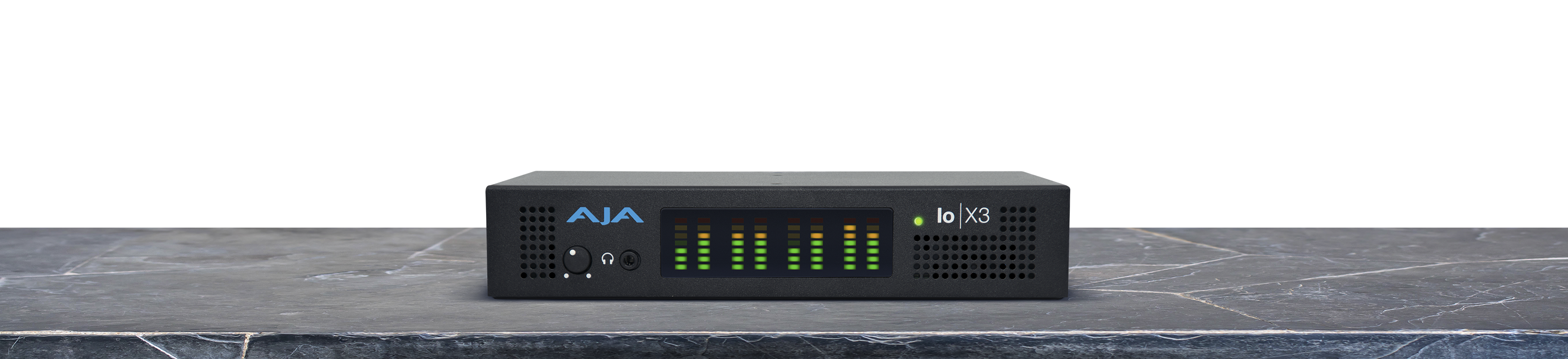
Io X3 Manual v18
(Release Date 6/2/2026)
AJA Desktop Software v18 macOS Installation Guide
(Release Date 4/30/2026)
Direct Link
AJA Desktop Software v18 macOS Installation Guide for download. You can also watch this short video.
Note: Corvid products are designed for Developers, so some Desktop Software features may not be available. Please contact AJA Technical Support for more information.
Related Products: AJA Control Room™, AJA Desktop Software, Corvid 44, Corvid 44 12G, Corvid 44 12G BNC, Corvid 44 BNC, Corvid 88, Io 4K, Io 4K Plus, Io Express, Io IP, Io X3, Io XT, KONA 1, KONA 3G, KONA 4, KONA 5, KONA HDMI, KONA IP, KONA LHi, KONA X, KONA XM, T-TAP® Pro
Mirrors
Download
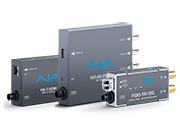 Mini-Converters
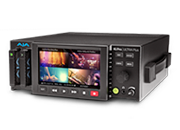 Digital Recorders
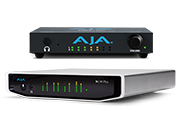 Mobile I/O
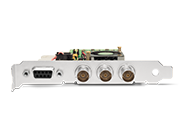 Desktop I/O
 Color
Color
 Streaming
 IP Video/Audio
 Frame Sync
 openGear
 Routers
 Recording Media
 Developer
 Software















 Contact Support
 Register Your Product