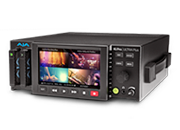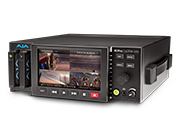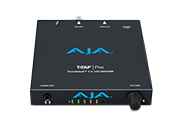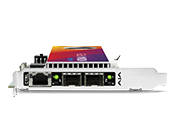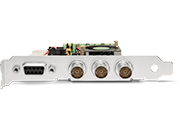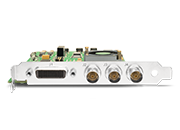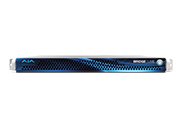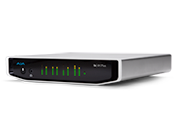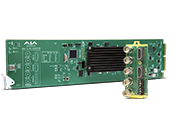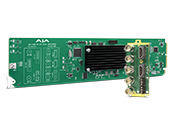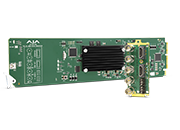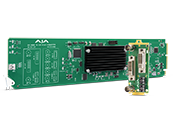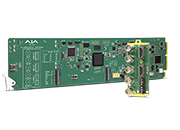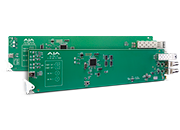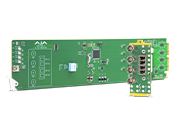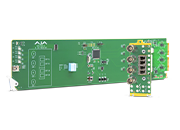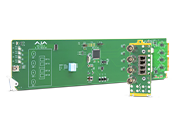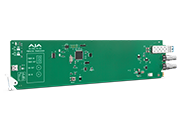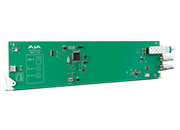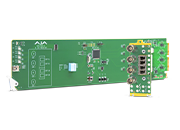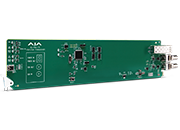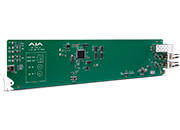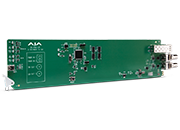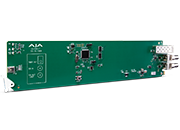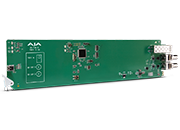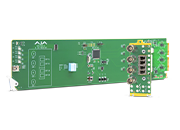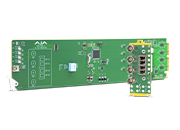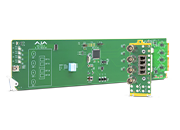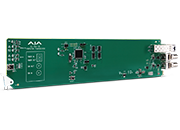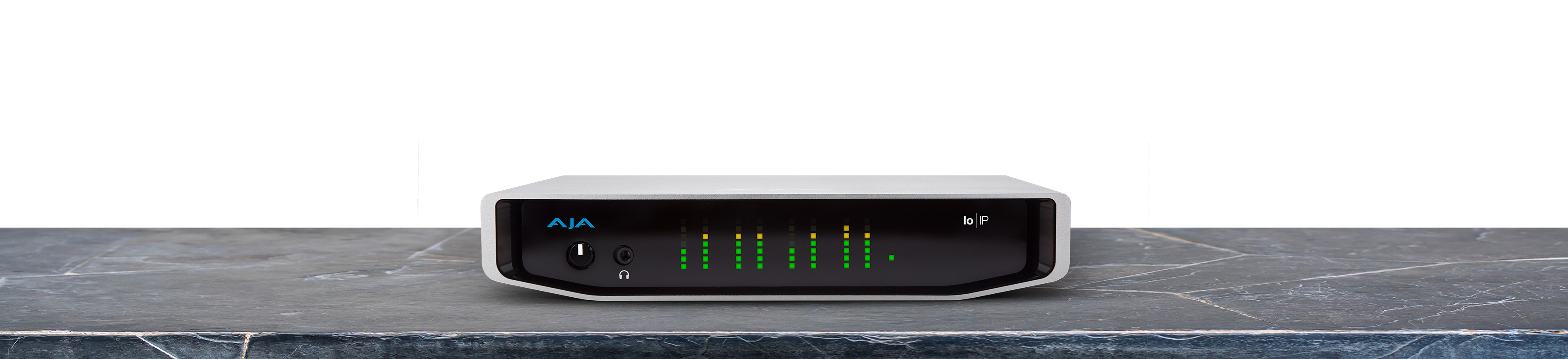
Io IP

Io IP

IP Video


Tech Specs

Tech Specs are subject to change.


Video Formats

  • (4K)** 4096 x 2160p 23.98, 24, 25, 29.97, 30, 50, 59.94, 60
  • (UltraHD)** 3840 x 2160p 23.98, 24, 25, 29.97, 30, 50, 59.94, 60
  • (2K) 2048 x 1080p 23.98, 24, 25, 29.97, 30, 50*, 59.94*, 60*
  • (2K) 2048 x 1080PsF 23.98, 24, 25
  • (HD) 1080p 23.98, 24, 25, 29.97, 30, 50, 59.94, 60
  • (HD) 1080PsF 23.98, 24, 25, 29.97, 30
  • (HD) 1080i 50, 59.94, 60
  • (HD) 720p 50, 59.94, 60
  • (SD) 625i 50
  • (SD) 525i 59.94


*SMPTE ST 2110 only
**2SI over IP via ST 2110-23 only


Note: High Frame Rate capabilities are dependent on host system attributes. Not all systems and configurations will support all frame rates.


Media Transport Interfaces

  • SMPTE ST 2110 (-10, -20, -21, -23, -30, -40), 2022-6, 2022-7
    • 2x SFP+ Cages - SFPs not included 
  • Recommended 10 GigE SFP+ modules:
    • Arista Networks SFP-10G-SR Compatible 10GBASE-SR 
    • Fiberstore SFP-10GSR-85 10G SFP+ 850nm
    • Finisar FTLX1471D3BCL (for single mode 1310nm)
    • Mellanox MFM1T02A-SR 850nm 10G

Video Input IP

  • SMPTE ST 2110, 2022-6, 2022-7
    • Single channel* input available when using ST 2110 or ST 2022-6 to receive 2K/HD
    • 4-Channels input available when using ST 2110-23 to receive 4K/HD
    • ANC support
    • Rx support for Narrow Senders**


*Capture and simultaneous monitoring is supported up to 2K/HD

**SMPTE ST 2110 only


Video Output IP

  • SMPTE ST 2110, 2022-6, 2022-7
    • Single channel* output available when using ST 2110 or ST 2022-6 to transmit 2K/HD
    • 4-Channels output available when using ST 2110-23 to transmit 4K/HD
    • ANC support
    • Tx support for Narrow Receivers**


*Capture and simultaneous monitoring is supported up to 2K/HD
**SMPTE ST 2110 only


Video Output Digital

  • 3G-SDI, SMPTE 425
    • RGB 4:4:4 12-bit*, YCbCr 4:2:2 10-bit
    • 2K/HD downsample available when working with 4K/UltraHD via ST 2110-23
  • 1.5G-SDI, SMPTE 292M 
    • Single Link HD-SDI YCbCr 4:2:2 10-bit 
    • Dual Link RGB 4:4:4 12-bit*, Dual Link YCbCr 4:2:2 10-bit 
  • 270 Mbps SDI, SMPTE 259M-C 
    • YCbCr 4:2:2 10-bit, 8-bit 
  • HDMI v2.0
    • 30/36-bits/pixel, RGB or YUV, 6 Gbps per color component
    • 4K/UltraHD, 2K/HD and SD
    • 2K/HD downsample available when working with 4K/UltraHD via ST 2110-23


*Bit depth support is application dependent. Check with your software manufacturer for compatibility.


HDR

  • SDI: VPID signaling for SDR/HDR Transfer Characteristics, Colorimetry and Luminance 
  • HDMI: HDR10 Support - HDR Infoframe metadata, compatible with HDMI 2.0a/CTA-861.3 
  • HDMI: HLG Support - compatible with HDMI 2.0b/CTA-861-G 


Note: HDR support is application dependent. Check with your software manufacturer for compatibility.


Audio Input IP

  • Up to 16-channel embedded audio, 24-bit per channel, 48 kHz synchronous

Audio Inputs Analog

  • 8-channel, 24 and 16-bit A/D analog audio, 48 kHz sample rate, balanced, using industry standard 8x XLR on DB-25 breakout cable (cable not included)
  • +24 dBu full scale digital (0 dBFS)
  • +/- 0.2 dB 20 to 20 kHz frequency response
  • Input supported across Ch 1-8, Ch 1-4, or Ch 5-8 depending on the chosen configuration

Audio Output IP

  • Up to 16-channel embedded audio, 24-bit per channel, 48 kHz synchronous

Audio Output Digital

  • 16-channel, 24-bit SDI embedded audio, 48 kHz sample rate, synchronous
  • 8-channel HDMI embedded audio, 48 kHz sample rate, synchronous

Audio Outputs Analog

  • 8-channel, 24-bit D/A analog audio, 48 kHz sample rate, balanced, using industry standard 8x XLR on DB-25 breakout cable (cable not included)
  • +24 dBu full scale digital (0 dBFS)
  • +/- 0.2 dB 20 to 20 kHz frequency response
  • Output supported across Ch 1-8, Ch 1-4, or Ch 5-8 depending on the chosen configuration 

Downstream Keyer

  • Supports graphics up to 2K/HD with alpha channel over video, matte or framebuffer, or framebuffer content over incoming video or matte

Reference and LTC I/O

  • 1x BNC assignable to Reference video or LTC input

Reference

  • Analog Color Black (1V) or Composite Sync (2 or 4V) or HD Tri-Level Sync (1V)
  • Reference input is terminated into 75 ohms when Genlock is set to Ref In
  • Applicable in SMPTE ST 2022-6/7 environments

Discovery, Registration and Control

  • NMOS Tx/Rx support for SMPTE ST 2110 according to standards IS-04 v1.3 and IS-05 v1.1
    • Applicable in SMPTE ST 2110 environments
  • LLDP

IP Clock

  • PTP support compliant with PTP PTPv2 / IEEE 1588-2008
  • Applicable in SMPTE ST 2110 environments

Electrical Interface

  • Thunderbolt 3 (2x)

Size (w x d x h)

  • 8.74” x 8.11” x 1.65” (222.0 x 206.0 x 41.91 mm)

Weight

  • 3.3 lbs (1.5 kg)

Power (Device Only)

  • 10-20V, 33W typical, 38W max, 72W max with USB-C power delivery to external devices

Environment

  • Safe Operating Temperature Range: 0 to 40 C (32 F to 104 F)
  • Safe Storage Temperature (Power OFF): -40 to 60 C (-40 to 140 F)
  • Operating Relative Humidity: 10-90% noncondensing
  • Operating Altitude: <3,000 meters (<10,000 feet)

AJA Software Installer v16.2.6 for macOS:

This unified software, driver and firmware package contains everything you need in order to start using your AJA video I/O hardware and includes enhancements. Please read the Release Notes for complete detail. 

The following AJA applications are installed in v16.2.6

  • AJA Control Panel v16.2.6: 
    • For setup and control of your AJA KONA, Io or T-TAP product, including firmware updates.
    • For high quality capture, playback and output.
  • AJA System Test v16.2.6: 
    • For testing storage to determine if it will be possible to sustain frame rates for chosen format(s).
  • AJA Control Room v16.2.6:
    • For high quality capture, monitoring, playback and output.
  • AJA NMOS v16.2.6: 
    • An optional component providing discovery, registration and control for KONA IP running in SMPTE ST 2110 environments.


Mirrors

Download


AJA Software Installer v16.2.6 for Windows:

This unified software, driver and firmware package contains everything you need in order to start using your AJA video I/O hardware and includes new features as well as maintenance updates. Please read the Release Notes for complete detail. 

The following AJA applications are installed in v16.2.6

  • AJA Control Panel v16.2.6: 
    • For setup and control of your AJA KONA, Io or T-TAP product, including firmware updates.
    • For high quality capture, playback and output.
  • AJA System Test v16.2.6: 
    • For testing storage to determine if it will be possible to sustain frame rates for chosen format(s).
  • AJA Control Room v16.2.6:
    • For high quality capture, monitoring, playback and output.
  • AJA NMOS v16.2.6: 
    • An optional component providing discovery, registration and control for KONA IP running in SMPTE ST 2110 environments.

Mirrors

Download


AJA Software Installer v16.2.5 for macOS:

This unified software, driver and firmware package contains everything you need in order to start using your AJA video I/O hardware and includes enhancements. Please read the Release Notes for complete detail. 

The following AJA applications are installed in v16.2.5

  • AJA Control Panel v16.2.5: 
    • For setup and control of your AJA KONA, Io or T-TAP product, including firmware updates.
    • For high quality capture, playback and output.
  • AJA System Test v16.2.5: 
    • For testing storage to determine if it will be possible to sustain frame rates for chosen format(s).
  • AJA Control Room v16.2.5:
    • For high quality capture, monitoring, playback and output.
  • AJA NMOS v16.2.5: 
    • An optional component providing discovery, registration and control for KONA IP running in SMPTE ST 2110 environments.


Mirrors

Download


AJA Software Installer v16.2.5 for Windows:

This unified software, driver and firmware package contains everything you need in order to start using your AJA video I/O hardware and includes new features as well as maintenance updates. Please read the Release Notes for complete detail. 

The following AJA applications are installed in v16.2.5

  • AJA Control Panel v16.2.5: 
    • For setup and control of your AJA KONA, Io or T-TAP product, including firmware updates.
    • For high quality capture, playback and output.
  • AJA System Test v16.2.5: 
    • For testing storage to determine if it will be possible to sustain frame rates for chosen format(s).
  • AJA Control Room v16.2.5:
    • For high quality capture, monitoring, playback and output.
  • AJA NMOS v16.2.5: 
    • An optional component providing discovery, registration and control for KONA IP running in SMPTE ST 2110 environments.

Mirrors

Download


AJA Software Installer v16.2.4 for macOS:

This unified software, driver and firmware package contains everything you need in order to start using your AJA video I/O hardware and includes enhancements. Please read the Release Notes for complete detail. 

The following AJA applications are installed in v16.2.4

  • AJA Control Panel v16.2.4: 
    • For setup and control of your AJA KONA, Io or T-TAP product, including firmware updates.
    • For high quality capture, playback and output.
  • AJA System Test v16.2.4: 
    • For testing storage to determine if it will be possible to sustain frame rates for chosen format(s).
  • AJA Control Room v16.2.4:
    • For high quality capture, monitoring, playback and output.
  • AJA NMOS v16.2.4: 
    • An optional component providing discovery, registration and control for KONA IP running in SMPTE ST 2110 environments.


Mirrors

Download


AJA Software Installer v16.2.4 for Windows:

This unified software, driver and firmware package contains everything you need in order to start using your AJA video I/O hardware and includes new features as well as maintenance updates. Please read the Release Notes for complete detail. 

The following AJA applications are installed in v16.2.4

  • AJA Control Panel v16.2.4: 
    • For setup and control of your AJA KONA, Io or T-TAP product, including firmware updates.
    • For high quality capture, playback and output.
  • AJA System Test v16.2.4: 
    • For testing storage to determine if it will be possible to sustain frame rates for chosen format(s).
  • AJA Control Room v16.2.4:
    • For high quality capture, monitoring, playback and output.
  • AJA NMOS v16.2.4: 
    • An optional component providing discovery, registration and control for KONA IP running in SMPTE ST 2110 environments.

Mirrors

Download


AJA Software Installer v16.2.3 for macOS:

This unified software, driver and firmware package contains everything you need in order to start using your AJA video I/O hardware and includes enhancements. Please read the Release Notes for complete detail. 

The following AJA applications are installed in v16.2.3

  • AJA Control Panel v16.2.3: 
    • For setup and control of your AJA KONA, Io or T-TAP product, including firmware updates.
    • For high quality capture, playback and output.
  • AJA System Test v16.2.3: 
    • For testing storage to determine if it will be possible to sustain frame rates for chosen format(s).
  • AJA Control Room v16.2.3:
    • For high quality capture, monitoring, playback and output.
  • AJA NMOS v16.2.3: 
    • An optional component providing discovery, registration and control for KONA IP running in SMPTE ST 2110 environments.


Mirrors

Download


AJA Software Installer v16.2.3 for Windows:

This unified software, driver and firmware package contains everything you need in order to start using your AJA video I/O hardware and includes new features as well as maintenance updates. Please read the Release Notes for complete detail. 

The following AJA applications are installed in v16.2.3

  • AJA Control Panel v16.2.3: 
    • For setup and control of your AJA KONA, Io or T-TAP product, including firmware updates.
    • For high quality capture, playback and output.
  • AJA System Test v16.2.3: 
    • For testing storage to determine if it will be possible to sustain frame rates for chosen format(s).
  • AJA Control Room v16.2.3:
    • For high quality capture, monitoring, playback and output.
  • AJA NMOS v16.2.3: 
    • An optional component providing discovery, registration and control for KONA IP running in SMPTE ST 2110 environments.

Mirrors

Download


AJA Software Installer v16.2.2 for Windows:

This unified software, driver and firmware package contains everything you need in order to start using your AJA video I/O hardware and includes new features including as well as maintenance updates. Please read the Release Notes for complete detail. 

The following AJA applications are installed in v16.2.2

  • AJA Control Panel v16.2.2: 
    • For setup and control of your AJA KONA, Io or T-TAP product, including firmware updates.
    • For high quality capture, playback and output.
  • AJA System Test v16.2.2: 
    • For testing storage to determine if it will be possible to sustain frame rates for chosen format(s).
  • AJA Control Room v16.2.2:
    • For high quality capture, monitoring, playback and output.
  • AJA NMOS v16.2.2: 
    • An optional component providing discovery, registration and control for KONA IP running in SMPTE ST 2110 environments.

Mirrors

Download


AJA Software Installer v16.2.2 for macOS:

This unified software, driver and firmware package contains everything you need in order to start using your AJA video I/O hardware and includes enhancements. Please read the Release Notes for complete detail. 

The following AJA applications are installed in v16.2.2

  • AJA Control Panel v16.2.2: 
    • For setup and control of your AJA KONA, Io or T-TAP product, including firmware updates.
    • For high quality capture, playback and output.
  • AJA System Test v16.2.2: 
    • For testing storage to determine if it will be possible to sustain frame rates for chosen format(s).
  • AJA Control Room v16.2.2:
    • For high quality capture, monitoring, playback and output.
  • AJA NMOS v16.2.2: 
    • An optional component providing discovery, registration and control for KONA IP running in SMPTE ST 2110 environments.


Mirrors

Download


AJA Software Installer v16.2 for macOS:

This unified software, driver and firmware package contains everything you need in order to start using your AJA video I/O hardware and includes enhancements. Please read the Release Notes for complete detail. 

The following AJA applications are installed in v16.2

  • AJA Control Panel v16.2: 
    • For setup and control of your AJA KONA, Io or T-TAP product, including firmware updates.
    • For high quality capture, playback and output.
  • AJA System Test v16.2: 
    • For testing storage to determine if it will be possible to sustain frame rates for chosen format(s).
  • AJA Control Room v16.2:
    • For high quality capture, monitoring, playback and output.
  • AJA NMOS v16.2: 
    • An optional component providing discovery, registration and control for KONA IP running in SMPTE ST 2110 environments.


Mirrors

Download


AJA Software Installer v16.2 for Windows:

This unified software, driver and firmware package contains everything you need in order to start using your AJA video I/O hardware and includes new features including as well as maintenance updates. Please read the Release Notes for complete detail. 

The following AJA applications are installed in v16.2

  • AJA Control Panel v16.2: 
    • For setup and control of your AJA KONA, Io or T-TAP product, including firmware updates.
    • For high quality capture, playback and output.
  • AJA System Test v16.2: 
    • For testing storage to determine if it will be possible to sustain frame rates for chosen format(s).
  • AJA Control Room v16.2:
    • For high quality capture, monitoring, playback and output.
  • AJA NMOS v16.2: 
    • An optional component providing discovery, registration and control for KONA IP running in SMPTE ST 2110 environments.

Mirrors

Download


AJA Software Installer v16.1 for macOS:

This unified software, driver and firmware package contains everything you need in order to start using your AJA video I/O hardware and includes enhancements. Please read the Release Notes for complete detail. 

The following AJA applications are installed in v16.1

  • AJA Control Panel v16.1: 
    • For setup and control of your AJA KONA, Io or T-TAP product, including firmware updates.
    • For high quality capture, playback and output.
  • AJA System Test v16.1: 
    • For testing storage to determine if it will be possible to sustain frame rates for chosen format(s).
  • AJA Control Room v16.1:
    • For high quality capture, monitoring, playback and output.
  • AJA NMOS v16.1: 
    • An optional component providing discovery, registration and control for KONA IP running in SMPTE ST 2110 environments.


Mirrors

Download


AJA Software Installer v16.1 for Windows:

This unified software, driver and firmware package contains everything you need in order to start using your AJA video I/O hardware and includes new features including as well as maintenance updates. Please read the Release Notes for complete detail. 

The following AJA applications are installed in v16.1

  • AJA Control Panel v16.1: 
    • For setup and control of your AJA KONA, Io or T-TAP product, including firmware updates.
    • For high quality capture, playback and output.
  • AJA System Test v16.1: 
    • For testing storage to determine if it will be possible to sustain frame rates for chosen format(s).
  • AJA Control Room v16.1:
    • For high quality capture, monitoring, playback and output.
  • AJA NMOS v16.1: 
    • An optional component providing discovery, registration and control for KONA IP running in SMPTE ST 2110 environments.

Mirrors

Download


AJA Software Installer v16.0.3 for macOS:

This unified software, driver and firmware package contains everything you need in order to start using your AJA video I/O hardware and includes enhancements. Please read the Release Notes for complete detail. 

The following AJA applications are installed in v16.0.3

  • AJA Control Panel v16.0.3: 
    • For setup and control of your AJA KONA, Io or T-TAP product, including firmware updates.
    • For high quality capture, playback and output.
  • AJA System Test v16.0.3: 
    • For testing storage to determine if it will be possible to sustain frame rates for chosen format(s).
  • AJA Control Room v16.0.3:
    • For high quality capture, monitoring, playback and output.
  • AJA NMOS v16.0.3: 
    • An optional component providing discovery, registration and control for KONA IP running in SMPTE ST 2110 environments.


Mirrors

Download


AJA Software Installer v16.0.3 for Windows:

This unified software, driver and firmware package contains everything you need in order to start using your AJA video I/O hardware and includes new features including as well as maintenance updates. Please read the Release Notes for complete detail. 

The following AJA applications are installed in v16.0.3

  • AJA Control Panel v16.0.3: 
    • For setup and control of your AJA KONA, Io or T-TAP product, including firmware updates.
    • For high quality capture, playback and output.
  • AJA System Test v16.0.3: 
    • For testing storage to determine if it will be possible to sustain frame rates for chosen format(s).
  • AJA Control Room v16.0.3:
    • For high quality capture, monitoring, playback and output.
  • AJA NMOS v16.0.3: 
    • An optional component providing discovery, registration and control for KONA IP running in SMPTE ST 2110 environments.

Mirrors

Download


AJA Software Installer v16.0.2 for Windows:

This unified software, driver and firmware package contains everything you need in order to start using your AJA video I/O hardware and includes new features including as well as maintenance updates. Please read the Release Notes for complete detail. 

The following AJA applications are installed in v16.0.2

  • AJA Control Panel v16.0.2: 
    • For setup and control of your AJA KONA, Io or T-TAP product, including firmware updates.
    • For high quality capture, playback and output.
  • AJA System Test v16.0.2: 
    • For testing storage to determine if it will be possible to sustain frame rates for chosen format(s).
  • AJA Control Room v16.0.2:
    • For high quality capture, monitoring, playback and output.
  • AJA NMOS v16.0.2: 
    • An optional component providing discovery, registration and control for KONA IP running in SMPTE ST 2110 environments.

Mirrors

Download


AJA Software Installer v16.0.2 for macOS:

This unified software, driver and firmware package contains everything you need in order to start using your AJA video I/O hardware and includes enhancements. Please read the Release Notes for complete detail. 

The following AJA applications are installed in v16.0.2

  • AJA Control Panel v16.0.2: 
    • For setup and control of your AJA KONA, Io or T-TAP product, including firmware updates.
    • For high quality capture, playback and output.
  • AJA System Test v16.0.2: 
    • For testing storage to determine if it will be possible to sustain frame rates for chosen format(s).
  • AJA Control Room v16.0.2:
    • For high quality capture, monitoring, playback and output.
  • AJA NMOS v16.0.2: 
    • An optional component providing discovery, registration and control for KONA IP running in SMPTE ST 2110 environments.


Mirrors

Download


AJA Software Installer v16 for macOS:

This unified software, driver and firmware package contains everything you need in order to start using your AJA video I/O hardware and includes enhancements. New features for a range of I/O products include HDR over SDI, HDR Auto Playback Detection, 4K Closed Caption Support, NMO3 v1.3 Support, LLDP Support, 8K NLE/VFX Software Support, 8K Capture and Playback and Dynamic FPGA Firmware Reconfiguration. Please read the Release Notes for complete detail. 

The following AJA applications are installed in v16

  • AJA Control Panel v16: 
    • For setup and control of your AJA KONA, Io or T-TAP product, including firmware updates.
    • For high quality capture, playback and output.
  • AJA System Test v16: 
    • For testing storage to determine if it will be possible to sustain frame rates for chosen format(s).
  • AJA Control Room v16:
    • For high quality capture, monitoring, playback and output.
  • AJA NMOS v16: 
    • An optional component providing discovery, registration and control for KONA IP running in SMPTE ST 2110 environments.


Mirrors

Download


AJA Software Installer v16 for Windows:

This unified software, driver and firmware package contains everything you need in order to start using your AJA video I/O hardware and includes new features as well as maintenance updates. New features for a range of I/O products include HDR over SDI, HDR Auto Playback Detection, 4K Closed Caption Support, NMO3 v1.3 Support, LLDP Support, 8K NLE/VFX Software Support, 8K Capture and Playback and Dynamic FPGA Firmware Reconfiguration. Please read the Release Notes for complete detail. 

The following AJA applications are installed in v16

  • AJA Control Panel v16: 
    • For setup and control of your AJA KONA, Io or T-TAP product, including firmware updates.
    • For high quality capture, playback and output.
  • AJA System Test v16: 
    • For testing storage to determine if it will be possible to sustain frame rates for chosen format(s).
  • AJA Control Room v16:
    • For high quality capture, monitoring, playback and output.
  • AJA NMOS v16: 
    • An optional component providing discovery, registration and control for KONA IP running in SMPTE ST 2110 environments.

Mirrors

Download


AJA Software Installer v15.5.3 for Windows:

This unified software, driver and firmware package contains everything you need in order to start using your AJA video I/O hardware and includes maintenance updates. Please read the Release Notes for complete detail. 

The following AJA applications are installed in v15.5.3

  • AJA Control Panel v15.5.3: 
    • For setup and control of your AJA KONA, Io or T-TAP product, including firmware updates.
    • For high quality capture, playback and output.
  • AJA System Test v15.5.3: 
    • For testing storage to determine if it will be possible to sustain frame rates for chosen format(s).
  • AJA Control Room v15.5.3:
    • For high quality capture, monitoring, playback and output.
  • AJA NMOS v15.5.3: 
    • An optional component providing discovery, registration and control for KONA IP running in SMPTE ST 2110 environments.

Mirrors

Download


AJA Software Installer v15.5.3 for macOS:

This unified software, driver and firmware package contains everything you need in order to start using your AJA video I/O hardware and includes enhancements. Please read the Release Notes for complete detail. 

Important note for macOS users:

AJA has been excitedly working in preparation for compatibility between our latest Desktop Software and macOS Big Sur.

As per Release Notes, AJA’s current v15.5.3 Desktop Software package officially supports up to macOS Catalina.

We would therefore encourage our customers to stay on macOS Catalina or earlier and await the arrival of the next version of AJA’s Desktop Software package. Otherwise, if upgrading to Big Sur is immediately necessary, we strongly encourage carefully testing a limited number of systems before upgrading all to ensure full compatibility.

With the introduction of macOS High Sierra (v10.13), Apple now requires that third party application developers be identified during kernel extension installations. Failure to do so will make AJA devices fail to operate (Unsupported AJA Device). Depending on your macOS version and AJA Desktop Software installation history, different installation outcomes are possible. Please see the release notes for detailed information and troubleshooting options.

The following AJA applications are installed in v15.5.3

  • AJA Control Panel v15.5.3: 
    • For setup and control of your AJA KONA, Io or T-TAP product, including firmware updates.
    • For high quality capture, playback and output.
  • AJA System Test v15.5.3: 
    • For testing storage to determine if it will be possible to sustain frame rates for chosen format(s).
  • AJA Control Room v15.5.3:
    • For high quality capture, monitoring, playback and output.
  • AJA NMOS v15.5.3: 
    • An optional component providing discovery, registration and control for KONA IP running in SMPTE ST 2110 environments.


Mirrors

Download


AJA Software Installer v15.5.1 for Windows:

This unified software, driver and firmware package contains everything you need in order to start using your AJA video I/O hardware and includes maintenance updates. Please read the Release Notes for complete detail. 

The following AJA applications are installed in v15.5.1

  • AJA Control Panel v15.5.1: 
    • For setup and control of your AJA KONA, Io or T-TAP product, including firmware updates.
    • For high quality capture, playback and output.
  • AJA System Test v15.5.1: 
    • For testing storage to determine if it will be possible to sustain frame rates for chosen format(s).
  • AJA Control Room v15.5.1:
    • For high quality capture, monitoring, playback and output.
  • AJA NMOS v15.5.1: 
    • An optional component providing discovery, registration and control for KONA IP running in SMPTE ST 2110 environments.

Mirrors

Download


AJA Software Installer v15.5.1 for macOS:

This unified software, driver and firmware package contains everything you need in order to start using your AJA video I/O hardware and includes enhancements. Please read the Release Notes for complete detail. 

Important note for macOS users:

With the introduction of macOS High Sierra (v10.13), Apple now requires that third party application developers be identified during kernel extension installations. Failure to do so will make AJA devices fail to operate (Unsupported AJA Device). Depending on your macOS version and AJA Desktop Software installation history, different installation outcomes are possible. Please see the release notes for detailed information and troubleshooting options.

The following AJA applications are installed in v15.5.1

  • AJA Control Panel v15.5.1: 
    • For setup and control of your AJA KONA, Io or T-TAP product, including firmware updates.
    • For high quality capture, playback and output.
  • AJA System Test v15.5.1: 
    • For testing storage to determine if it will be possible to sustain frame rates for chosen format(s).
  • AJA Control Room v15.5.1:
    • For high quality capture, monitoring, playback and output.
  • AJA NMOS v15.5.1: 
    • An optional component providing discovery, registration and control for KONA IP running in SMPTE ST 2110 environments.


Mirrors

Download


AJA Software Installer v15.5 for Windows:

This unified software, driver and firmware package contains everything you need in order to start using your AJA video I/O hardware and includes maintenance updates. Please read the Release Notes for complete detail. 

The following AJA applications are installed in v15.5

  • AJA Control Panel v15.5: 
    • For setup and control of your AJA KONA, Io or T-TAP product, including firmware updates.
    • For high quality capture, playback and output.
  • AJA System Test v15.5: 
    • For testing storage to determine if it will be possible to sustain frame rates for chosen format(s).
  • AJA Control Room v15.5:
    • For high quality capture, monitoring, playback and output.
  • AJA NMOS v15.5: 
    • An optional component providing discovery, registration and control for KONA IP running in SMPTE ST 2110 environments.

Mirrors

Download


AJA Software Installer v15.5 for macOS:

This unified software, driver and firmware package contains everything you need in order to start using your AJA video I/O hardware and includes enhancements. Please read the Release Notes for complete detail. 

Important note for macOS users:

With the introduction of macOS High Sierra (v10.13), Apple now requires that third party application developers be identified during kernel extension installations. Failure to do so will make AJA devices fail to operate (Unsupported AJA Device). Depending on your macOS version and AJA Desktop Software installation history, different installation outcomes are possible. Please see the release notes for detailed information and troubleshooting options.

The following AJA applications are installed in v15.5

  • AJA Control Panel v15.5: 
    • For setup and control of your AJA KONA, Io or T-TAP product, including firmware updates.
    • For high quality capture, playback and output.
  • AJA System Test v15.5: 
    • For testing storage to determine if it will be possible to sustain frame rates for chosen format(s).
  • AJA Control Room v15.5:
    • For high quality capture, monitoring, playback and output.
  • AJA NMOS v15.5: 
    • An optional component providing discovery, registration and control for KONA IP running in SMPTE ST 2110 environments.


Mirrors

Download


AJA Software Installer v15.2.3 for macOS:

This unified software, driver and firmware package contains everything you need in order to start using your AJA video I/O hardware and includes enhancements. Please read the Release Notes for complete detail. 

Important note for macOS users:

With the introduction of macOS High Sierra (v10.13), Apple now requires that third party application developers be identified during kernel extension installations. Failure to do so will make AJA devices fail to operate (Unsupported AJA Device). Depending on your macOS version and AJA Desktop Software installation history, different installation outcomes are possible. Please see the release notes for detailed information and troubleshooting options.

The following AJA applications are installed in v15.2.3

  • AJA Control Panel v15.2.3: 
    • For setup and control of your AJA KONA, Io or T-TAP product, including firmware updates.
    • For high quality capture, playback and output.
  • AJA System Test v15.2.3: 
    • For testing storage to determine if it will be possible to sustain frame rates for chosen format(s).
  • AJA Control Room v15.2.3:
    • For high quality capture, monitoring, playback and output.
  • AJA NMOS v15.2.3: 
    • An optional component providing discovery, registration and control for KONA IP running in SMPTE ST 2110 environments.

Mirrors

Download


AJA Software Installer v15.2.3 for Windows:

This unified software, driver and firmware package contains everything you need in order to start using your AJA video I/O hardware and includes maintenance updates. Please read the Release Notes for complete detail. 

The following AJA applications are installed in v15.2.3

  • AJA Control Panel v15.2.3: 
    • For setup and control of your AJA KONA, Io or T-TAP product, including firmware updates.
    • For high quality capture, playback and output.
  • AJA System Test v15.2.3: 
    • For testing storage to determine if it will be possible to sustain frame rates for chosen format(s).
  • AJA Control Room v15.2.3:
    • For high quality capture, monitoring, playback and output.
  • AJA NMOS v15.2.3: 
    • An optional component providing discovery, registration and control for KONA IP running in SMPTE ST 2110 environments.

Mirrors

Download


AJA Software Installer v15.2.2 for macOS:

This unified software, driver and firmware package contains everything you need in order to start using your AJA video I/O hardware and includes enhancements. Please read the Release Notes for complete detail. 

Important note for macOS users:

With the introduction of macOS High Sierra (v10.13), Apple now requires that third party application developers be identified during kernel extension installations. Failure to do so will make AJA devices fail to operate (Unsupported AJA Device). Depending on your macOS version and AJA Desktop Software installation history, different installation outcomes are possible. Please see the release notes for detailed information and troubleshooting options.

The following AJA applications are installed in v15.2.2

  • AJA Control Panel v15.2.2: 
    • For setup and control of your AJA KONA, Io or T-TAP product, including firmware updates.
    • For high quality capture, playback and output.
  • AJA System Test v15.2.2: 
    • For testing storage to determine if it will be possible to sustain frame rates for chosen format(s).
  • AJA Control Room v15.2.2:
    • For high quality capture, monitoring, playback and output.
  • AJA NMOS v15.2.2: 
    • An optional component providing discovery, registration and control for KONA IP running in SMPTE ST 2110 environments.

Mirrors

Download


AJA Software Installer v15.2.2 for Windows:

This unified software, driver and firmware package contains everything you need in order to start using your AJA video I/O hardware and includes maintenance updates. Please read the Release Notes for complete detail. 

The following AJA applications are installed in v15.2.2

  • AJA Control Panel v15.2.2: 
    • For setup and control of your AJA KONA, Io or T-TAP product, including firmware updates.
    • For high quality capture, playback and output.
  • AJA System Test v15.2.2: 
    • For testing storage to determine if it will be possible to sustain frame rates for chosen format(s).
  • AJA Control Room v15.2.2:
    • For high quality capture, monitoring, playback and output.
  • AJA NMOS v15.2.2: 
    • An optional component providing discovery, registration and control for KONA IP running in SMPTE ST 2110 environments.

Mirrors

Download


AJA Software Installer v15.2 for Windows:

This unified software, driver and firmware package contains everything you need in order to start using your AJA video I/O hardware and includes a large range of new features and enhancements. Please read the Release Notes for complete detail. 

The following AJA applications are installed in v15.2

  • AJA Control Panel v15.2: 
    • For setup and control of your AJA KONA, Io or T-TAP product, including firmware updates.
    • For high quality capture, playback and output.
  • AJA System Test v15.2: 
    • For testing storage to determine if it will be possible to sustain frame rates for chosen format(s).
  • AJA NMOS v15.2: 
    • An optional component providing discovery, registration and control for KONA IP running in SMPTE ST 2110 environments.


Mirrors

Download


AJA Software Installer v15.2 for macOS:

This unified software, driver and firmware package contains everything you need in order to start using your AJA video I/O hardware and includes a large range of new features and enhancements. Please read the Release Notes for complete detail. 

Important note for macOS users:

With the introduction of macOS High Sierra (v10.13), Apple now requires that third party application developers be identified during kernel extension installations. Failure to do so will make AJA devices fail to operate (Unsupported AJA Device). Depending on your macOS version and AJA Desktop Software installation history, different installation outcomes are possible. Please see the release notes for detailed information and troubleshooting options.

The following AJA applications are installed in v15.2:

  • AJA Control Panel v15.2: 
    • For setup and control of your AJA KONA, Io or T-TAP product, including firmware updates.
    • For high quality capture, playback and output.
  • AJA System Test v15.2: 
    • For testing storage to determine if it will be possible to sustain frame rates for chosen format(s).
  • AJA NMOS v15.2: 
    • An optional component providing discovery, registration and control for KONA IP running in SMPTE ST 2110 environments.

Mirrors

Download


AJA Software Installer v15.1 for macOS:

This unified software, driver and firmware package contains everything you need in order to start using your AJA video I/O hardware and includes a large range of new features and enhancements. Please read the Release Notes for complete detail. 

Important note for macOS users:

With the introduction of macOS High Sierra (v10.13), Apple now requires that third party application developers be identified during kernel extension installations. Failure to do so will make AJA devices fail to operate (Unsupported AJA Device). Depending on your macOS version and AJA Desktop Software installation history, different installation outcomes are possible. Please see the release notes for detailed information and troubleshooting options.

The following AJA applications are installed in v15.1:

  • AJA Control Panel v15.1: For setup and control of your AJA KONA, Io or T-TAP product, including firmware updates.

  • AJA Control Room v15.1: For high quality capture, playback and output.

  • AJA System Test v15.1: For testing storage to determine if it will be possible to sustain frame rates for chosen format(s).

Mirrors

Download


AJA Software Installer v15.1 for Windows:

This unified software, driver and firmware package contains everything you need in order to start using your AJA video I/O hardware and includes a large range of new features and enhancements. Please read the Release Notes for complete detail. 

The following AJA applications are installed in v15.1:

  • AJA Control Panel v15.1: For setup and control of your AJA KONA, Io or T-TAP product, including firmware updates.

  • AJA Control Room v15.1: For high quality capture, playback and output.

  • AJA System Test v15.1: For testing storage to determine if it will be possible to sustain frame rates for chosen format(s).


Mirrors

Download


v15.0.1 of the AJA Desktop Software installer includes all AJA hardware drivers, AJA Control Panel, AJA Control Room and plug-ins for Apple, Adobe CC, Avid and Telestream Wirecast in a single, unified package for KONA, Io and T-TAP products.

This update includes important new support for KONA 5. Please read the Release Notes for complete details.

Mirrors

Download


v15.0.1 of the AJA Desktop Software installer includes all AJA hardware drivers, AJA Control Panel, AJA Control Room and plug-ins for Apple, Adobe CC, Avid and Telestream Wirecast in a single, unified package for KONA, Io and T-TAP products.

This update includes important new support for KONA 5. Please read the Release Notes for complete details.

Important note: With the introduction of macOS High Sierra (v10.13), Apple now requires that third party application developers be identified during kernel extension installations. Failure to do so will make AJA devices fail to operate (Unsupported AJA Device). Depending on your macOS version and AJA Desktop Software installation history, different installation outcomes are possible. Please see the release notes for detailed information and troubleshooting options.

Mirrors

Download


v15.0 of the AJA Desktop Software installer includes all AJA hardware drivers, AJA Control Panel, AJA Control Room and plug-ins for Apple, Adobe CC, Avid and Telestream Wirecast in a single, unified package for KONA, Io and T-TAP products.

This update includes important new support for KONA 5. Please read the Release Notes for complete details.

mportant note: With the introduction of macOSHigh Sierra (v10.13), Apple now requires that third party application developers be identified during kernel extension installations. Failure to do so will make AJA devices fail to operate (Unsupported AJA Device). Depending on your macOSversion and AJA Desktop Software installation history, different installation outcomes are possible. Please see the release notes for detailed information and troubleshooting options.

IMPORTANT NOTE: 

If you plan on utilizing AJA Desktop Software v15 with third party software outside of the above mentioned in-built support for AJA Control Panel, AJA Control Room and plug-ins for Apple, Adobe CC, Avid and Telestream Wirecast included in this release, please ensure that you have contacted your 3rdparty vendor and have confirmed that their latest software has been updated to support AJA Desktop Software v15 retail software and drivers. If not or unsure, please do not utilize AJA Desktop v15 and remain on or revert to earlier v14.x AJA Desktop Software until you have confirmed that your 3rdParty Software is indeed compatible with AJA’s latest drivers and software.

If you are a third party software vendor and have any questions regarding v15.0 support, please log in to https://sdksupport.aja.com  for further information or apply for AJA SDK support at https://www.aja.com/developer/request


Mirrors

Download


v15.0 of the AJA Desktop Software installer includes all AJA hardware drivers, AJA Control Panel, AJA Control Room and plug-ins for Apple, Adobe CC, Avid and Telestream Wirecast in a single, unified package for KONA, Io and T-TAP products.

This update includes important new support for KONA 5. Please read the Release Notes for complete details.

IMPORTANT NOTE: 

If you plan on utilizing AJA Desktop Software v15 with third party software outside of the above mentioned in-built support for AJA Control Panel, AJA Control Room and plug-ins for Apple, Adobe CC, Avid and Telestream Wirecast included in this release, please ensure that you have contacted your 3rd party vendor and have confirmed that their latest software has been updated to support AJA Desktop Software v15 retail software and drivers. If not or unsure, please do not utilize AJA Desktop v15 and remain on or revert to earlier v14.x AJA Desktop Software until you have confirmed that your 3rd Party Software is indeed compatible with AJA’s latest drivers and software.

If you are a third party software vendor and have any questions regarding v15.0 support, please log in to https://sdksupport.aja.com  for further information or apply for AJA SDK support at https://www.aja.com/developer/request

Mirrors

Download


This installer v14.3 includes all AJA hardware drivers, AJA Control Room and plug-ins for Adobe, Avid and Wirecast in a single, unified package for KONA, Io and T-TAP products.

This update offers a range of enhancements including SMPTE ST 2110 support for KONA IP. Please read the Release Notes for complete details.

Mirrors

Download


This installer v14.3 includes all AJA hardware drivers, AJA Control Room and plug-ins for Adobe, Avid and Wirecast in a single, unified package for KONA, Io and T-TAP products.

This update offers a range of enhancements including SMPTEST 2110 support for KONA IP. Please read the Release Notes for complete details.

Important note: With the introduction of macOS High Sierra (v10.13), Apple now requires that third party application developers be identified during kernel extension installations. Failure to do so will make AJA devices fail to operate (Unsupported AJA Device). Depending on your macOS version and AJA Desktop Software installation history, different installation outcomes are possible. Please see the release notes for detailed information and troubleshooting options.

Mirrors

Download


This installer v14.2.1 includes all AJA hardware drivers, AJA Control Room and plug-ins for Adobe, Avid and Wirecast in a single, unified package for KONA, Io and T-TAP products.

This update offers a range of enhancements. Please read the Release Notes for complete details.

Mirrors

Download


This installer v14.2.1 includes all AJA hardware drivers, AJA Control Room and plug-ins for Adobe, Avid and Wirecast in a single, unified package for KONA, Io and T-TAP products. 

This update offers a range of enhancements. Please read the Release Notes for complete details.

Important note: With the introduction of macOS High Sierra (v10.13), Apple now requires that third party application developers be identified during kernel extension installations. Failure to do so will make AJA devices fail to operate (Unsupported AJA Device). Depending on your macOS version and AJA Desktop Software installation history, different installation outcomes are possible. Please see the release notes for detailed information and troubleshooting options.

Mirrors

Download


This installer v14.2 includes all AJA hardware drivers, AJA Control Room and plug-ins for Adobe, Avid and Wirecast in a single, unified package for KONA, Io and T-TAP products.

This update offers a range of enhancements. Please read the Release Notes for complete details.

important note: With the introduction of macOS High Sierra (v10.13), Apple now requires that third party application developers be identified during kernel extension installations. Failure to do so will make AJA devices fail to operate (Unsupported AJA Device). Depending on your macOS version and AJA Desktop Software installation history, different installation outcomes are possible. Please see the release notes for detailed information and troubleshooting options.

Mirrors

Download


This installer v14.2 includes all AJA hardware drivers, AJA Control Room and plug-ins for Adobe, Avid and Wirecast in a single, unified package for KONA, Io and T-TAP products.

This update offers a range of enhancements. Please read the Release Notes for complete details.

Mirrors

Download

AJA Desktop Software v18 macOS Installation Guide for download. You can also watch this short video.

Mirrors

Download


AJA Io IP Manual v16.2r1

Mirrors

Download

AJA Telestream Apps Quick Start Guide v16.2:

The AJA Wirecast plug-in supports Wirecast 12x, 11.x, 10.x, 9.x, 8.x, 7.x, 6.x from Telestream.

Telestream Wirecast is supported through the AJA Desktop Software for the following AJA devices:

  • KONA 5, KONA 4, KONA HDMI, KONA IP, KONA 1, KONA 3G, KONA LHi, KONA LHe Plus

  • CORVID HB-R

  • Io 4K Plus, Io 4K, Io IP, Io XT, Io Express

  • T-TAP Pro

  • T-TAP

  • Telestream Wirecast is also supported through the AJA Desktop Software for the following Avid devices:

  • Avid Artist | DNxIV

  • Avid Artist | DNxIP

Mirrors

Download


AJA vMix Quick Start Guide v16.1:

AJA I/O devices support a broad range of creative software, including vMix, a complete 4K/UltraHD or multi-channel live video production application. This document gives you some general procedures for setting up AJA I/O devices with vMix, including selecting live video inputs, adding audio sources, and sending your produced video out from vMix.

Mirrors

Download

Important macOS Mojave installation information

• With the introduction of macOS Mojave (v10.14), Apple now requests that third party kernel extensions be “notarized” by Apple. AJA’s device driver kernel extension has been notarized starting with AJA Software version 15.2. Apple has indicated that for security purposes, future macOS versions may prevent the loading of unnotarized device drivers, in which case, AJA software prior to v15.2 will result in AJA devices failing to operate (Unsupported AJA Device)

Important macOS High Sierra installation information

• With the introduction of macOS High Sierra (v10.13), Apple now requires that third party application developers be identified during kernel extension installations. Failure to do so will make AJA devices fail to operate (Unsupported AJA Device).

• Depending on your macOS version and AJA Desktop Software installation history, the following installation outcomes are possible:

◦ macOS Sierra and Earlier Supported Versions

- No problems exist for AJA software installation or updates with these earlier versions of macOS.

◦ Earlier macOS to High Sierra Update

- No problems should occur if the AJA Desktop Software package is already installed on macOS Sierra (or earlier) and then update your Mac to High Sierra. The identification of AJA as a trusted developer is “grandfathered in” to High Sierra.

◦ macOS High Sierra First AJA Desktop Software Install

- No problems should occur if your Mac is running High Sierra macOS, you install AJA Desktop Software for the first time, and you follow the instructions shown during installation (Figure 1).

- Do NOT click OK (Figure 1). 

Figure 1 — First-time installation on macOS High Sierra

cid:756A2C97-2C45-4272-A7E0-CC0373C5228F@aja.com

Instead, click Open Security Preferences (or go to System Preferences>Security and Privacy) and then click Allow for AJA Video Systems (Figure 2).

cid:6F4A4C89-D13F-4971-ADBB-E9B8EA82E322@aja.com

Figure 2 — click Allow for AJA Video Systems 

NOTE: If after successful installation, you remove AJA applications from your computer using the AJA Uninstaller developer identification is retained by macOS High Sierra. Re-installation should proceed without any problems.

• Recovery from Installation Approval Failure:

◦ If you clicked OK during installation and skipped the developer approval step, the AJA Desktop Software installation will complete, but macOS’ GateKeeper security will prevent AJA’s device driver from loading, and AJA devices will not not operate (Unsupported AJA Device).

◦ Apple has allowed a time window, within which you can belatedly approve a developer after installation. If you go to System Preferences>Security and Privacy, within 30 minutes of installation, the developer message and Allow button will be available for use. After 30 minutes, however, the message and button are removed from the window. Recovery from this involves uninstalling all AJA files (some manually), reinstalling the AJA Desktop Software package, and clicking on Allow for AJA Video Systems developer. 

• Recovery from Installation Approval Failure (2nd Level if necessary)

1. Run the AJA Uninstaller, located in the AJA Utilities folder in the Mac Applications folder.

2. Access the Users Library, which is hidden. To access the library:

3. Go to the Finder.

- In the Finder Menu Bar and click on Go.

- Hold down the Option key. The Library folder appears as long as the Option key is held down.

- Go to Library>Preferences and delete all com.aja.*.* files. There may be one file or several files.

4. Remove AJA Control Panel from the Dock, if applicable.

5. Restart the Mac.

6. Install the AJA Desktop Software package.

7. During installation click on Open Security Preferences (or go to System Preferences,>Security and Privacy).

8. Under the General tab click on the Allow button for AJA Video Systems. The button is only available for 30 minutes


Yes. The same support for your creative application of choice is available with Io IP, just like with the other KONA cards and Io devices you may be familiar with. Using your software will not change, just the mechanism of ingest and output is slightly different, making for a very smooth transition to working with Video over IP.  


Yes. The same SDK supports all KONA cards and Io devices, meaning no real difference between developing for SDI, HDMI or Video over IP.


Yes. You will need to utilize a host machine to support Io IP with either macOS or Windows.


In most cases, you will need to download and install the latest version of AJA Desktop Software found on the Support Page for Io IP. In order to support NMOS for SMPTE ST 2110 environments, you should also install the optional component “AJA NMOS” during the main package installation. AJA NMOS is not installed by default.

In some cases, your third party software vendor of choice may provide their own software package to drive the Io IP, in which case you may not need to install the AJA Desktop Software package. Check with your software vendor for more information.


Yes. Io IP supports SMPTE ST 2110, and specifically the following parts:

• 2110-10 (System Timing)

• 2110-20 (Uncompressed Video)

• 2110-21 (Traffic Shaping for Uncompressed Video)

• 2110-23 (Single Video Essence Transport over Multiple ST 2110-20 Streams)

• 2110-30 (PCM Audio)

• 2110-40 (Ancillary Data)

Redundancy is also supported for up to 2K/HD 60p as defined in SMPTE ST 2022-7 for Transmit only. No Receive support at this time.

Note: Io IP can capture or playback 4K/UltraHD per SMPTE ST 2110-23. In this configuration Hitless Switching (as defined in SMPTE ST 2022-7) is not supported since all channels are in use for either Transmit or Receive.


SMPTE ST 2110 is a standard from the Society of Motion Picture and Television Engineers (SMPTE) that describes how to send digital video over an IP network.

SMPTE ST 2110 permits granular transport of individual separate essence streams supporting video, audio, and metadata. As such, unlike ST 2022-6, the data is not simple packetization of SDI. ST 2110 incorporates the following in three or more different IP packet streams:

• Audio: Multiple channels of audio may be transmitted in a single packet stream, or split up into different groups of audio channels in different streams.

• Video (from active area)

• Metadata

The different streams of audio/video/metadata are all synchronized with each other using RTP timestamps.

When mapping from an SDI source to SMPTE ST 2110, since the data in the blanking is not implicitly included in the packetized video stream, the only way to transmit ancillary data such as timecode, closed captioning, etc. is in the metadata stream. Any data that is not in the metadata stream is NOT transmitted.

There are several parts that comprise SMPTE ST 2110, the parts currently supported by Io IP are:

• SMPTE ST-2110-10: system timing and synchronization or the standard formerly known as SMPTE ST 2059 parts 1 & 2 (PTP, or Precision Time Protocol).

• SMPTE ST-2110-20: uncompressed video or VSF TR-03 or IETF RFC 4175.

• SMPTE ST 2110-23: single video essence transport over multiple ST 2110-20 streams.

• SMPTE ST-2110-30: uncompressed PCM Digital Audio or AES67.

• SMPTE ST 2110-40: Ancillary Data called SMPTE ST 291 or RTP. Captions, subtitles, active format description, time codes, dynamic range and more.

It’s important to note that each channel of ST-2110-20, ST-2110-30, and ST-2110-40 are carried over separate IP streams or essences. Inside an Io IP transmitter, the video, audio, and metadata are handled separately and sent out IP streams along with PTP timing information. On the receiver, they are reassembled and aligned with the timing information provided in each stream essence.  

For more information, please see https://www.smpte.org/st-2110.


Yes. Io IP supports SMPTE ST 2022-6 and can also support redundancy as defined in SMPTE ST 2022-7 for both Transmit and Receive up to HD 60p.


SMPTE ST 2022-6 is a standard from the Society of Motion Picture and Television Engineers (SMPTE) that describes how to send digital video over an IP network.

SMPTE ST 2022-6 is simply IP packetized SDI. The complete SDI signal, including the contents of the blanking, is packetized.

Frequently, extra data is carried in the horizontal and vertical blanking of the SDI signal – such as:

  • embedded audio

  • standard metadata used in most applications such as timecode

  • standard metadata used in some applications such as closed captioning

  • nonstandardized metadata, like camera metadata/camera position

Because the complete SDI data stream is packetized, including contents of blanking, this data is transparently transported in the single S2022-6 stream along with video and audio.

Io IP supports:

  • ST 2022-6: Transport of High Bit Rate Media Signals over IP Networks (HBRMT)

The term High Bit Rate is used to distinguish from other Media-over-IP applications in which compressed signals are transported. The uncompressed signals are at rates of 270 Mb/sec and higher.  

  • ST 2022-7: Seamless Protection Switching of SMPTE ST 2022 IP Datagrams

For redundancy and performance, a second identical copy of the data is sent or received. This can mitigate the loss of an entire “leg” of the network infrastructure, as well as an alternative path to pick up packets that may have for some reason not arrived.


Yes, via dual 10  GigE SFP+ cages, Io IP supports hitless switching for:

• SMPTE ST 2110 (as defined in SMPTE ST 2022-7) for Transmit (HD/2K) only, no Receive functionality.

• SMPTE ST 2022-6 (as defined in SMPTE ST 2022-7) for both Transmit and Receive (HD).

Note: Io IP can capture or playback 4K/UltraHD per SMPTE ST 2110-23. In this configuration Hitless Switching (as defined in SMPTE ST 2022-7) is not supported since all channels are in use for either Transmit or Receive.


No. This functionality is supported with AJA KONA IP and AJA 1 GigE IP mini-converters only.


SMPTE ST 2110 for production workflows, since this provides uncompressed video together with the flexibility to route essence streams separately (i.e., audio essence could be separately rerouted through processing on the way to another destination).


SMPTE ST 2022-6 for delivery to Master Control, or critical inbound/outbound feeds, since this provides uncompressed video together with limited room for error (i.e., single stream means audio, video and metadata cannot be accidentally separated along the way).


Io IP supports different standards for Video over IP via modal operation. Functionality depends on what firmware has been installed on that card. Different AJA Control Panel screens will be displayed, depending on the operating mode (bitfile) in use.

For Io IP you can choose to install one of three available firmwares /bitfiles:

  • “IoIP-s2022”: Supplied free of charge for use with SMPTE ST 2022-6 full bandwidth video.

  • “IoIP-s2110”: Supplied free of charge for use with SMPTE ST 2110 full bandwidth video.


Io IP can Receive or Send Narrow.


For SMPTE ST 2110, there are three methods available for setup; SDP, JSON scripts, or manual:

JSON files can be either generated or read via AJA Control Panel, and this file will contain all of the necessary values required in order to set up streams. By adding some basic data such as desired unique IP address of the card, the script will automatically generate the necessary IP addresses for both SFPs. As such, you should leave a minimum of 2 IP addresses for a single Io IP on the media network; i.e., don’t assign each of multiple Io IPs sequential IP addresses, as the script requires two per card.

SDP stands for Session Description Protocol and is a format for describing streaming media communication parameters. SDP itself doesn’t deliver any media but is used between endpoints for negotiation of media type, format, and associated properties. SDPs are very user friendly, in that they can be copied from fields inside AJA Control Panel and simply pasted into a receiver interface (e.g., IPR-10G2-HDMI, IPR-10G2-SDI, IPR-10G-HDMI) and video will be routed. Note that SDP requires a network and therefore cannot be used in point-to-point configurations.

With SMPTE ST 2110 you can set up network configuration manually, but this process is complex and should be tackled by an IT administrator.

For SMPTE ST 2022-6, Io IP network setup is quite straightforward and therefore done manually in AJA Control Panel software at this time. Please consult the Io IP Manual.


Yes. Kona IP will receive or transmit multicast/unicast network addressing structures.


For any production work where capture and playback are critical, you will need to use a switch. A switch is also required in order to take advantage of SDP, multicast and/or routing transmission data to multiple destinations.

For initial setup/testing, you do not necessarily have to use a switch, as connections can be made point-to-point. However, without a PTP clock, there is no way to ensure lock. SDI output may appear miss aligned and HDMI may be intermittent.


Since AJA isn’t involved in the fundamental design and framework of your IT infrastructure, we highly recommend you work alongside IT professionals when designing, maintaining, upgrading and supporting the IP video infrastructure.


For all modes; SMPTE ST 2110, SMPTE ST 2022-6/7 and VSF TR-01 JPEG 2000, use a high quality managed (configurable) switch that is IGMP aware.

For SMPTE ST 2110 specifically, switches should also be PTP aware. Spanning Tree Protocol is supported.


Io IP is available for discovery, registration and control via NMOS.

Discovery, registration and network control are not part of SMPTE ST 2110 but are specified by JT-NM NMOS or Network Media Open Specification.  Two parts of this standard are IS-04 Discovery and Registration and IS-05 Connection Management.

For AJA’s unified Desktop Software (sometimes referred to as Retail software) which has direct support for Adobe, Apple and Avid applications, discovery, registration and network control via NMOS are provided via the AJA NMOS application. This application is an optional component offered as part of the AJA Desktop installer dialog. It will require changing the default for that component, to enable installation. For developers using the AJA SDK, NMOS implementation is expected in a subsequent SDK release. Ember Plus is currently unsupported with Io IP.


Yes, Io IP supports NMOS Transmit and Receive according to standards IS-04 v1.3 and IS-05 v1.1.


When using SMPTE ST 2110, an ST 2059 compliant PTP clock is recommended. In this case, BNC Ref In should be disconnected. When using SMPTE ST 2022-6/7, the BNC Ref/LTC input spigot can be used to provide house reference to Io IP.


Yes, Io IP is compliant with PTP, PTPv2 / IEEE.


For production needs an ST 2059 compliant PTP clock is highly recommended. Without a PTP clock, there is no way to ensure lock. SDI output may appear miss aligned and HDMI may be intermittent.

Presence of an ST 2059 compliant PTP clock will be required if troubleshooting any issues with AJA Tech Support.


Yes, Io IP is compliant with SMPTE ST 2059-1, standard to derive video audio and time references using the SMPTE Epoch (Jan 1, 1970, 00:00 GMT).


With SMPTE ST 2022-6 and ST 2110 (including support for both via ST 2022-7) Io IP is outputting and/or inputting a single channel of 2K/HD Video over IP, plus local monitoring via HDMI (2.0) for YCbCr 2K/HD 60p, 4:2:2, 10-bit, or, RGB 2K/HD 60p, 4:4:4, 10-bit.

Where SMPTE ST 2110-23 is being used, then four 2K/HD streams are sent/received as a single combined 4K/UltraHD raster (note that ST 2110-23 with Io IP prohibits 2022-7 support). In this case, the HDMI monitor output can provide uncompressed YCbCr 4K/UltraHD 60p, 4:2:2, 10-bit, or RGB 4K/UltraHD 60p, 4:4:4, 8-bit.


Up to 16-channels via Video over IP, 16-channels with SDI, or 8-channels via local HDMI (2.0).


IP: Uncompressed 4K/UltraHD 4:2:2, 10-bit, YCbCr via SMPTE ST 2110-23.

SDI Monitor output: 2K/HD 60p 4:2:2, 10-bit YCbCr or RGB 2K/HD 60p, 4:4:4, 10-bit.

HDMI monitor output: Uncompressed YCbCr 4K/UltraHD 60p, 4:2:2, 10-bit, or RGB 4K/UltraHD 60p, 4:4:4, 8-bit, or YCbCr 2K/HD 60p, 4:2:2, 10-bit, or, RGB 2K/HD 60p, 4:4:4, 10-bit.

Note: While Io IP will receive SMPTE ST 2110 as YCbCr only, the card is capable of automatically converting and outputting either; uncompressed RGB 4K/UltraHD 60p, 4:4:4, 8-bit, or, RGB 2K/HD 60p, 4:4:4, 10-bit, via HDMI if the sink (receiving device) communicates this preference via EDID.


For the 3G-SDI SDI monitor spigot, Io IP is capable of providing a downsample to 2K/HD when using SMPTE ST 2110-23 for 4K/UltraHD via IP.

For the HDMI monitor port, Io IP is capable of providing a downsample to 2K/HD when using SMPTE ST 2110-23 for 4K/UltraHD via IP.


When using SMPTE ST 2110, or SMPTE ST 2022-6 yes, Timecode and Closed Captioning are supported.

Note: ANC is supported for Video over IP I/O. On the SDI monitor spigot, however, ANC is available when working with SMPTE ST 2022-6. With SMPTE ST 2110 there is currently no ANC support on the SDI monitor spigot.


Default behavior is that video will stop playing in AJA Control Room if the app isn’t in the foreground. To change this behavior, and thus have Control Room continue to play during testing and/or setup; Go to Prefs > General > and choose to “Hold onto device when app is in background.”

Note: Use the loop play button to keep the content playing instead of stopping at the end of the clip.


10 GigE (10 Gigabit Ethernet)


Different modules are required depending on whether you are using a 1 GigE infrastructure vs. a 10 GigE infrastructure. See Io IP Technical Specifications in Appendix B in the Io IP manual for those modules we have tested. Similar modules may work fine, but if you run into problems, AJA will require you resort to using SFPs we have explicitly tested and recommended before AJA assisted support/troubleshooting can begin.


Optical SFPs should be used. Copper or emSFPs* will draw too much power and may cause damage and or operating instability, voiding the product’s warranty.

* The emSFP modules are third party hot-pluggable I/O devices.


Yes, but note these are cables are extremely short and not appropriate for longer cable run needs.

Both cages are used for SMPTE ST 2110 (“IoIP-s2110”), or SMPTE ST 2022-6/7 (“IoIP-s2022”) bitfiles.
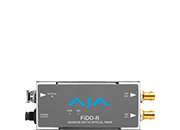

Additional to dual 10 GigE SFP cages, Io IP provides:

  • HDMI 2.0 output (supporting WCG, HFR and HDR)

  • 3G-SDI output (supporting HFR) for local monitoring

  • Ref/LTC Input.
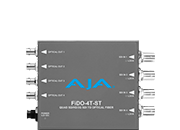
  • DB25 connector for 8-channel analog audio I/O

  • Dual Thunderbolt 3 ports

Please see Io IP Technical Specifications in Appendix B in the Io IP manual.


For SMPTE ST 2110 or SMPTE ST 2022-6/7, AJA Io IP or Avid Artist DNxIP are fully compatible with each other and KONA IP.


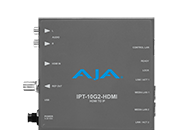
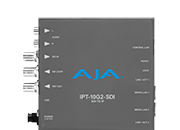
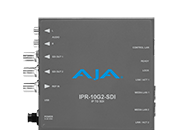
For SMPTE ST 2110, compatible 10 GigE receivers are IPR-10G2-HDMI, IPR-10G2-SDI and IPR-10G-HDMI. These units will receive SMPTE ST 2110 and format the data for output over either HDMI or SDI.

Compatible 10 GigE transmitters are IPT-10G2-HDMI, IPT-10G2-SDI. These units will receive HDMI or SDI and format the data for output as SMPTE ST 2110.


Yes. Io IP will send and receive video and audio to and from third party devices which support SMPTE ST 2110. AJA works alongside other vendors at interop events arranged by AIMS. The SMPTE ST 2110 standard, together with these frequent interop events are designed to ensure customers can feel comfortable when planning/integrating an entire facility with equipment from numerous vendors.


Sign-up with AJA!

Receive the latest news and product update information

Submit and Download

Continue to Download without Sign-up

Your details will be registered with the AJA Video Systems database to receive occasional news of important software updates, new products and services. Please view our privacy policy for more information.