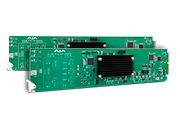
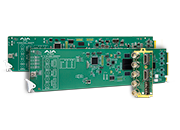
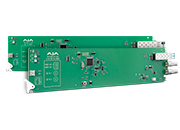
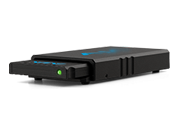
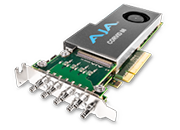
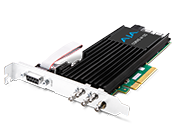
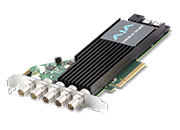
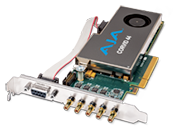
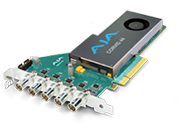
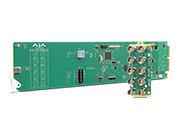
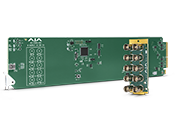
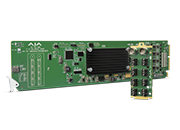
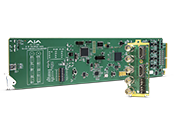
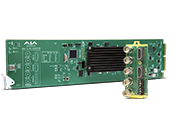
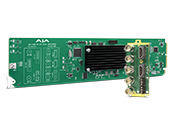
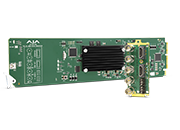
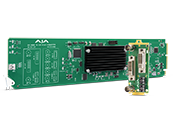
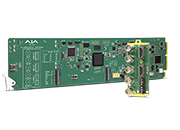
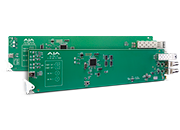
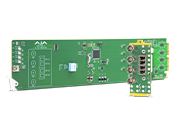
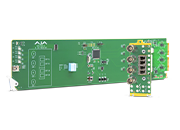
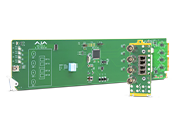
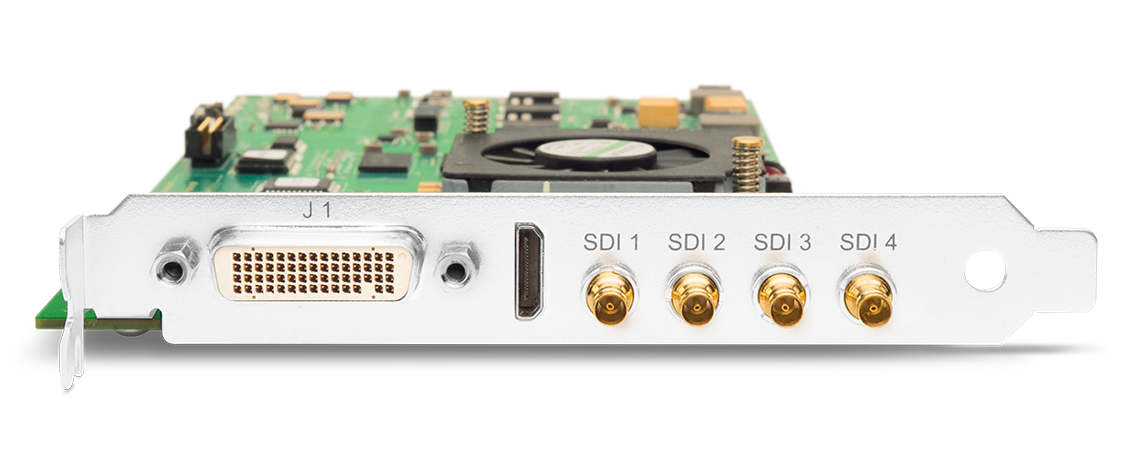
KONA 3G

Unparalleled professional performance

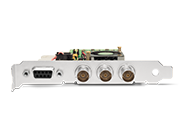
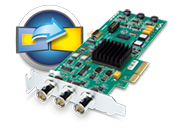
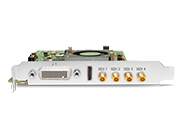
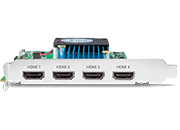
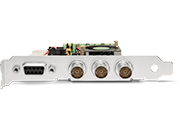
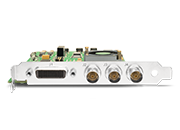
KONA 3G offers users a single, powerful card with support for 4:2:2 and 4:4:4 color spaces to provide the highest quality for your images. The futureproof architecture means you can easily work with HD and 2K now and switch to working at 4K resolution when the need arises without the requirement for new hardware.


Tech Specs

Tech Specs are subject to change.


Video Formats

  • (4K) 4096 x 2160p 23.98, 24, 25, 29.97, 30
  • (UltraHD) 3840 x 2160p 23.98, 24, 25, 29.97, 30
  • (2K) 2048 x 1080p 23.98, 24, 25, 29.97, 30, 50 and 60
  • (2K) 2048 x 1080PsF 23.98, 24, 25
  • (2K) 2048 x 1556p 15, 14.98
  • (2K) 2048 x 1556PsF 15, 23.98, 24
  • (HD) 1080i 50, 59.94, 60
  • (HD) 1080PsF 23.98, 24, 25, 29.97, 30
  • (HD) 1080p 23.98, 24, 25, 29.97, 30, 50, 59.94, 60
  • (HD) 720p 23.98*, 24*, 25*, 29.97*, 30*, 50, 59.94, 60
  • (SD) 625i 50
  • (SD) 525i 23.98*, 59.94


* These formats are dependent on specific software functionality and are not normal over the wire formats.


Video Input Digital

  • 4K/UltraHD 422 and 444 (4x BNC) 
  • 2K HSDL (High Speed Data Link) 4:4:4, (2x BNC)
  • 3G/SD/HD SDI, SMPTE-259/292/296/424, 8 or 10-bits
  • Dual Link HD 4:4:4 (2x BNC)
  • Single Link 4:2:2 or 4:4:4 (1x BNC)
  • 1D LUT Support

Video Output Digital

  • 4K/UltraHD 422 and 444 (4x BNC)
  • 2K HSDL (High Speed Data Link) 4:4:4, (2x BNC)
  • 3G/SD/HD SDI, SMPTE-259/292/296/424
  • Dual Link HD 4:4:4, (2x BNC)
  • Single Link 4:2:2 or 4:4:4 (1x BNC)
  • HDMI v1.4, 30/36-bits/pixel, RGB or YUV, 2.25Gbps, SD, HD, 1080p-50/60 (1x mini-HDMI)

Video Output Analog

  • Composite/S-Video (Y/C) (1x BNC/2x BNC+Adapter)
  • NTSC, NTSCJ, PAL
  • Component (3x BNC)
  • HD: YPbPr, RGB
  • SD: YPbPr, RGB (component mode)
  • SMPTE/EBU N10, Betacam 525 line, Betacam 525J, RGB
  • 12-bit D/A, 8x oversampling
  • +/- .2 dB to 5.0 MHz Y frequency response
  • +/- .2 dB to 1 MHz C frequency response
  • .5% 2T pulse response
  • <1% Diff Phase
  • <1% Diff Gain
  • <1 ns Y/C delay inequity

Audio Input Digital

  • 16-Channel, 16 and 24-bit SMPTE-259 SDI embedded audio, 48 kHz sample rate, synchronous
  • 16-Channel, 16 and 24-bit AES/EBU audio, 48 kHz sample rate, synchronous (via 8x BNC on optional K3G-Box)
  • 8-Channel, 16 and 24-bit AES/EBU audio, 48 kHz sample rate, synchronous or nonsynchronous, internal sample rate conversion (via 4x BNC on breakout cable)

Audio Output Digital

  • 16-Channel, 16 and 24-bit SMPTE-259 SDI embedded audio, 48 kHz sample rate, synchronous
  • 16-Channel, 16 and 24-bit AES/EBU audio, 48 kHz sample rate, synchronous (via 8x BNC on optional K3G-Box)
  • 8-Channel, 16 and 24-bit HDMI embedded audio, 48 kHz sample rate, synchronous
  • 8-Channel, 16 and 24-bit AES/EBU audio, 48 kHz sample rate, synchronous or nonsynchronous, internal sample rate conversion (via 4x BNC on breakout cable)

Audio Output Analog

  • 2-Channel unbalanced output (via 2x RCA jacks on optional K3G-Box)

Downstream Keyer

  • Supports graphics with alpha channel over video, matte or framebuffer, or framebuffer content over incoming video or matte

Up-Conversion

  • Hardware 10-bit
  • Anamorphic: fullscreen
  • Pillarbox 4:3: results in a 4:3 image in center of screen with black sidebars
  • Zoom 14:9: results in a 4:3 image zoomed slightly to fill a 14:9 image with black sidebars
  • Zoom Letterbox: results in image zoomed to fill fullscreen
  • Zoom Wide: results in a combination of zoom and horizontal stretch to fill a 16:9 screen; this setting can introduce a small aspect ratio change

Down-Conversion

  • Hardware 10-bit
  • Anamorphic: fullscreen
  • Letterbox: image is reduced with black top and bottom added to image area with the aspect ratio preserved
  • Crop: image is cropped to fit new screen size

Cross-Conversion

• Hardware 10-bit
• 1080i to 720p
• 720p to 1080i
• 720p to 1080PsF


SD to SD Aspect Ratio Conversion

  • Letterbox: This transforms SD anamorphic material to a letterboxed image
  • H Crop: Will produce a horizontally stretched effect on the image; transforms anamorphic SD to full frame
  • SD Pillarbox: Will produce an image in the center of the screen with black borders on the left and right sides and an anamorphized image in the center
  • V Crop: Will transform SD letterbox material to an anamorphic image

Timecode

  • LTC timecode input and output (via 1x BNC each)

Reference Input

  • Analog Color Black (1V) or Composite Sync (2 or 4V)
  • Looping
  • 75 ohm on optional K3G-Box, terminated on supplied breakout cable

Electrical Interface

  • 4-lane PCIe 2.0

Machine Control

  • RS-422, Sony 9-pin protocol (via breakout cable or optional K3G-Box)
  • 9-pin D-connector pinout is as follows:

1

GND

2

RX-

3

TX+

4

GND

5

No Connection

6

GND

7

RX+

8

TX-

9

GND

Shell

GND


Size (w x d x h)

  • 0.75" x 8.25" x 5.0" (19.05 x 209.55 x 127.00 mm)

Weight

  • 0.7 lb (0.4 kg)

Power

  • 19W typical, 21W maximum

Environment

  • Safe Operating Temperature: 0 to 40 C (32 to 104 F)
  • Safe Storage Temperature (Power OFF): -40 to 60 C (-40 to 140 F)
  • Operating Relative Humidity: 10-90% noncondensing
  • Operating Altitude: <3,000 meters (<10,000 feet)

These filters are designed for DirectShow application developers, so that they may make their applications compatible with the majority of AJA's windows based hardware. These filters are meant to be used programmatically, and will not necessarily work with every DirectShow application without work being done to explicitly support them. Note: DirectShow is a trademark of Microsoft.


More Information: https://www.aja.com/support/directshow

Mirrors

Download

These filters are designed for DirectShow application developers, so that they may make their applications compatible with the majority of AJA's windows based hardware. These filters are meant to be used programmatically, and will not necessarily work with every DirectShow application without work being done to explicitly support them. Note: DirectShow is a trademark of Microsoft.


More Information: https://www.aja.com/support/directshow


v15.0.1 of the AJA Desktop Software installer includes all AJA hardware drivers, AJA Control Panel, AJA Control Room and plug-ins for Apple, Adobe CC, Avid and Telestream Wirecast in a single, unified package for KONA, Io and T-TAP products.

This update includes important new support for KONA 5. Please read the Release Notes for complete details.

Mirrors

Download


v15.0.1 of the AJA Desktop Software installer includes all AJA hardware drivers, AJA Control Panel, AJA Control Room and plug-ins for Apple, Adobe CC, Avid and Telestream Wirecast in a single, unified package for KONA, Io and T-TAP products.

This update includes important new support for KONA 5. Please read the Release Notes for complete details.

Important note: With the introduction of macOS High Sierra (v10.13), Apple now requires that third party application developers be identified during kernel extension installations. Failure to do so will make AJA devices fail to operate (Unsupported AJA Device). Depending on your macOS version and AJA Desktop Software installation history, different installation outcomes are possible. Please see the release notes for detailed information and troubleshooting options.

Mirrors

Download


v15.0.1 of the AJA Desktop Software installer for Linux - Ubuntu 16-18 includes all AJA hardware drivers for KONA products, AJA Control Panel, AJA Control Room and associated software.

This major update offers new support for KONA 5 and other enhancements. Please read the Release Notes for complete details.

Mirrors

Download


v15.0.1 of the AJA Desktop Software installer for Linux - Redhat/CentOS7 includes all AJA hardware drivers for KONA Products, AJA Control Panel, AJA Control Room and associated software.

This major update offers new support for KONA 5 for KONA IP and other enhancements. Please read the Release Notes for complete details.

Mirrors

Download


v15.0 of the AJA Desktop Software installer for Linux - Redhat/CentOS7 includes all AJA hardware drivers for KONA Products, AJA Control Panel, AJA Control Room and associated software.

This major update offers new support for KONA 5 for KONA IP and other enhancements. Please read the Release Notes for complete details.

IMPORTANT NOTE: 

If you plan on utilizing AJA Desktop Software v15 with third party software, please ensure that you have contacted your 3rdparty vendor and have confirmed that their latest software has been updated to support AJA Desktop Software v15 retail software and drivers. If not or unsure, please do not utilize AJA Desktop v15 and remain on or revert to earlier v14.x AJA Desktop Software until you have confirmed that your 3rdParty Software is indeed compatible with AJA’s latest drivers and software.

If you are a third party software vendor and have any questions regarding v15.0 support, please log in to https://sdksupport.aja.com  for further information or apply for AJA SDK support at https://www.aja.com/developer/request

Mirrors

Download


v15.0 of the AJA Desktop Software installer for Linux - Ubuntu 16-18 includes all AJA hardware drivers for KONA products, AJA Control Panel, AJA Control Room and associated software.

This major update offers new support for KONA 5 and other enhancements. Please read the Release Notes for complete details.

IMPORTANT NOTE: 

If you plan on utilizing AJA Desktop Software v15 with third party software, please ensure that you have contacted your 3rdparty vendor and have confirmed that their latest software has been updated to support AJA Desktop Software v15 retail software and drivers. If not or unsure, please do not utilize AJA Desktop v15 and remain on or revert to earlier v14.x AJA Desktop Software until you have confirmed that your 3rdParty Software is indeed compatible with AJA’s latest drivers and software.

If you are a third party software vendor and have any questions regarding v15.0 support, please log in to https://sdksupport.aja.com  for further information or apply for AJA SDK support at https://www.aja.com/developer/request

Mirrors

Download


v15.0 of the AJA Desktop Software installer includes all AJA hardware drivers, AJA Control Panel, AJA Control Room and plug-ins for Apple, Adobe CC, Avid and Telestream Wirecast in a single, unified package for KONA, Io and T-TAP products.

This update includes important new support for KONA 5. Please read the Release Notes for complete details.

mportant note: With the introduction of macOSHigh Sierra (v10.13), Apple now requires that third party application developers be identified during kernel extension installations. Failure to do so will make AJA devices fail to operate (Unsupported AJA Device). Depending on your macOSversion and AJA Desktop Software installation history, different installation outcomes are possible. Please see the release notes for detailed information and troubleshooting options.

IMPORTANT NOTE: 

If you plan on utilizing AJA Desktop Software v15 with third party software outside of the above mentioned in-built support for AJA Control Panel, AJA Control Room and plug-ins for Apple, Adobe CC, Avid and Telestream Wirecast included in this release, please ensure that you have contacted your 3rdparty vendor and have confirmed that their latest software has been updated to support AJA Desktop Software v15 retail software and drivers. If not or unsure, please do not utilize AJA Desktop v15 and remain on or revert to earlier v14.x AJA Desktop Software until you have confirmed that your 3rdParty Software is indeed compatible with AJA’s latest drivers and software.

If you are a third party software vendor and have any questions regarding v15.0 support, please log in to https://sdksupport.aja.com  for further information or apply for AJA SDK support at https://www.aja.com/developer/request


Mirrors

Download


v15.0 of the AJA Desktop Software installer includes all AJA hardware drivers, AJA Control Panel, AJA Control Room and plug-ins for Apple, Adobe CC, Avid and Telestream Wirecast in a single, unified package for KONA, Io and T-TAP products.

This update includes important new support for KONA 5. Please read the Release Notes for complete details.

IMPORTANT NOTE: 

If you plan on utilizing AJA Desktop Software v15 with third party software outside of the above mentioned in-built support for AJA Control Panel, AJA Control Room and plug-ins for Apple, Adobe CC, Avid and Telestream Wirecast included in this release, please ensure that you have contacted your 3rd party vendor and have confirmed that their latest software has been updated to support AJA Desktop Software v15 retail software and drivers. If not or unsure, please do not utilize AJA Desktop v15 and remain on or revert to earlier v14.x AJA Desktop Software until you have confirmed that your 3rd Party Software is indeed compatible with AJA’s latest drivers and software.

If you are a third party software vendor and have any questions regarding v15.0 support, please log in to https://sdksupport.aja.com  for further information or apply for AJA SDK support at https://www.aja.com/developer/request

Mirrors

Download


This installer v14.3 includes all AJA hardware drivers, AJA Control Room and plug-ins for Adobe, Avid and Wirecast in a single, unified package for KONA, Io and T-TAP products.

This update offers a range of enhancements including SMPTE ST 2110 support for KONA IP. Please read the Release Notes for complete details.

Mirrors

Download


This installer v14.3 includes all AJA hardware drivers, AJA Control Room and plug-ins for Adobe, Avid and Wirecast in a single, unified package for KONA, Io and T-TAP products.

This update offers a range of enhancements including SMPTEST 2110 support for KONA IP. Please read the Release Notes for complete details.

Important note: With the introduction of macOS High Sierra (v10.13), Apple now requires that third party application developers be identified during kernel extension installations. Failure to do so will make AJA devices fail to operate (Unsupported AJA Device). Depending on your macOS version and AJA Desktop Software installation history, different installation outcomes are possible. Please see the release notes for detailed information and troubleshooting options.

Mirrors

Download


AJA Software Installer v14.3 for Linux - Ubuntu 16-18 includes all AJA hardware drivers for KONA products, AJA Control Room and associated software.

This major update offers support for SMPTE ST 2110 for KONA IP and other enhancements. Please read the Release Notes for complete details.

Mirrors

Download


v15.0 of the AJA Desktop Software installer for Linux - Redhat/CentOS7 includes all AJA hardware drivers for KONA Products, AJA Control Panel, AJA Control Room and associated software.

This major update offers support for SMPTE ST 2110 for KONA 5 and other enhancements. Please read the Release Notes for complete details.

Mirrors

Download


AJA Software Installer v14.2.1 for Linux - Redhat/CentOS7 includes all AJA hardware drivers for KONA Products, AJA Control Room and associated software.

This major update offers numerous new features and optimizations for installation. Please read the Release Notes for complete details.

Mirrors

Download


AJA Software Installer v14.2 for Linux - Ubuntu 14-16 includes all AJA hardware drivers for KONA products, AJA Control Room and associated software.

This major update offers numerous new features and optimizations for installation. Please read the Release Notes for complete details.

Mirrors

Download


This installer v14.2.1 includes all AJA hardware drivers, AJA Control Room and plug-ins for Adobe, Avid and Wirecast in a single, unified package for KONA, Io and T-TAP products.

This update offers a range of enhancements. Please read the Release Notes for complete details.

Mirrors

Download


This installer v14.2.1 includes all AJA hardware drivers, AJA Control Room and plug-ins for Adobe, Avid and Wirecast in a single, unified package for KONA, Io and T-TAP products. 

This update offers a range of enhancements. Please read the Release Notes for complete details.

Important note: With the introduction of macOS High Sierra (v10.13), Apple now requires that third party application developers be identified during kernel extension installations. Failure to do so will make AJA devices fail to operate (Unsupported AJA Device). Depending on your macOS version and AJA Desktop Software installation history, different installation outcomes are possible. Please see the release notes for detailed information and troubleshooting options.

Mirrors

Download


AJA Software Installer v14.2 for Linux - Redhat/CentOS7 includes all AJA hardware drivers for KONA Products, AJA Control Room and associated software.

This major update offers numerous new features and optimizations for installation. Please read the Release Notes for complete details.

Mirrors

Download


AJA Software Installer v14.2 for Linux - Ubuntu 14-16 includes all AJA hardware drivers for KONA products, AJA Control Room and associated software.

This major update offers numerous new features and optimizations for installation. Please read the Release Notes for complete details.

Mirrors

Download


This installer v14.2 includes all AJA hardware drivers, AJA Control Room and plug-ins for Adobe, Avid and Wirecast in a single, unified package for KONA, Io and T-TAP products.

This update offers a range of enhancements. Please read the Release Notes for complete details.

important note: With the introduction of macOS High Sierra (v10.13), Apple now requires that third party application developers be identified during kernel extension installations. Failure to do so will make AJA devices fail to operate (Unsupported AJA Device). Depending on your macOS version and AJA Desktop Software installation history, different installation outcomes are possible. Please see the release notes for detailed information and troubleshooting options.

Mirrors

Download


This installer v14.2 includes all AJA hardware drivers, AJA Control Room and plug-ins for Adobe, Avid and Wirecast in a single, unified package for KONA, Io and T-TAP products.

This update offers a range of enhancements. Please read the Release Notes for complete details.

Mirrors

Download


This installer v14.0.2 includes all AJA hardware drivers, AJA Control Room and plug-ins for Adobe, Avid and Wirecast in a single, unified package for KONA, Io and T-TAP products.

This update offers a range of enhancements. Please read the Release Notes for complete details.

Mirrors

Download


This installer v14.0.2 includes all AJA hardware drivers, AJA Control Room and plug-ins for Adobe, Avid and Wirecast in a single, unified package for KONA, Io and T-TAP products.

This update offers a range of enhancements. Please read the Release Notes for complete details.

Mirrors

Download


AJA Software Installer v14.0.1 for Linux - Redhat/CentOS7 includes all AJA hardware drivers for KONA Products, AJA Control Room and associated software.

This major update offers numerous new features and optimizations for installation. Please read the Release Notes for complete details.

Mirrors

Download


AJA Software Installer v14.0.1 for Linux - Ubuntu 14-16 includes all AJA hardware drivers for KONA products, AJA Control Room and associated software.

This major update offers numerous new features and optimizations for installation. Please read the Release Notes for complete details.

Mirrors

Download


This installer v14.0.1 includes all AJA hardware drivers, AJA Control Room and plug-ins for Adobe, Avid and Wirecast in a single, unified package for KONA, Io and T-TAP products.

This update offers a range of enhancements. Please read the Release Notes for complete details

Mirrors

Download


This installer v14.0.1 includes all AJA hardware drivers, AJA Control Room and plug-ins for Adobe, Avid and Wirecast in a single, unified package for KONA, Io and T-TAP products.

This update offers a range of enhancements. Please read the Release Notes for complete details.

Mirrors

Download


This installer v14.0 includes all AJA hardware drivers, AJA Control Room and plug-ins for Adobe, Avid and Wirecast in a single, unified package for KONA, Io and T-TAP products.

This major update offers firmware support for the new Io 4K Plus and new features for KONA, Io and T-TAP products including an update to the audio tab in Control Panel software. Please read the Release Notes for complete details.

Mirrors

Download


This installer v14.0 includes all AJA hardware drivers, AJA Control Room and plug-ins for Adobe, Avid and Wirecast in a single, unified package for KONA, Io and T-TAP products.

This major update offers firmware support for the new Io 4K Plus and new features for KONA, Io and T-TAP products including an update to the audio tab in Control Panel software. Please read the Release Notes for complete details

Mirrors

Download


In order to access AJA's Linux drivers you will need to complete an online NDA form. Click on the "More Information" link below and follow the instructions to receive the download link.

More Information: https://www.aja.com/en/support/drivers/linux


This installer v13.0.2 includes all AJA hardware drivers, AJA Control Room and plug-ins for Adobe, Avid and Wirecast in a single, unified package.

Please read the Release Notes for complete details.

Mirrors

Download


AJA Software Installer v13.0  for Linux - Ubuntu 14-16 includes all AJA hardware drivers for KONA products, AJA Control Room and associated software.

This major update offers numerous new features. Please read the Release Notes for complete details.

Mirrors

Download


AJA Software Installer v13.0  for Linux - Redhat/CentOS7 includes all AJA hardware drivers for KONA Products, AJA Control Room and associated software.

This major update offers numerous new features. Please read the Release Notes for complete details.

Mirrors

Download


This installer v13.0 includes all AJA hardware drivers, AJA Control Room and plug-ins for Adobe, Avid and Wirecast in a single, unified package.

This major update offers numerous new features for KONA, Io and T-TAP products. Please read the Release Notes for complete details.

Mirrors

Download


This installer v13.0 includes all AJA hardware drivers, AJA Control Room and plug-ins for Adobe, Avid and Wirecast in a single, unified package.

This major update offers numerous new features for KONA, Io and T-TAP products. Please read the Release Notes for complete details.

Mirrors

Download


This installer v12.5.1 includes all AJA hardware drivers, AJA Control Room and plug-ins for Adobe, Avid and Wirecast in a single, unified package.

This update offers new support for Anamorphic SD workflows in AJA Control Room and addresses several issues across various software applications

Please read the Release Notes for complete details.

Mirrors

Download


This installer v12.5.1 includes all AJA hardware drivers, AJA Control Room and plug-ins for Adobe, Avid and Wirecast in a single, unified package.

This update offers new support for Anamorphic SD workflows in AJA Control Room and addresses several issues across various software applications.

Please read the Release Notes for complete details.

Mirrors

Download


This installer v12.5.1 includes all AJA hardware drivers, AJA Control Room and plug-ins for Adobe, Avid and Wirecast in a single, unified package.

This update offers new support for Anamorphic SD workflows in AJA Control Room and addresses several issues across various software applications.

Please read the Release Notes for complete details.

Mirrors

Download


This installer v12.5 includes all AJA hardware drivers, AJA Control Room and plug-ins for Adobe, Avid and Wirecast in a single, unified package.

This update offers new support for and addresses several issues across various software applications.

Please read the Release Notes for complete details.

Mirrors

Download


This installer v12.4.2  includes all AJA hardware drivers, AJA Control Room and plug-ins for Adobe, Avid and Wirecast in a single, unified package.

This  update offers new support for and addresses several issues across various software applications.

Please read the Release Notes  for complete details.

Mirrors

Download


This installer v12.4.2  includes all AJA hardware drivers, AJA Control Room and plug-ins for Adobe, Avid and Wirecast in a single, unified package.

This  update offers new support for and addresses several issues across various software applications.

Please read the Release Notes  for complete details.

Mirrors

Download


This installer v12.4.1 includes all AJA hardware drivers, AJA Control Room and plug-ins for Adobe, Avid and Wirecast in a single, unified package.

This  update offers new support for and addresses several issues across various software applications and new support for KONA IP.

Please read the Release Notes for complete details.

Mirrors

Download


This installer v12.4.1  includes all AJA hardware drivers, AJA Control Room and plug-ins for Adobe, Avid and Wirecast in a single, unified package.

This  update offers new support for and addresses several issues across various software applications and new support for KONA IP.

Please read the Release Notes for complete details.

Mirrors

Download


This installer v12.4  includes all AJA hardware drivers, AJA Control Room and plug-ins for Adobe, Avid and Wirecast in a single, unified package.

This  update offers new support for and addresses several issues across various software applications and new support for KONA IP.

Please read the Release Notes for complete details.

Mirrors

Download


This installer v12.4  includes all AJA hardware drivers, AJA Control Room and plug-ins for Adobe, Avid and Wirecast in a single, unified package.

This  update offers new support for and addresses several issues across various software applications and new support for KONA IP.

Please read the Release Notes for complete details.

Mirrors

Download


This installer includes all AJA hardware drivers, AJA Control Room and plug-ins for Adobe, Avid and Wirecast in a single, unified package.

This maintenance update addresses several issues across various software applications

Please read the Release Notes for complete details.

Mirrors

Download


This installer includes all AJA hardware drivers, AJA Control Room and plug-ins for Adobe, Avid and Wirecast in a single, unified package.

This maintenance update addresses several issues across various software applications

Please read the Release Notes for complete details.

Mirrors

Download


This installer includes all AJA hardware drivers, AJA Control Room and plug-ins for Adobe, Avid and Wirecast in a single, unified package.

This update addresses several issues across various software applications and hardware devices.

Please read the Release Notes for complete details.

Mirrors

Download


This installer includes all AJA hardware drivers, AJA Control Room and plug-ins for Adobe, Avid and Wirecast in a single, unified package.

This update addresses several issues across various software applications and hardware devices.

Please read the Release Notes for complete details.

Mirrors

Download


In order to access AJA's Linux drivers you will need to complete an online NDA form. Click on the "More Information" link below and follow the instructions to receive the download link.

More Information: https://www.aja.com/en/support/drivers/linux


This installer includes all AJA hardware drivers, AJA Control Room and plug-ins for Adobe, Avid and Wirecast in a single, unified package.

This maintenance update addresses several issues across various software applications

Please read the Release Notes for complete details.

Mirrors

Download


This installer includes all AJA hardware drivers, AJA Control Room and plug-ins for Adobe, Avid and Wirecast in a single, unified package.

This update adds the ability to capture and play back AJA Raw with Io 4K and KONA 4 along with support for Avid DNxHR and many other new features and improvements.

Please read the Release Notes for complete details.

Mirrors

Download


This installer combines all AJA hardware drivers, AJA Control Room and plug-ins for Adobe, Avid and Wirecast into a single, unified package as well as adding new features and improvements.

Please read the Release Notes for complete details.

Mirrors

Download


This updated driver contains several updates and improvements for KONA 3G and AJA Control Room. Please read the Release Notes for complete information.

Mirrors

Download


This update contains several updates and improvement across the KONA, Io and T-TAP products. Please read the Release Notes for complete details on specific products.

Mirrors

Download


This updated driver adds support for the KONA 4 card as well as several updates and improvements - including a new version of AJA Control Room. Please read the Release Notes for complete information.

Mirrors

Download


This plug-in adds support for KONA 4 for Windows systems and is compatible with Avid Media Composer 8, Symphony 8, and ProTools 11

Please read the complete Release Notes for details on this update.

Note: to use with Avid, you must install both the AJA Open I/O Plug-in and AJA hardware driver. For proper interaction with Avid software, the Open I/O Plug-in version must be compatible with the AJA driver version. All Avid-related downloads can be found on a single AJA Avid Support page.

Mirrors

Download


This update adds support for KONA 4 as well as several updates and improvement across the KONA, Io and T-TAP products. Please read the Release Notes for complete details on specific products.

Mirrors

Download


This update to the AJA Adobe plug-in is for use with Adobe Premiere Pro CC/CC 2014, After Effects CC/CC 2014, Photoshop CC/CC 2014, Prelude CC/CC 2014, or Speed Grade CC/CC 2014 running under OSX 10.9 (Mavericks).

AJA's Mac hardware driver v10.5.2 is recommended for use with this plug-in. Please be sure to download and install the latest associated driver for this release. See the Release Notes for additional information.

Mirrors

Download


This update to the AJA Adobe plug-in is for use with Adobe Premiere Pro CC/CC 2014, After Effects CC/CC 2014, Photoshop CC/CC 2014, Prelude CC/CC 2014, or Speed Grade CC/CC 2014 running under Windows.

AJA's Windows hardware driver v10.5.1 is recommended for use with this plug-in. Please be sure to download and install the latest associated driver for this release. See the Release Notes for additional information.

Mirrors

Download


This update to the AJA Adobe plug-in is for use with Adobe Premiere Pro CC, After Effects CC, Photoshop CC, Prelude CC, Encore CC and Speed Grade CC running under Windows.

AJA's hardware driver v10 is recommended for use with this plug-in. Please be sure to download and install the latest associated driver for this release. See the Release Notes for additional information.

Mirrors

Download


This update to the AJA Adobe plug-in is for use with Adobe Premiere Pro CC, After Effects CC, Photoshop CC, Prelude CC, Encore CC and Speed Grade CC running under OSX 10.9 (Mavericks).

AJA's hardware driver v10 is recommended for use with this plug-in. Please be sure to download and install the latest associated driver for this release. See the Release Notes for additional information.

Mirrors

Download


This update includes AJA Control Room v1.0 in place of VTR Xchange. AJA Control Room is installed as part of the default driver installation, but is also available for download separately from the AJA website: www.aja.com/products/aja-control-room.

Please read the Release Notes for complete details on specific products.

Mirrors

Download


This is the final version of VTR Xchange. Beginning with Mac driver v10.5.2, AJA Control Room™ replaces VTR Xchanage and is installed by default with the AJA Mac driver installation.

Mirrors

Download


This update adds support for Io XT and T-TAP on Windows systems with Thunderbolt connections. Please read the Release Notes for complete details on specific products.

Mirrors

Download


This update adds High Frame Rate (HFR) support for Io 4K as well as several improvements and updates to other products and supporting software. Please read the Release Notes for complete details on specific products.

Mirrors

Download


This update to the AJA Adobe plug-in is for use with Adobe Premiere Pro CS 6/CC, After Effects CS 6/CC, Photoshop CS6/CC, Prelude CS6/CC, Encore CS6/CC and Speed Grade CC running under Windows.

AJA's hardware driver v10.5.1 is recommended for use with this plug-in. Please be sure to download and install the latest associated driver for this release. See the Release Notes for additional information.

Mirrors

Download


This update to the AJA Adobe plug-in is for use with Adobe Premiere Pro CS 6/CC, After Effects CS 6/CC, Photoshop CS6/CC, Prelude CS6/CC, Encore CS6/CC and Speed Grade CC running under OSX 10.9 (Mavericks).

AJA's hardware driver v10.5 is recommended for use with this plug-in. Please be sure to download and install the latest associated driver for this release. See the Release Notes for additional information.

Mirrors

Download


This Plug-in is compatible with Avid ProTools 11, Media Composer 7, and NewsCutter 11

Note: to use with Avid, you must install both the AJA Open I/O Plug-in and AJA hardware driver. For proper interaction with Avid software, the Open I/O Plug-in version must be compatible with the AJA driver version. If an older version of the Open I/O plug-in is installed and a newer version of the AJA driver is used, audio/video I/O via the AJA hardware may not function as expected. All Avid-related downloads can be found on a single AJA Avid Support page See the release notes for additional information.

Mirrors

Download


This update adds new functionality and improvements. Please read the Release Notes for complete details on specific products.

Mirrors

Download


This update to the AJA Adobe plug-in is for use with Adobe Premiere Pro CS 6/CC, After Effects CS 6/CC, Photoshop CS6/CC, Prelude CS6/CC, Encore CS6/CC and Speed Grade CC running under OSX 10.9 (Mavericks).

AJA's hardware driver v10.4.8 is recommended for use with this plug-in. Please be sure to download and install the latest associated driver for this release. See the Release Notes for additional information.

Mirrors

Download


This update adds support for OSX 10.9 (Mavericks). Please read the Release Notes for complete details on specific products.

Mirrors

Download


This plug-in adds support for AJA Io XT and AJA T-TAP for Windows systems with Thunderbolt connections and is compatible with Avid ProTools 11, Media Composer 6.5/7, Symphony 6.5/7, and NewsCutter 10.5/11

Please read the complete Release Notes for details on this update.

Note: to use with Avid, you must install both the AJA Open I/O Plug-in and AJA hardware driver. For proper interaction with Avid software, the Open I/O Plug-in version must be compatible with the AJA driver version. All Avid-related downloads can be found on a single AJA Avid Support page.

Mirrors

Download


This update adds support for Io XT and T-TAP on Windows systems with Thunderbolt connections. Please read the Release Notes for complete details on specific products.

Mirrors

Download


This update addresses several issues across the KONA and Io products. Please read the Release Notes for complete details on specific products.

Mirrors

Download


This update to the AJA Adobe plug-in is for use with Adobe Premiere Pro CS 6/CC, After Effects CS 6/CC, Photoshop CS6/CC, Prelude CS6/CC, Encore CS6/CC and Speed Grade CC. 

AJA's hardware driver v10.4.0 is recommended for use with this plug-in. Please be sure to download and install the latest associated driver for this release. See the Release Notes for additional information.

Mirrors

Download


This update addresses several issues across the KONA and Io products. Please read the Release Notes for complete details on specific products.

Mirrors

Download


This update to the AJA Adobe plug-in is for use with Adobe Premiere Pro CS 6/CC, After Effects CS 6/CC, Photoshop CS6/CC, Prelude CS6/CC, Encore CS6/CC and Speed Grade CC. 

AJA's hardware driver v10.4.5 is recommended for use with this plug-in. Please be sure to download and install the latest associated driver for this release. See the Release Notes for additional information.

Mirrors

Download


(Release Date 6/30/2011, zip archive)

This release resolves a problem that could occur with OS X 10.6.8, in addition to other improvements. Please read the included release notes for complete details. This version is compatible with Smoke for Mac 2011.

AJA Driver Compatibility as of KONA Version 9.0.3 is as follows: FCP 7 - 6.0.x KONA Driver version 9.0.3 (Snow Leopard and Leopard OS compatible)

A file could not be found. To report this, email support@aja.com


(Release Date 6/30/2011, zip archive)

This NDD version is identical to the standard version (listed above), but without the Macintosh Desktop feature.

A file could not be found. To report this, email support@aja.com


(Release Date 4/11/2011, zip archive)

This version adds a new 4K Mode for playout of 4K material, quadrant picker for Analog and HDMI outputs, test patterns provided in YUV and RGB colorspaces, support for Capture and Playback of SD and HD geometries without any available conversions when using 4K bitfile, plus other features and improvements. Please read the included release notes for complete details.

AJA Driver Compatibility as of KONA Version 9.0 is as follows:
FCP 7 - 6.0.x KONA Driver version 9.0 (Snow Leopard and Leopard OS compatible)

A file could not be found. To report this, email support@aja.com


(Release Date 4/11/2011, zip archive)

This NDD version is identical to the standard version above, but without the Macintosh Desktop feature.

A file could not be found. To report this, email support@aja.com


(Release Date 3/7/2011, zip archive)

This version fixes an issue where YUV output selections erroneously appeared in After Effects>Video Preview. It also corrects Video Payload Identifier packets (VPID) in the dual link output, improves format support for 2Kx1556 (15fps), and corrects 1080p50, level B output for HDMI. This version is compatible with Smoke for Mac 2011. Please read the included release notes for complete details.

AJA Driver Compatibility as of KONA Version 8.1.2 is as follows:
FCP 7 - 6.0.x KONA Driver version 8.1.2 (Snow Leopard and Leopard OS compatible)

A file could not be found. To report this, email support@aja.com


(Release Date 3/7/2011, zip archive)

This NDD version is identical to the standard version above, but without the Macintosh Desktop feature.

A file could not be found. To report this, email support@aja.com


(Release Date 1/14/2011, zip archive)

This release fixes an issue with on-board memory access, improving overall operation. Please read the included release notes for complete details.

AJA Driver Compatibility as of KONA Version 8.1.1 is as follows:
FCP 7 - 6.0.x KONA Driver version 8.1.1 (Snow Leopard and Leopard OS compatible)

A file could not be found. To report this, email support@aja.com


(Release Date 1/14/2011, zip archive)

This release fixes an issue with on-board memory access, improving overall operation. Please read the included release notes for complete details. This NDD version is identical to the standard version, but without the Macintosh Desktop feature.

AJA Driver Compatibility as of KONA Version 8.1.1 is as follows:
FCP 7 - 6.0.x KONA Driver version 8.1.1 (Snow Leopard and Leopard OS compatible)

A file could not be found. To report this, email support@aja.com


(Release Date 11/11/2010, zip archive)

This is the initial release of software for KONA 3G. Please read the included release notes for complete details.

AJA Driver Compatibility as of KONA Version 8.1 is as follows:
FCP 7 - 6.0.x KONA Driver version 8.1 (Snow Leopard and Leopard OS compatible)

A file could not be found. To report this, email support@aja.com


(Release Date 11/11/2010, zip archive)

This is the initial release of software for KONA 3G. Please read the included release notes for complete details. This NDD version is identical to the standard version, but without the Macintosh Desktop feature.

AJA Driver Compatibility as of KONA Version 8.1 is as follows:
FCP 7 - 6.0.x KONA Driver version 8.1 (Snow Leopard and Leopard OS compatible)

A file could not be found. To report this, email support@aja.com


(Released 6/20/2011)

This release is recommended for use with Final Cut Pro X and is also backward compatible with Final Cut Pro 7. New features for this release include batch capture and more advanced clip naming. This .zip archive includes the software application and user manual.

A file could not be found. To report this, email support@aja.com


(Released 12/27/2010)

This release is required for use with KONA 3G drivers version 8.1 (and newer). This release provides CS5 AJA Mac Plug-Ins for Adobe, which include application plug-ins for Adobe Premiere Pro, After Effects, and Photoshop (release notes and user manual included in the download; the user manual covers both Mac and PC use of Plug-ins).

A file could not be found. To report this, email support@aja.com


If you do not have a KONA card in your Macintosh, but need to access AJA QuickTime media files, you can use this AJA QuickTime codec to work with the files.

AJA KONA System Test (included as part of the driver download)
A Macintosh utility for measuring system performance with AJA KONA Video Capture cards. The application includes disk drive speed tests and Macintosh video data copy (DMA) speeds. The disk speed tests differ from standard disk I/O performance applications in that they specifically test the system under conditions typically encountered with video capture, playback and editing. Note: most of the disk performance tests are generic and don't require an AJA KONA Video Capture card. The DMA performance tests do require a KONA card and AJA KONA Driver software to operate. The DMA tests are not compatible with AJA Io products.

AJA Data Rate Calculator Application Version (included as part of the driver download) This OS X software application calculates data rates and storage requirements for a given video size, format, and frame rate. It's great for both KONA and Io users as a resource for configuring systems and determining storage requirements.

AJA TV (included as part of the driver download) An application for playing KONA QuickTime movies directly to the KONA VideoOutput. It's a quickie way to put clips "on-air" without having to launch Final Cut Pro, make a sequence, etc.

AJA KONA QTToDPXTranslator (included as part of the driver download) takes a 10-bit RGB QuickTime movie (e.g. one that was captured via KONA 3 DualLink) and turns it into a series of DPX files (the DPX file format is a common interchange format for high-end film and graphics workstations).

AJA KONA DPXToQTTranslator (included as part of the driver download) does the opposite of the above: it turns a folder full of DPX files into a KONA 10-bit RGB QuickTime movie.

A file could not be found. To report this, email support@aja.com


For a limited time, AJA KONA and Io Express users can receive a free copy of Drastic Software's MediaNXS LE(TM) control software for Windows. The MediaNXS LE software provides you with a wide range of advanced functionality including: batch capture, EDL export and advanced image monitoring tools. Click here to go to the Drastic website and download the software or find out more.

A file could not be found. To report this, email support@aja.com


(Released 3/18/2011)

This version of the Ki Pro automation API includes enhanced documentation with a new script that will go to a clip by name and park on the first frame. Otherwise this API archive is identical to the Ki Pro Automation 2.0.0 archive listed below. Please Note: these materials are intended for users who have web programming or scripting skills. They are not intended for the general Ki Pro user.

A file could not be found. To report this, email support@aja.com


(Released 11/16/2010)

This version of the Ki Pro automation API includes two new example scripts, one to record a file with a specified name and a matching script to play a file with a specified name. Otherwise this API archive is identical to the Ki Pro Automation 2.0.0 archive listed below. Please Note: these materials are intended for users who have web programming or scripting skills. They are not intended for the general Ki Pro user.

A file could not be found. To report this, email support@aja.com


(Released 10/28/2010)

The Ki Pro automation API allows remote systems to control Ki Pro with HTTP POST and GET requests using a Representational State Transfer (REST) interface. This API allows any scripting language or web 2.0 tool to control Ki Pro using properly formatted requests. Information provided in the Ki Pro Automation .zip archive includes example python scripts and a plain ASCII text file containing usage examples that can be copied, modified and pasted.

Please Note: these materials are intended for users who have web programming or scripting skills. They are not intended for the general Ki Pro user.

A file could not be found. To report this, email support@aja.com


This document describes Installation and Operation of the Ki Pro portable disk recorder.

A file could not be found. To report this, email support@aja.com


This document provides a quick easy-to-read overview of using the Ki Pro portable disk recorder.

A file could not be found. To report this, email support@aja.com


A file could not be found. To report this, email support@aja.com


This update (v10.4.4) resolves an issue where two different applications sending audio to a KONA, Io, or T-TAP simultaneously could cause an "echo" effect in the audio output.
Compatible with Mac OS X 10.7 (Lion) and Mac OS X 10.8 (Mountain Lion). Please read the included release notes for complete details on specific products.

Mirrors

Download


This update (v10.4.3) addresses several issues with HDMI input [on devices that support HDMI input] as well as HDMI audio and channel assignments.

Compatible with Mac OS X 10.7 (Lion) and Mac OS X 10.8 (Mountain Lion). Please read the included release notes for complete details on specific products.

Mirrors

Download


This update (v10.4.2) improves audio functionality with KONA, Io and T-TAP products in OS X 10.8.2 Mountain Lion. In addition, a new feature has been included in AJA's VTR Xchange software which allows automatic event creation within Apple FCP X as part of the capture process. Users no longer have to capture media and then import that captured material to FCP X. Events are automatically created at the end of each capture session, reducing the number of steps needed to get material from tape into FCP X.

The updated VTR Xchange software's included as part of the standard driver installer and will appear in the Applications folder.

Compatible with Mac OS X 10.7 (Lion) and Mac OS X 10.8 (Mountain Lion). Please read the included release notes for complete details on specific products.

Mirrors

Download


This Plug-in is compatible with Avid ProTools 11, Media Composer 6.5/7, Symphony 6.5/7, and NewsCutter 10.5/11

Note: to use with Avid, you must install both the AJA Open I/O Plug-in and AJA hardware driver. For proper interaction with Avid software, the Open I/O Plug-in version must be compatible with the AJA driver version. All Avid-related downloads can be found on a single AJA Avid Support page.

Mirrors

Download


This Plug-in is compatible with Avid ProTools 11, Media Composer 6.5/7, Symphony 6.5/7, and NewsCutter 10.5/11

Note: to use with Avid, you must install both the AJA Open I/O Plug-in and AJA hardware driver. For proper interaction with Avid software, the Open I/O Plug-in version must be compatible with the AJA driver version. If an older version of the Open I/O plug-in is installed and a newer version of the AJA driver is used, audio/video I/O via the AJA hardware may not function as expected. All Avid-related downloads can be found on a single AJA Avid Support page See the release notes for additional information.

Mirrors

Download


This update addresses several issues across the KONA and Io products. Please read the included release notes for complete details on specific products.

Mirrors

Download


This update addresses several issues across the KONA, Io and T-TAP products. Compatible with Mac OS X 10.7 (Lion) and Mac OS X 10.8 (Mountain Lion). Please read the included release notes for complete details on specific products.

Mirrors

Download


This release is for use with the latest AJA hardware driver. Please be sure to download and install the latest associated driver for this release. See the release notes for additional information.

Mirrors

Download


This release is for use with the latest AJA hardware driver. Please be sure to download and install the latest associated driver for this release. See the release notes for additional information.

Mirrors

Download


Updated driver for use with AJA Windows Open I/O Plug-in v10.3. Install this driver before installing AJA Windows Open I/O Plug-in. See the release notes for additional information.

Mirrors

Download


Note: to use with Avid, you must install both the AJA Open I/O Plug-in and AJA Driver version 10.3.1 software. All Avid-related downloads can be found on a single AJA Avid Support page.

Mirrors

Download


Note: to use with Avid, you must install both the AJA Open I/O Plug-in and AJA Driver version 10.3.2 or later. For proper interaction with Avid software, the Open I/O Plug-in version must be compatible with the AJA driver version. If an older version of the Open IO Plug-in is installed and a newer version of the AJA driver is used, audio/video I/O via the AJA hardware may not function as expected. All Avid-related downloads can be found on a single AJA Avid Support page.

Mirrors

Download


This update provides compatibility with Gatekeeper functionality in Mac OS X 10.8 (Mountain Lion) and addresses several additional issues. Compatible with Mac OS X 10.7 (Lion) and Mac OS X 10.8 (Mountain Lion). Please read the included release notes for complete details.

Mirrors

Download


The SRExpress application controls transfer of files from Sony SR-R1 digital recorders to RAID storage connected to a computer. A KONA 3G card or Io XT (for Thunderbolt-equipped Macs) serves as the intermediary device for file capture between the recorder and the computer with RAID. Once transferred, the files can be edited.

• Controls the recorder to perform file transfers to the RAID-equipped computer.

• Selects files in batches or individually.

• Transfers files using 3G SDI and Thunderbolt connections.

• Allows preview during transfer, or preview can be turned off.

• Currently Mac only (PC version coming soon).

Mirrors

Download


Updated driver for use with AJA Adobe Plug-in 10.3.0. Install this driver before installing AJA Windows Plug-ins for Adobe CS6. See the release notes for additional information.

Mirrors

Download


This release is for use with the latest AJA hardware driver (10.3.1 on Mac and 10.3.0 on PC). Please be sure to download and install the latest associated driver for this release. See the release notes for additional information.

Mirrors

Download


This release is for use with the latest AJA hardware driver (10.3.1 on Mac and 10.3.0 on PC). Please be sure to download and install the latest associated driver for this release. See the release notes for additional information.

Mirrors

Download


This is a maintenance update addressing several issues. Compatible with Mac OS X 10.7 (Lion). Please read the included release notes for complete details.

Mirrors

Download


This NDD version is recommended for most users. It does not include the Macintosh Desktop feature. This is a maintenance update addressing several issues. Compatible with Mac OS X 10.7 (Lion). Please read the included release notes for complete details.

Mirrors

Download


This driver version unifies support for all partner software including Final Cut Pro X (10.0.4) with improved Broadcast Monitor functionality. AJA has prepared a document that explains how editors can use AJA products with this latest version of Final Cut Pro X. Please click here to download the PDF document by itself. Compatible with Mac OS X 10.7 (Lion). Please read the included release notes for complete details.

Mirrors

Download


This NDD version is recommended for most users. It does not include the Macintosh Desktop feature. This driver version unifies support for all partner software including Final Cut Pro X (10.0.4) with improved Broadcast Monitor functionality. AJA has prepared a document that explains how editors can use AJA products with this latest version of Final Cut Pro X. Please click here to download the PDF document by itself. Compatible with Mac OS X 10.7 (Lion). Please read the included release notes for complete details.

Mirrors

Download


This beta driver is for use with Final Cut Pro X (10.0.3) and the new video monitoring feature. AJA has prepared a document that explains how editors can use AJA products with this latest version of Final Cut Pro X. Please click here to download the PDF document by itself. For tape-based capture and layback of Final Cut Pro X material, AJA offers the AJA VTR Xchange application. The v10.2.1 X Beta zip archive contains driver software, AJA Control Panel, AJA VTR Xchange and documentation. 10.2.1 X Beta requires the use of Mac OS X 10.7 Lion.

Improvements and Fixes: this release addresses an issue where some users could experience a Kernel Panic.

Mirrors

Download


This release is for use with AJA driver version 10.1. Please read the release notes for further information. These plug-ins require AJA driver release v10.1 or later. A new manual is available for download.

Mirrors

Download


This release adds support for new AJA Open IO plugin v10.1, including ability to control p vs. psf output when using progressive formats in Avid Media Composer. Please read the included release notes for details. Note: for Avid use, AJA Open I/O plug-ins are required in conjunction with v10.1 software; all Avid-related downloads can be found on a single AJA Avid Support page for your convenience. This download does not contain Machina or application plug-ins. If you download this driver, please download and install Plug-ins as desired (found below on this webpage).

Mirrors

Download


Note: to use with Avid, you must install both the AJA Open I/O plug-in and AJA Version 10.1 software. All Avid-related downloads can be found on a single AJA Avid Support page.

Mirrors

Download


This NDD version is identical to the standard version (listed above), but without the Macintosh Desktop feature.

Mirrors

Download


This release adds the ability to force progressive output via the Video Setup tab of the AJA Control Panel. This can be particularly useful for Avid software users who work with 1080PsF material and want to use an HDMI monitor which requires true progressive signal. Please read the included release notes for complete details. Note: for Avid use, AJA Open I/O plug-ins are required in conjunction with v10.1 software; all Avid-related downloads can be found on a single AJA Avid Support page for your convenience.

Lion compatible. Note: this driver version is not designed to support Final Cut Pro X.

Mirrors

Download


This release is for use with AJA driver version 10.1. Please read the release notes for further information. These plug-ins require AJA driver release v10.1 or later. A new manual is available for download.

Mirrors

Download


Note: to use with Avid, you must install both this AJA Open I/O plug-in and AJA Version 10.1 software. For proper interaction with Avid software, the Open I/O Plug In version must be compatible with the AJA driver version. If an older version of the Open IO Plug In is installed and a newer version of the AJA driver is used, audio/video I/O via the AJA hardware may not function as expected. All Avid-related downloads can be found on a single AJA Avid Support page.

Mirrors

Download


(Release Date 6/27/2011, zip archive)

This release updates AJA Mac Plug-ins to support Adobe Premiere Pro CS5.5, Adobe After Effects CS 5.5, and Adobe Photoshop 5.1. AJA's new KONA and Io Express Mac plug-ins for Adobe Premiere Pro CS 5.5 provide a 2x increase in real-time effects and video stream performance, taking full advantage of Adobe's powerful Mercury Engine architecture. This release is required for use with AJA Mac driver 9.0.1 and newer. Please read the included release notes for additional information.

A file could not be found. To report this, email support@aja.com


Note: to use with Avid, you must install both the AJA Open I/O plug-in and AJA Version 10.0.1 software. All Avid-related downloads can be found on a single AJA Avid Support page.

Mirrors

Download


This release adds support for Avid Media Composer 6.0, Symphony 6.0, and NewsCutter 10.0, in addition to a Windows AJA Control Panel plus other fixes and improvements. Please read the included release notes for complete details. Note: for Avid use, AJA Open I/O plug-ins are required in conjunction with v10.0.1 software; all Avid-related downloads can be found on a single AJA Avid Support page for your convenience. This download does not contain Machina or application plug-ins. If you download this driver, please download and install Plug-ins as desired (found below on this webpage).

Mirrors

Download


Note: to use with Avid, you must install both the AJA Open I/O plug-in and AJA Version 10.0.1 software. All Avid-related downloads can be found on a single AJA Avid Support page.

KONA 3G Driver Version 9.0.5, Control Panel, and Notes

(Release Date 7/27/2011, zip archive)

This release adds support for OS X Lion. Please read the included release notes for complete details. This version is compatible with Smoke for Mac 2011.

AJA Driver Compatibility as of KONA Version 9.0.5 is as follows:
FCP 7 - 6.0.x KONA Driver version 9.0.5 (Lion and Snow Leopard OS compatible)

Note: this driver version is not designed to support Final Cut Pro X.

Mirrors

Download


This release adds support for Avid Media Composer 6.0, Symphony 6.0, and NewsCutter 10.0, in addition to a graphically enhanced AJA Control Panel and other fixes and improvements. Please read the included release notes for complete details. Note: for Avid use, AJA Open I/O plug-ins are required in conjunction with v10 software; all Avid-related downloads can be found on a single AJA Avid Support page for your convenience.

Lion and Snow Leopard OS compatible (Leopard is not supported). Note: this driver version is not designed to support Final Cut Pro X.

Mirrors

Download


This NDD version is identical to the standard version (listed above), but without the Macintosh Desktop feature.

Mirrors

Download


If you do not have a KONA card in your Macintosh, but need to access AJA QuickTime media files, you can use this AJA QuickTime codec to work with the files.

AJA KONA System Test (included as part of the driver download)
A Macintosh utility for measuring system performance with AJA KONA Video Capture cards. The application includes disk drive speed tests and Macintosh video data copy (DMA) speeds. The disk speed tests differ from standard disk I/O performance applications in that they specifically test the system under conditions typically encountered with video capture, playback and editing. Note: most of the disk performance tests are generic and don't require an AJA KONA Video Capture card. The DMA performance tests do require a KONA card and AJA KONA Driver software to operate. The DMA tests are not compatible with AJA Io products.

AJA Data Rate Calculator Application Version (included as part of the driver download)
This OS X software application calculates data rates and storage requirements for a given video size, format, and frame rate. It's great for both KONA and Io users as a resource for configuring systems and determining storage requirements.

AJA TV (included as part of the driver download)
An application for playing KONA QuickTime movies directly to the KONA VideoOutput. It's a quickie way to put clips "on-air" without having to launch Final Cut Pro, make a sequence, etc.

AJA KONA QTToDPXTranslator (included as part of the driver download)
takes a 10-bit RGB QuickTime movie (e.g. one that was captured via KONA 3 DualLink) and turns it into a series of DPX files (the DPX file format is a common interchange format for high-end film and graphics workstations).

AJA KONA DPXToQTTranslator (included as part of the driver download)
does the opposite of the above: it turns a folder full of DPX files into a KONA 10-bit RGB QuickTime movie.

Mirrors

Download


As of the 5.5.2 release, installers have been separated for Drivers and Plug-Ins. This installer contains only the AJA Plug-ins for Eyeon Fusion. It does not contain KONA or Io Express drivers. If you download this installer, please download and install the corresponding drivers. The installer is called AJA Retail Drivers 5.5.2. For further information on installation, please see the PDF manual included in this installer (see release notes).

Mirrors

Download


As of the 5.5.2 release, installers have been separated for drivers and plug-Ins. This installer contains only Machina and its components. It does not contain KONA or Io Express drivers or application plug-ins. If you download this installer, please download and install the corresponding AJA KONA or Io Express Drivers. The installer is called AJA Retail Drivers 5.5.2. For further information on installation, please see the PDF manual included in this installer (see release notes).

Mirrors

Download


In this 5.5.2 release, installers have been separated for drivers and plug-Ins. This driver installer contains only the KONA and Io Express hardware drivers, along with AJA codecs. It does not contain Machina or application plug-ins. If you download this driver, please download and install the corresponding Plug-ins as desired (found below on this webpage). For further information on installation, please see the PDF manual included in this installer.

New features include support for KONA LHe Plus, addition of an "Aggressive Cache" mode to Premiere Pro, and a "Quality" setting to Premiere Pro Player settings, in addition to other improvements and fixes (see release notes).

Mirrors

Download


As of the 5.5.2 release, installers have been separated for Drivers and Plug-Ins. This installer contains only the AJA Plug-ins for Adobe Premiere Pro, After Effects, and Photoshop CS5.5. It does not contain KONA or Io Express drivers. If you download this installer, please download and install the corresponding 5.5.2 drivers. The installer is called AJA Retail Drivers 5.5.2. For further information on installation, please see the PDF manual included in this installer (see release notes).

Mirrors

Download


Final Cut Pro X is the latest update for Apple's popular non-linear editing software. The way editors interact with third party tools, like the AJA KONA cards, is different from previous versions of Final Cut Pro. AJA has prepared a document that explains how editors can use AJA products with the latest version of Final Cut Pro. Please click here to download the PDF document by itself. Users running Final Cut Pro 7 should use our KONA version 9.1 drivers. Before installing KONA X Beta software, ensure you thoroughly read the PDF.

In addition to KONA X Beta drivers, we have also released VTR Xchange 5.1 (included in the KONA X archive). This release is recommended for use with Final Cut Pro X and is also backward compatible with Final Cut Pro 7. New VTR Xchange features include batch capture and more advanced clip naming.

The KONA X (Beta) zip archive contains driver software, AJA Control Panel, VTR Xchange 5.1, and documentation. KONA X (Beta) is Snow Leopard OS compatible.

Mirrors

Download


This release adds support for OSX Lion and for the new KONA LHe Plus, in addition to other improvements and fixes. Please read the release notes for further information. These plug-ins require AJA driver release v9.1 or later.

Mirrors

Download


This release adds 4K capture and the AJA driver is now Thunderbolt-aware, in addition to other fixes and improvements. Please read the included release notes for complete details.

AJA Driver Compatibility as of KONA Version 9.1 is as follows:
FCP 7 - 6.0.x KONA Driver version 9.1 (Lion and Snow Leopard OS compatible)

Note: this driver version is not designed to support Final Cut Pro X.


Mirrors

Download


This NDD version is identical to the standard version (listed above), but without the Macintosh Desktop feature.

Mirrors

Download


This release is recommended for use with Final Cut Pro X and is also backward compatible with Final Cut Pro 7. New features for this release include the ability to save a preset and a way to add audio tracks via the Player. This .zip archive includes the software application and user manual.

Mirrors

Download


This release adds support for OS X Lion. Please read the included release notes for complete details. This version is compatible with Smoke for Mac 2011.

AJA Driver Compatibility as of KONA Version 9.0.5 is as follows:
FCP 7 - 6.0.x KONA Driver version 9.0.5 (Lion and Snow Leopard OS compatible)

Note: this driver version is not designed to support Final Cut Pro X.

Mirrors

Download


This NDD version is identical to the standard version (listed above), but without the Macintosh Desktop feature.

Note: this driver version is not designed to support Final Cut Pro X.

Mirrors

Download


Final Cut Pro X is the latest update for Apple's popular non-linear editing software. The way editors interact with third party tools, like the AJA KONA cards, is different from previous versions of Final Cut Pro. AJA has prepared a document that explains how editors can use AJA products with the latest version of Final Cut Pro. Please click here to download the PDF document by itself. Users running Final Cut Pro 7 should use our KONA version 9.0.3 drivers. Before installing KONA X Beta software, ensure you thoroughly read the PDF.

In addition to KONA X Beta drivers, we have also released VTR Xchange 5 (included in the KONA X archive). This release is recommended for use with Final Cut Pro X and is also backward compatible with Final Cut Pro 7. New VTR Xchange features include batch capture and more advanced clip naming.

The KONA X (Beta) zip archive contains driver software, AJA Control Panel, VTR Xchange 5, and documentation.

Mirrors

Download


This KONA 3G release updates KONA for PC software with support for Adobe Premiere Pro CS5.5, Adobe After Effects CS 5.5, and Adobe Photoshop 5.1. AJA's new KONA and Io Express plug-ins for Adobe Premiere Pro CS 5.5 provide a 2x increase in real-time effects and video stream performance, taking full advantage of Adobe's powerful Mercury Engine architecture. Please read the included release notes for additional information.

Mirrors

Download


A Windows utility for measuring system performance with AJA KONA Video Capture cards. The application includes disk drive speed tests and video data copy (DMA) speeds. The disk speed tests differ from standard disk I/O performance applications in that they specifically test the system under conditions typically encountered with video capture, playback and editing. Note: most of the disk performance tests are generic and don't require an AJA KONA Video Capture card. The DMA performance tests do require a KONA card and AJA KONA Driver software to operate.

Mirrors

Download


This application calculates data rates and storage requirements for a given video size, format, and frame rate. It's great for KONA users as a resource for configuring systems and determining storage requirements.

Mirrors

Download


This KONA 3G release updates KONA for PC software. This release improves the 'Punch-In' Assemble edit functionality in Adobe Premiere Pro CS5. Please read the included release notes for additional information.

Mirrors

Download


This is the initial release of KONA for PC software for the KONA 3G. Please read the included release notes for additional information. The KONA for PC manual covers CS5 support and other features.

Mirrors

Download


If you do not have a KONA card in your Macintosh, but need to access AJA QuickTime media files, you can use this AJA QuickTime codec to work with the files.

AJA KONA System Test (included as part of the driver download)
A Macintosh utility for measuring system performance with AJA KONA Video Capture cards. The application includes disk drive speed tests and Macintosh video data copy (DMA) speeds. The disk speed tests differ from standard disk I/O performance applications in that they specifically test the system under conditions typically encountered with video capture, playback and editing. Note: most of the disk performance tests are generic and don't require an AJA KONA Video Capture card. The DMA performance tests do require a KONA card and AJA KONA Driver software to operate. The DMA tests are not compatible with AJA Io products.

AJA Data Rate Calculator Application Version (included as part of the driver download)
This OS X software application calculates data rates and storage requirements for a given video size, format, and frame rate. It's great for both KONA and Io users as a resource for configuring systems and determining storage requirements.

AJA TV (included as part of the driver download)
An application for playing KONA QuickTime movies directly to the KONA VideoOutput. It's a quickie way to put clips "on-air" without having to launch Final Cut Pro, make a sequence, etc.

AJA KONA QTToDPXTranslator (included as part of the driver download)
takes a 10-bit RGB QuickTime movie (e.g. one that was captured via KONA 3 DualLink) and turns it into a series of DPX files (the DPX file format is a common interchange format for high-end film and graphics workstations).

AJA KONA DPXToQTTranslator (included as part of the driver download)
does the opposite of the above: it turns a folder full of DPX files into a KONA 10-bit RGB QuickTime movie.

Mirrors

Download

AJA Desktop Software v18 macOS Installation Guide for download. You can also watch this short video.

Mirrors

Download


This v15.0.1 manual covers the installation and operation of the following AJA KONA cards:

  • KONA 5
  • KONA 4
  • KONA 3G
  • KONA 1

(Please see support pages for other particular KONA products like KONA LHi, KONA LHe Plus, KONA HDMI, KONA IP)

Mirrors

Download

AJA vMix Quick Start Guide v16.1:

AJA I/O devices support a broad range of creative software, including vMix, a complete 4K/UltraHD or multi-channel live video production application. This document gives you some general procedures for setting up AJA I/O devices with vMix, including selecting live video inputs, adding audio sources, and sending your produced video out from vMix.

Mirrors

Download


AJA KONA Quick Start Guide v15.0

Mirrors

Download


Please download the PDF for information on AJA and QuickTime 7 for Windows as of May 2016.

Mirrors

Download

Important macOS Mojave installation information

• With the introduction of macOS Mojave (v10.14), Apple now requests that third party kernel extensions be “notarized” by Apple. AJA’s device driver kernel extension has been notarized starting with AJA Software version 15.2. Apple has indicated that for security purposes, future macOS versions may prevent the loading of unnotarized device drivers, in which case, AJA software prior to v15.2 will result in AJA devices failing to operate (Unsupported AJA Device)

Important macOS High Sierra installation information

• With the introduction of macOS High Sierra (v10.13), Apple now requires that third party application developers be identified during kernel extension installations. Failure to do so will make AJA devices fail to operate (Unsupported AJA Device).

• Depending on your macOS version and AJA Desktop Software installation history, the following installation outcomes are possible:

◦ macOS Sierra and Earlier Supported Versions

- No problems exist for AJA software installation or updates with these earlier versions of macOS.

◦ Earlier macOS to High Sierra Update

- No problems should occur if the AJA Desktop Software package is already installed on macOS Sierra (or earlier) and then update your Mac to High Sierra. The identification of AJA as a trusted developer is “grandfathered in” to High Sierra.

◦ macOS High Sierra First AJA Desktop Software Install

- No problems should occur if your Mac is running High Sierra macOS, you install AJA Desktop Software for the first time, and you follow the instructions shown during installation (Figure 1).

- Do NOT click OK (Figure 1). 

Figure 1 — First-time installation on macOS High Sierra

cid:756A2C97-2C45-4272-A7E0-CC0373C5228F@aja.com

Instead, click Open Security Preferences (or go to System Preferences>Security and Privacy) and then click Allow for AJA Video Systems (Figure 2).

cid:6F4A4C89-D13F-4971-ADBB-E9B8EA82E322@aja.com

Figure 2 — click Allow for AJA Video Systems 

NOTE: If after successful installation, you remove AJA applications from your computer using the AJA Uninstaller developer identification is retained by macOS High Sierra. Reinstallation should proceed without any problems.

• Recovery from Installation Approval Failure:

◦ If you clicked OK during installation and skipped the developer approval step, the AJA Desktop Software installation will complete, but macOS’ GateKeeper security will prevent AJA’s device driver from loading, and AJA devices will not operate (Unsupported AJA Device).

◦ Apple has allowed a time window, within which you can belatedly approve a developer after installation. If you go to System Preferences>Security and Privacy, within 30 minutes of installation, the developer message and Allow button will be available for use. After 30 minutes, however, the message and button are removed from the window. Recovery from this involves uninstalling all AJA files (some manually), reinstalling the AJA Desktop Software package, and clicking on Allow for AJA Video Systems developer. 

• Recovery from Installation Approval Failure (2nd Level if necessary)

1. Run the AJA Uninstaller, located in the AJA Utilities folder in the Mac Applications folder.

2. Access the Users Library, which is hidden. To access the library:

3. Go to the Finder.

- In the Finder Menu Bar and click on Go.

- Hold down the Option key. The Library folder appears as long as the Option key is held down.

- Go to Library>Preferences and delete all com.aja.*.* files. There may be one file or several files.

4. Remove AJA Control Panel from the Dock, if applicable.

5. Restart the Mac.

6. Install the AJA Desktop Software package.

7. During installation, click on Open Security Preferences (or go to System Preferences,>Security and Privacy).

8. Under the General tab, click on the Allow button for AJA Video Systems. The button is only available for 30 minutes.

Sign-up with AJA!

Receive the latest news and product update information

Submit and Download

Continue to Download without Sign-up

Your details will be registered with the AJA Video Systems database to receive occasional news of important software updates, new products and services. Please view our privacy policy for more information.