English Choose your language AJA

You are here: Home > Products > Acquire > Ki Pro Family > Ki Pro Rack

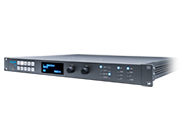
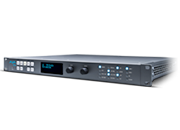
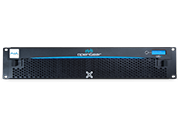
Ki Pro Rack

The VTR alternative.

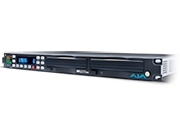
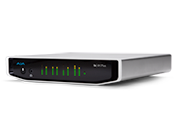
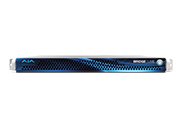
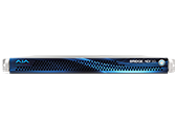
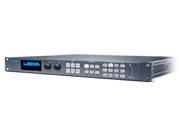
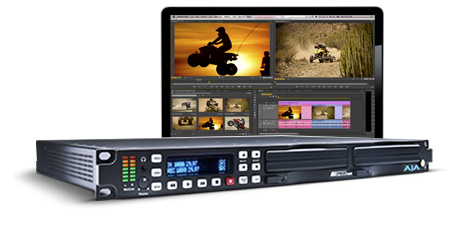
The power of Ki Pro in a 1RU format, the perfect fit for broadcasters transitioning away from tape.

Only $3,995 US MSRP*

Find a Reseller

* Pricing is for US only. International pricing will vary.
Please contact a local AJA Reseller for pricing details.
Ki Pro Rack
Ki Pro Rack
Ki Pro Rack
Overview Features Tech Specs Options Support

Transition to file-based workflows

For video facilities transitioning from tape to file-based workflows for recording and playback, Ki Pro Rack offers high-quality, 'ready-to-edit' file capture.
Learn more


product_page_overview_trailer1

10-bit, full raster recording

10-bit, 4:2:2 recording gives you full quality capture while keeping file sizes manageable and storage costs low.

Learn more

product_page_overview_trailer2

Familiar controls and operation

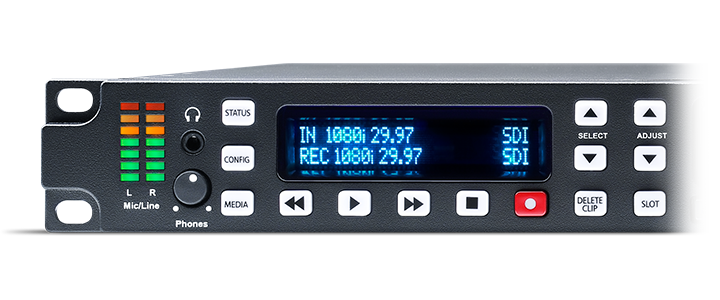
Thanks to intuitive controls, anyone familiar with the operation of a tape deck will feel immediately at home with Ki Pro Rack.

Learn more

product_page_overview_trailer3

RS-422 Control

Connect Ki Pro Rack to editing systems and external controllers for functionality such as jog/shuttle transport, play, fast forward, rewind and assemble edit record.

Learn more

product_page_overview_trailer4
features_cameos_block1

Transition to file-based workflows

For video facilities transitioning from tape to file-based workflows for recording and playback, Ki Pro Rack offers high-quality, 'ready-to-edit' file capture, designed to get material from source to editorial as quickly as possible.

With a wealth of professional connections, Ki Pro Rack will fit right into your existing cabling and routing system and record 10-bit Apple ProRes and Avid DNxHD files direct to removable hard disk or SSD Storage Modules, eliminating the need for time-consuming logging and capturing. The files can be used in most editing systems without the need for additional transcoding or importing processes.


Unify formats - speed workflows

AJA's high-quality up/down/cross conversion makes it easy to unify SD, 720p, and 1080i and create a single desired format for your project. The multitude of video and audio connections such as SDI, HDMI and analog make integrating Ki Pro Rack with other production equipment easy.

features_cameos_block2

10-bit, full raster recording

Big on quality - but not on file size. Recording 10-bit, full raster files, Ki Pro Rack gives you high quality images that easily stand up to post processing requirements - and client scrutiny.

Compared to 8-bit recording devices, 10-bit 4:2:2 recording (when supported by the codec) provides better quantization, giving a superior representation of the original scene and allowing for more flexibility in post production when adjusting color and balance.

By utilizing efficient ProRes and DNxHD codecs, file sizes are kept in check so you won't need to blow your production budget on extra storage.

RS-422 Control

RS-422 control allows Ki Pro Rack to integrate easily with supported editing systems and external controllers allowing it to fulfill several of the functions of a traditional VTR. Supported NLEs can even perform assemble edits directly to the Ki Pro Rack.

Ki Pro Rack’s RS-422 control can also be used to link a traditional VTR with Ki Pro Rack for direct editing control. Use the editing controls on properly equipped VTRs to control Ki Pro Rack for machine-to-machine transfer of video and audio. This allows tape footage to be captured directly as files on Ki Pro Rack without the need for a separate edit controller.

features_cameos_block3
features_cameos_block4

Familiar controls and operation

Anyone familiar with the operation of a tape deck will feel immediately comfortable when working with Ki Pro Rack.

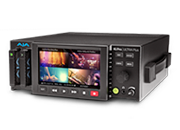
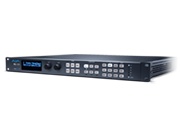
Just like a traditional tape deck, Ki Pro Rack features straightforward and dedicated transport buttons - record, play, stop, rewind, fast forward - making the device easy to operate with minimal training time. The current status of the system and key configuration information is clearly displayed on the built-in screen. Additional operational information can be found in the STATUS menu which can be accessed even when recording or playing back.

The Ki Pro Rack operating system offers users a flat menu structure that is easy to navigate with menu parameters presented in clear and understandable language.

Automatic Camera Control

Using the Camera Data menu parameter, record start/stop operation can be trigged automatically with select cameras. Even file names can be reproduced on the Ki Pro Rack to match the camera native recordings.

features_cameos_block5

Professional connections

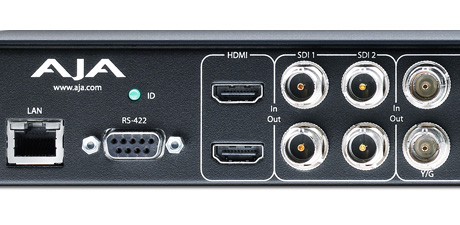
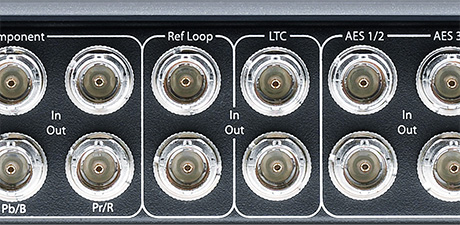
The video and audio connections on the rear panel of the Ki Pro Rack offer the same standard connectors found on traditional tape decks, allowing Ki Pro Rack to integrate easily with your current cabling and routing. The rear connections include SDI, HDMI, component analog, AES and analog XLR balanced audio, LTC, RS-422 and LAN.

Reliable storage media

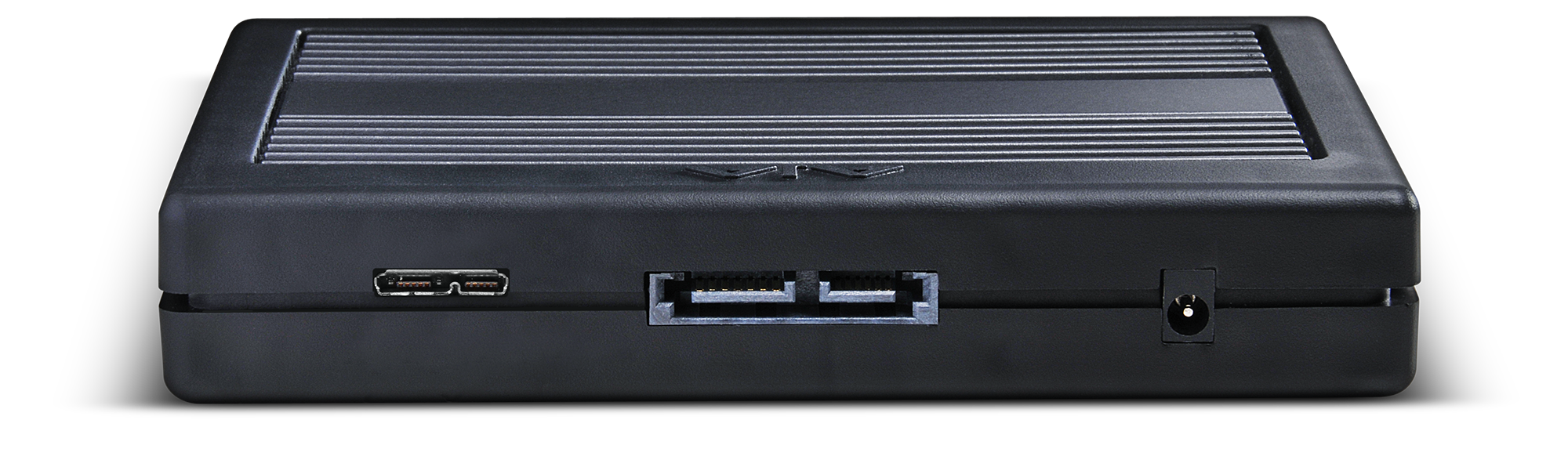
Ki Pro Rack captures directly to reliable AJA KiStor Storage Modules. KiStor modules are available as HDDs or SSDs in a variety of capacities to best suit the demands of your production environment. KiStor modules also feature built-in FireWire 800 or USB 3.0 connectivity for direct connection to your editing system using standard interfaces. However, KiStor modules may also be used with the optional KiStor Dock which features a Thunderbolt™ connection for lightning-fast data transfers.

The twin media drive bays on the Ki Pro Rack allow extremely fast media changes - you can switch drives and start recording right away, without having to wait to eject the first drive.

features_cameos_block6
features_cameos_block7

Ethernet file transfer

Utilizing the LAN network functionality, media can be copied to and from the Ki Pro Rack over the Ethernet connection. This allows for fast file transfers without the need to physically remove the media from the Ki Pro Rack, which can be especially useful in larger facilities and cuts down dramatically on the number of people that have to enter the machine room, minimizing the risk of unintentional interference with equipment.

Remote configuration and operation

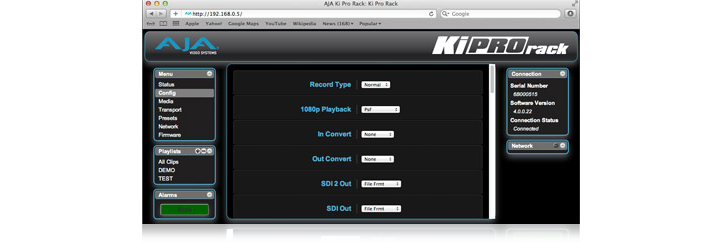
In a truck or a machine room, Ki Pro Rack is equipped for advanced remote control and configuration. With a standard Ethernet LAN connection to a host computer and any web browser, all Ki Pro Rack parameter settings, clip selection and transport controls can be controlled; no additional or special software installation is required on the host computer. Multiple Ki Pro Rack units can even be controlled from a single web interface making Ki Pro Rack an ideal solution for multi-camera recordings. Complete developer tools are also available allowing advanced users to script and automate Ki Pro Rack for custom applications.

features_cameos_block8

Video Input

  • 525i 29.97
  • 625i 25
  • 720P 23.98, 25, 29.97, 50, 59.94, 60 (Note: 720p 23.98 (24), 720p 25 and 720p 29.97 require a valid camera source and the use of the Record Type>VFR selection)
  • 1080i 25, 29.97, 30
  • 1080PsF 23.98, 24, 25*, 29.97* (Note: 25 and 29.97 require a valid camera source and the use of the Record Type>PsF selection)
  • 1080p 23.98, 24, 25, 29.97

Codec Support

  • Apple ProRes 422
  • Apple ProRes 422 (HQ)
  • Apple ProRes 422 (LT)
  • Apple ProRes 422 (Proxy)
  • Avid DNxHD 220x
  • Avid DNxHD 145
  • Avid DNxHD 36 (Note: Avid DNxHD 36 only provides support for the 1080p format)

Removable Storage

  • AJA Ki Stor modules - 2 slots

Video Input Digital

  • SD/HD SDI, SMPTE-259/292/296, 10-bit
  • Single Link 4:2:2 (2 x BNC, input selection in software)
  • HDMI v1.3

Video Input Analog

  • SD/HD Component (3 x BNC)
  • SMPTE/EBU N10, Betacam 525 line, Betacam 525J
  • 12-bit A/D, 2x oversampling
  • +/- .25 dB to 5.5 MHz Y Frequency Response
  • +/- .25 dB to 2.5 MHz C Frequency Response
  • .5% 2T pulse response
  • <2 ns Y/C delay inequity
    or
  • Composite (1 x BNC – CVBS on Y)

Video Output Digital

  • SD/HD SDI, SMPTE-259/292/296, 10-bit
  • Single link 4:2:2 (1 x BNC)
  • HDMI v1.3
    Note: HDMI requires 1080i, 720p or 1080p to be active; HDMI does not provide support for PsF

Video Output Analog

  • Component (3 x BNC)
  • NTSC, NTSCJ, PAL
  • HD: YPbPr, RGB
  • SD: YPbPr, RGB (component mode)
  • SMPTE/EBU N10, Betacam 525 line, Betacam 525J, RGB
  • 12-bit D/A, 8x oversampling
  • +/- .2 dB to 5.5 MHz Y Frequency Response
  • +/- .2 dB to 2.5 MHz C Frequency Response
  • .5% 2T pulse response
  • <1 ns Y/C delay inequity
  • or
  • Composite (1 x BNC – CVBS on Y)
  • +/- .2 dB to 5.0 MHz Y Frequency Response
  • +/- .2 dB to 1 MHz C Frequency Response
  • <1% Diff Phase
  • <1% Diff Gain

Audio Input Digital

  • 8-channel, 24-bit SMPTE-259 SDI embedded audio, 48kHz sample rate, Synchronous
  • 2-channel, 24-bit HDMI embedded audio, 48kHz sample rate, Synchronous
  • 8-channel, 24-bit AES/EBU audio, 48KHz sample rate, Synchronous or Non-synchronous, Internal sample rate conversion (4 x BNC)

Audio Input Analog

  • 2-channel, 24-bit A/D analog audio, 48kHz sample rate, balanced (2 x XLR)
  • +24dbu Full Scale Digital
  • +/- 0.2db 20 to 20kHz Frequency Response (Note: Line or Mic selection via CONFIG menu parameters)

Audio Output Digital

  • 8-channel, 24-bit SMPTE-259 SDI embedded audio, 48kHz sample rate, Synchronous
  • 8-channel, 24-bit HDMI embedded audio, 48kHz sample rate, Synchronous
  • 8-channel, 24-bit AES/EBU audio, Synchronous or Non-synchronous, Internal sample rate conversion (4 x BNC)

Audio Output Analog

  • 2-channel, 24-bit D/A analog audio, 48kHz sample rate, balanced (2 x XLR)
  • +24dbu Full Scale Digital (0dbFS)
  • +/- 0.2db 20 to 20kHz Frequency Response
  • Stereo unbalanced headphone (1 x 3.5mm mini jack)

Up-Conversion

  • Hardware 10-bit
  • Anamorphic: full-screen
  • Pillar box 4:3: results in a 4:3 image in center of screen with black sidebars
  • Zoom 14:9: results in a 4:3 image zoomed slightly to fill a 14:9 image with black side bars
  • Zoom Letterbox: results in image zoomed to fill full screen
  • Zoom Wide: results in a combination of zoom and horizontal stretch to fill a 16:9 screen; this setting can introduce a small aspect ratio change

Down-conversion

  • Hardware 10-bit
  • Anamorphic: full-screen
  • Letterbox: image is reduced with black top and bottom added to image area with the aspect ratio preserved
  • Crop: image is cropped to fit new screen size

Cross-conversion

  • Hardware 10-bit
  • 1080i to 720P
  • 720P to 1080i

Timecode

  • SDI RP188/SMPTE 12M via SDI BNC
  • HDMI (when used with compatible cameras)
  • LTC Input (1 x BNC)
  • LTC output (1x BNC) (Note: active during playback not during record or EE)

Reference Input

  • Analog Color Black (1V) or Composite Sync (2 or 4V)
  • Looping, non-terminating

Network Interface

  • 10/100/1000 Ethernet (RJ-45)
  • Embedded web server for remote control

User Interface

  • 2 x 20 character display, with dedicated buttons

Machine Control

  • RS-422, Sony 9-pin protocol (via DB-25 breakout cable or optional KLHi-Box)
  • 9-pin D-connector pinout is as follows:
    1 GND
    2 RX-
    3 TX+
    4 GND
    5 No Collection
    6 GND
    7 RX+
    8 TX-
    9 GND
    Shell GND

Physical

  • Width: 19" (48.26cm)
  • Depth: 12.5" (37.74cm) front panel to the back of the deepest connector
  • Height: 1.75" (4.45cm)
  • Power: 100-240 VAC 50/60Hz (Dual, redundant power supplies), 40W typical; 10A Max
  • Weight: 7.28 lb (3.30215 kg)

KiStor Modules

KiStor Storage Modules use thoroughly tested media and are backed by a 1-year warranty. KiStor Storage Modules are also engineered with the rigors of production use in mind; not only are robust housings used for the media, but connectors rated for multiple insertions and removals are used, unlike bare HDD or SSD connectors that are not engineered for repeated use. Additionally, KiStor modules can be formatted in the device making it a true stand alone recorder; connecting the media to a host computer to format media is not necessary.

KiStor modules are available in the following models and capacities:

    FireWire USB3.0
HDD 250
500
750  
SDD 128  
300  
256  
512  


KiStor Dock

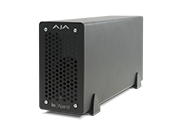
This external docking station provides both Thunderbolt™ and USB 3.0 connections for ultra-fast file transfers between either PC or Mac host computer and KiStor modules. Works with all KiStor modules.

Download Latest Version

Contact Support

180 Litton Drive, Grass Valley, CA 95945 USA
Phone: +1-530-271-3190, Fax: +1-530-274-9442
Email: support@aja.com

Register Your Product

Register your AJA product to help us provide you with the highest quality technical assistance.

Shadow

© Copyright 2013 AJA Video Systems.