AJA U-TAP v1.5.7 for Mac
(Release Date 8/27/2025, zip archive)
Direct Link
U-TAP SDI and U-TAP HDMI firmware v1.5.7 is a maintenance release with improvements for Zoom and Apple silicon computers.
Please read the Release Notes for details regarding loading the firmware update with the Software Updater.
READ THIS BEFORE UPDATING U-TAP FIRMWARE:
Please note that during the firmware update procedure of the U-TAP, if you disconnect the unit before the update is fully completed, it will be rendered non-operational and require factory service.
During a U-TAP firmware update, multiple update processes will run one after the other. As each one completes, a notice will be shown on the screen. It may appear that the process has stalled, or is complete, but wait at least 3 to 5 minutes for all processes to complete.
Once all updates have been completed, it is safe to disconnect and reboot the U-TAP.
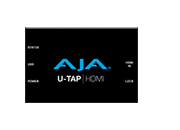
Related Products: U-TAP, U-TAP HDMI, U-TAP SDI
Mirrors
Download
AJA U-TAP v1.5.7 for Windows
(Release Date 8/27/2025, zip archive)
Direct Link
U-TAP SDI and U-TAP HDMI firmware v1.5.7 is a maintenance release.
Please read the Release Notes for details regarding loading the firmware update with the Software Updater.
READ THIS BEFORE UPDATING U-TAP FIRMWARE:
Please note that during the firmware update procedure of the U-TAP, if you disconnect the unit before the update is fully completed, it will be rendered non-operational and require factory service.
During a U-TAP firmware update, multiple update processes will run one after the other. As each one completes, a notice will be shown on the screen. It may appear that the process has stalled, or is complete, but wait at least 3 to 5 minutes for all processes to complete.
Once all updates have been completed, it is safe to disconnect and reboot the U-TAP.
Related Products: U-TAP, U-TAP HDMI, U-TAP SDI
Mirrors
Download
AJA U-TAP v1.5.6 for Mac
(Release Date 4/12/2022, zip archive)
Direct Link
v1.5.6 is an enhancement release for U-TAP SDI and U-TAP HDMI. Please read the Release Notes for details regarding loading the firmware update with the new Software Updater.
Related Products: U-TAP, U-TAP HDMI, U-TAP SDI
Mirrors
Download
AJA U-TAP v1.5.6 for Windows
(Release Date 4/11/2022, zip archive)
Direct Link
v1.5.6 is an enhancement update for U-TAP SDI and U-TAP HDMI . Please read the Release Notes for details regarding loading the firmware update with the new Software Updater.
Related Products: U-TAP, U-TAP HDMI, U-TAP SDI
Mirrors
Download
AJA U-TAP v1.5.5 for Mac
(Release Date 3/22/2021, zip archive)
Direct Link
As of v1.5.5, all previous versions of U-TAP Updater are being removed from the AJA U-TAP Support Pages. We are taking this step out of an abundance of caution, since v1.5.5 rectifies an edge case where updates with any earlier version of the U-TAP Updater could in some cases fail, causing the unit to become unresponsive.
v1.5.5 is an enhancement release for U-TAP SDI and U-TAP HDMI. Please read the Release Notes for details regarding loading the firmware update with the new Software Updater.
Related Products: U-TAP, U-TAP HDMI, U-TAP SDI
Mirrors
Download
AJA U-TAP v1.5.5 for Windows
(Release Date 3/22/2021, zip archive)
Direct Link
As of v1.5.5, all previous versions of U-TAP Updater are being removed from the AJA U-TAP Support Pages. We are taking this step out of an abundance of caution, since v1.5.5 rectifies an edge case where updates with any earlier version of the U-TAP Updater could in some cases fail, causing the unit to become unresponsive.
v1.5.5 is an enhancement update for U-TAP SDI and U-TAP HDMI . Please read the Release Notes for details regarding loading the firmware update with the new Software Updater.
Related Products: U-TAP, U-TAP HDMI, U-TAP SDI
Mirrors
Download
AJA U-TAP SDI and U-TAP HDMI Manual v1.5.6
(Release Date 4/12/2022)
Direct Link
AJA U-TAP Series Manual v1.5.6
Related Products: U-TAP, U-TAP HDMI, U-TAP SDI
Mirrors
Download
Does U-TAP support video conferencing and chat software such as Facebook Live, Google Hangouts, GoToMeeting, MS Teams, OBS, Skype, Zoom, etc.?
Why use U-TAP instead of a webcam?
Direct Link
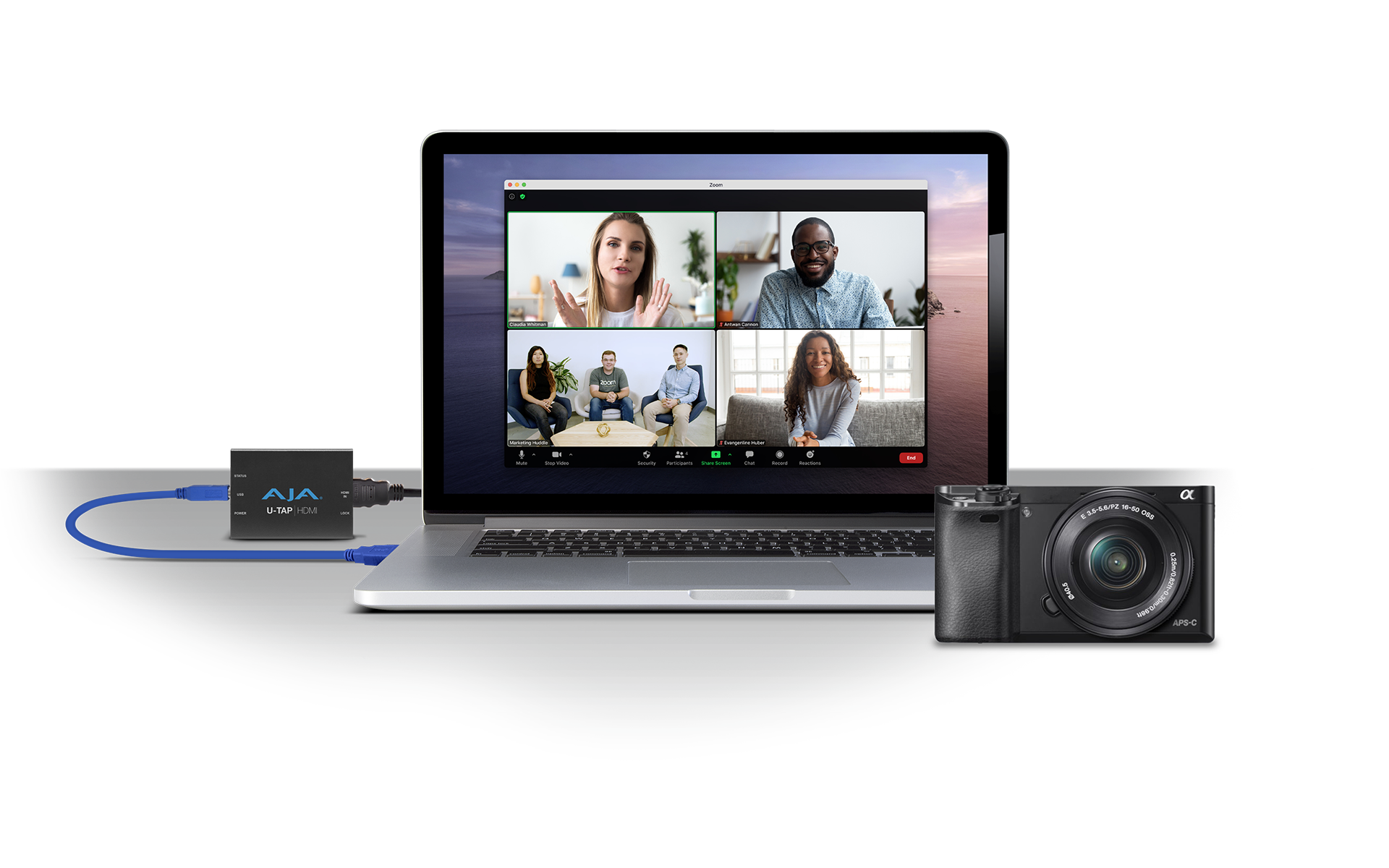
For a more polished look, many opt to use U-TAP to receive the output from higher end cameras, gaming, and graphics systems. U-TAP allows you to use your computer to input a range of different video sources via an ever growing list of video software tools for video calls and conferences, podcasts, live event streaming, and much more: https://www.aja.com/compatibility/u-tap.
Related Products: U-TAP, U-TAP HDMI, U-TAP SDI
What is the maximum video quality supported by U-TAP?
Direct Link
U-TAP HDMI: YCbCr, 4:4:4, 8, 10, 12-bit / RGB 4:4:4, 8, 10, 12-bit
U-TAP SDI: YCbCr, 4:2:2, 10-bit
Note that the host system specifications and software will govern what frame rates and bit depths are possible. U-TAP will provide the video data, and the host system/software application is responsible for processing that data quickly enough to produce smooth video.
Related Products: U-TAP, U-TAP HDMI, U-TAP SDI
I am a Linux user, how do I update U-TAP?
Direct Link
It's true that there is no U-TAP Updater application to allow updates natively on Linux. The good news is that the workaround is pretty simple. Locate pretty much any mac or windows system with a USB 3.0 (USB 3.2, GEN 1) port. Download and run the update on that system. Once complete, take the U-TAP back to your trusty Linux system.
Related Products: U-TAP, U-TAP HDMI, U-TAP SDI
U-TAP has no drivers to install? How then are the U-TAP products seen by the OS?
Direct Link
U-TAP HDMI and U-TAP SDI use a technology called UVC (USB Video Class) and UAC (USB Audio Class). This is how most webcams interact with the host operating systems. This allows the device to not need any third party driver installs or configuration. Just plug it in and open the application as support for the devices is provided at the operating system level.
Related Products: U-TAP, U-TAP HDMI, U-TAP SDI
What Operating Systems does U-TAP support?
Direct Link
U-TAP is designed to work with operating systems that support UVC and UAC.
As of the U-TAP v1.5.4 update:
Mac Updater application, U-TAP HDMI and U-TAP SDI are compatible with Mac M1.
Mac Updater application, U-TAP HDMI and U-TAP SDI are compatible with macOS Big Sur 11.x.
Win Updater application, U-TAP HDMI and U-TAP SDI no longer tested or officially supported with versions prior to Windows 10.
Linux: Note there is no U-TAP Updater installer for Linux, but U-TAP does run under Linux. To get around this, locate pretty much any Mac or Windows system with a USB 3.0 (USB 3.2, GEN 1) port. Download and run the update on that system. Once complete, take the U-TAP back to your trusty Linux system.
• Firmware Update for U-TAP HDMI and U-TAP SDI compatible with Linux CENTOS 8.
• Firmware Update for U-TAP HDMI and U-TAP SDI compatible with Linux Ubuntu 20.04 LTS.
Related Products: U-TAP, U-TAP HDMI, U-TAP SDI
Since U-TAP has no drivers to install, how do I actually use it?
Direct Link
To capture video content with U-TAP, you will need a UVC compatible application. Most applications that support webcam ingest or capture will work. Quicktime X, VLC, and many more.Please see AJA’s compatibility grid for known software compatibility: https://www.aja.com/compatibility/u-tap.
Related Products: U-TAP, U-TAP HDMI, U-TAP SDI
What type of interface is needed to connect U-TAP to my computer?
Direct Link
U-TAP is natively USB 3.0 (USB 3.2, Gen 1) and requires a USB 3.0 (USB 3.2, GEN 1) connection or better on the host computer for full 1080p 60 capture to be possible.
Compatible Host Computer Interfaces
• USB 3.0 (USB 3.2, Gen 1) "SuperSpeed USB 5Gbps"
• USB 3.1 (USB 3.2, Gen 2) "SuperSpeed USB 10Gbps"
• USB 3.2 (USB 3.2, Gen 2x2) "SuperSpeed USB 20Gbps"
• USB 2.0
Note: USB 2.0, and/or USB connections via Hubs, may not always deliver sufficient power for U-TAP.
Related Products: U-TAP, U-TAP HDMI, U-TAP SDI
What are the limitations with using USB 2.0?
Direct Link
U-TAP is natively USB 3.0 (USB 3.2, Gen 1), so using a host computer with USB 2.0 connectivity will reduce and limit performance. Furthermore, power needs are not always met from USB 2.0 connections, thus introducing instability. U-TAP will negotiate with the USB bus in the host computer and provide the best results possible.
Related Products: U-TAP, U-TAP HDMI, U-TAP SDI
How can I verify whether my system has USB 3.0 (USB 3.2, GEN 1)?
Direct Link
USB 3.0 (USB 3.2, GEN 1), also known as "SuperSpeed USB 5Gbps", comes standard on all computers manufactured after 2011. USB 3.0 (USB 3.2, GEN 1) ports are normally colored blue (instead of black). Check with your computer or motherboard manufacturer to verify that USB 3.0 is present on your system.
Related Products: U-TAP, U-TAP HDMI, U-TAP SDI
Will USB extenders like those made by Extron work with the U-TAP?
Direct Link
U-TAP sends bulk data for video and isosynchronous data for audio, which is not compatible with Extron Extenders since they expect isosynchronous video.
Related Products: U-TAP, U-TAP HDMI, U-TAP SDI
What type of USB cable should I use with U-TAP when using a USB 3.0 (USB 3.2, GEN 1) port (or better) on the host computer?
Direct Link
AJA recommends using USB-IF certified cables no longer than 1 meter or 3 feet long for best result with USB3 connectivity.
Related Products: U-TAP, U-TAP HDMI, U-TAP SDI
Can I have multiple U-TAPs connected to my computer and talking to multiple capture applications at once?
Direct Link
Yes, you can attach multiple U-TAPs to the same CPU through its built-in USB connections! However, attaching Multiple U-TAPs to one system might impact the expected frame rate of incoming video, depending on the CPU, RAM, etc. If you are going to do this, then be prepared to test and tune your setup. Compare different host computers, try different USB port combinations to see what gives you the best result. Be aware that on some laptops, a portion of (or perhaps all) USB ports are essentially on a hub, and USB hubs don’t always provide suitable power for U-TAP to function reliably.
Related Products: U-TAP, U-TAP HDMI, U-TAP SDI
What is the maximum frames per second that U-TAP can capture?
Direct Link
U-TAP is capable of up to 60 frames per second of capture at resolutions up to 1080p when connected to a USB 3.0 (USB 3.2, GEN 1) connection (or better) on the host computer.
Related Products: U-TAP, U-TAP HDMI, U-TAP SDI
Does U-TAP change the resolution of the images it captures to transfer to the host computer?
Direct Link
This is dependent on the capture application. Many applications do not expose the user to the different output sizes and control those settings internally to maintain best picture quality. This is very common with Video Conferencing and Video Chat applications.
Related Products: U-TAP, U-TAP HDMI, U-TAP SDI
Can I force the U-TAP to capture a certain resolution and framerate regardless of input resolution and framerate?
Direct Link
Yes, the U-TAP hardware is capable of these conversions. However, the controls for these needs are provided by the software you are using, and only certain applications expose these controls.
Related Products: U-TAP, U-TAP HDMI, U-TAP SDI
Can I use different video sources with the U-TAP while maintaining the same capture signal?
Direct Link
Yes, changing video sources will not negatively impact the capture signal or format in the application.
Related Products: U-TAP, U-TAP HDMI, U-TAP SDI
Does U-TAP compress my video sources or use frame compression when capturing video content?
Direct Link
No, U-TAP can scale, but it does not compress the video. U-TAP offers ingest of uncompressed video.
Related Products: U-TAP, U-TAP HDMI, U-TAP SDI
Does U-TAP induce any capture delay?
Direct Link
U-TAP adds near zero delays. However, third party applications may cause additional capture delay. For example, the application AmCap adds 500 Millisecond delay to the audio path by default, which can be adjusted within the application itself.
Related Products: U-TAP, U-TAP HDMI, U-TAP SDI
My image appears reversed in my capture application; why is this happening?
Direct Link
This is just a visual quirk – image mirroring happens with most UVC-friendly applications. But don’t worry! All captured video content will appear correctly despite appearing reversed in your application during capture!
Related Products: U-TAP, U-TAP HDMI, U-TAP SDI
Can U-TAP save captured signals as a movie?
Direct Link
U-TAP cannot save or capture video by itself, but many applications support this.
Related Products: U-TAP, U-TAP HDMI, U-TAP SDI
How do I get analog audio in to a U-TAP device?
Direct Link
To get analog audio into a U-TAP you need to embed the Audio prior to the signal getting to the U-TAP as U-TAP devices are digital devices.
Related Products: U-TAP, U-TAP HDMI, U-TAP SDI
Does AJA have any troubleshooting advice if I am having problems?
Direct Link
· For troubleshooting, it is highly recommended to try at least two different USB cables and two different USB ports to make sure the problem is not a damaged cable or unreliable USB port.
· Not all USB hubs or extenders properly support video devices. If there is a USB hub or extender between U-TAP and the host-system and difficulties are being experienced, try connecting U-TAP directly to your computer using a known good cable.
· If problems occur with U-TAP not being recognized by your host-system, most often, this can be resolved by unplugging and replugging the U-TAP.
· It is recommended to disable system sleep and hibernation when using U-TAP to avoid loss of connection and/or behavior that requires an unplug and replug in order to put U-TAP back into a functional state for Video Capture.
· If problems cannot be resolved by unplugging and replugging the U-TAP, a host-system system shutdown and restart may be required.
· Check to make sure the most powerful GPU available to the U-TAP host-system is in use. For example, some systems have both an onboard/embedded graphics adapter as well as a (more powerful) third party GPU.
· Be aware of how many applications are running and consuming resources (CPU cycles, RAM) on your host system. If you are running multiple software applications, try closing some to see if a point can be found where U-TAP is not having to compete for the system resources necessary for Video Capture.
· From time to time, OS updates may cause issues that have to be addressed via a firmware update. If you have recently updated to a new host-system OS and are now experiencing problems, please contact AJA Technical Support with the previous and current OS versions.
· Occasionally, for some computers, it may be necessary to update the USB chipset driver. Check with the manufacturer of the host-system (or your IT department) to see if you have the latest version installed.
· AV sync problems; U-TAP is only capable of creating a maximum delay of ~10ms between the video and audio. Any AV sync issues beyond that are due to the host application and the USB audio sink.
Related Products: U-TAP, U-TAP HDMI, U-TAP SDI
 Mini-Converters
 Digital Recorders
 Mobile I/O
 Desktop I/O
 Color
Color
 Streaming
 IP Video/Audio
 Frame Sync
 openGear
 Routers
 Recording Media
 Developer
 Software
















 Contact Support
 Register Your Product